
Google has added a new bot to its official crawler documentation, and this one is different from anything we have seen before. Unlike Googlebot, which crawls and indexes pages automatically, Google-Agent is an AI that browses the web like a human user. It clicks buttons, fills out forms, compares prices, and completes tasks on behalf of real people.
Powered by Project Mariner and built on Gemini 2.0, Google-Agent represents a fundamental shift in how Google interacts with websites. This is not a crawler. It is an autonomous agent that takes actions. And it just got its own official user-agent string, its own IP range file, and even an experimental cryptographic identity system.
For website owners, this raises important questions. How does Google-Agent affect your site? Can you block it? Should you even want to? Let us break it down. Start by checking your current bot settings with the AI crawler checker.
What Is Google-Agent?
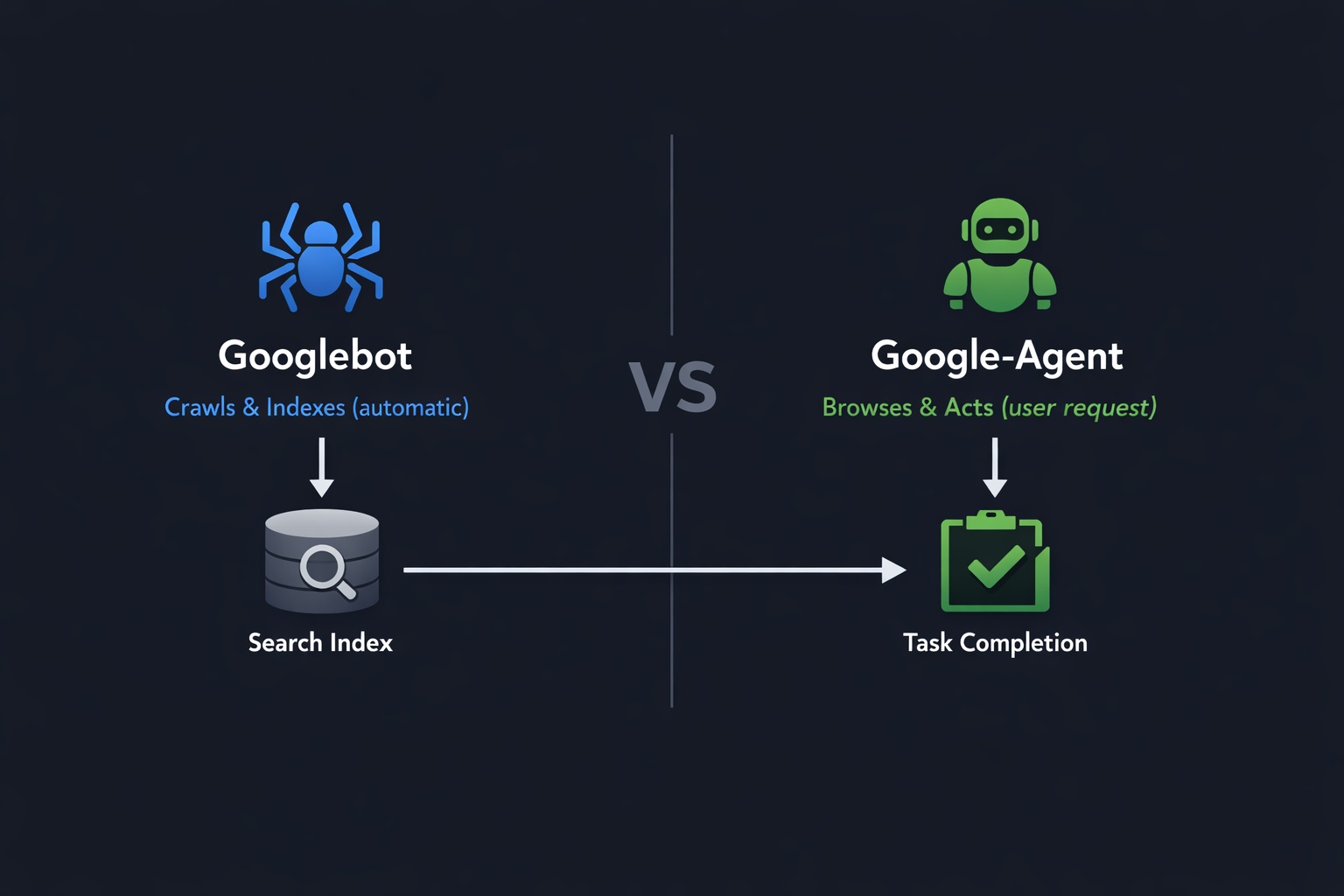
Google-Agent is a User-Triggered Fetcher that was added to Google's official crawler documentation in March 2026. According to Google, it is "used by agents hosted on Google infrastructure to navigate the web and perform actions upon user request."
The key phrase here is "upon user request." Traditional crawlers like Googlebot visit your site on their own schedule, scanning pages and adding them to Google's search index. Google-Agent does not do that. Instead, it only visits your website when a real human user asks it to perform a specific task, like "find me the cheapest flight to Tokyo" or "compare these three laptops."
Think of it this way: Googlebot is a librarian that catalogs books. Google-Agent is a personal assistant that goes to the store and buys things for you.
Google-Agent at a Glance
Classification
User-Triggered Fetcher (not a Common Crawler)
Trigger
Only acts when a real user makes a request
Powered By
Project Mariner + Gemini 2.0
IP Ranges
user-triggered-agents.json (separate from Googlebot)
What Is Project Mariner?
Project Mariner is Google's AI agent built on Gemini 2.0. It was first introduced at Google I/O 2025 and represents Google's vision of "agentic browsing," where AI agents navigate the web autonomously on behalf of users.
Currently, Project Mariner is available in the United States to subscribers of the Google AI Ultra plan ($249.99/month). It runs in cloud-based virtual machines and can handle up to 10 browsing tasks simultaneously.
Mariner works on an "Observe, Plan, Act" cycle:
Observe
Mariner analyzes the current page, reads content, identifies interactive elements (forms, buttons, links), and understands the page structure.
Plan
Based on the user's request, it creates a step-by-step plan. For example: go to airline website, enter dates, compare prices, select cheapest option.
Act
Mariner executes the plan by clicking, typing, scrolling, and navigating across pages. The user maintains control and can approve sensitive actions.
Before Google-Agent was officially documented, Mariner controlled regular Chrome browser instances and was practically invisible in server logs. Now, with its own user-agent string and IP range, website owners can identify and track agentic traffic for the first time.
Google-Agent User-Agent Strings
Google-Agent identifies itself with two user-agent strings, one for mobile and one for desktop:
Mobile Agent
Mozilla/5.0 (Linux; Android 6.0.1; Nexus 5X Build/MMB29P) AppleWebKit/537.36 (KHTML, like Gecko) Chrome/W.X.Y.Z Mobile Safari/537.36 (compatible; Google-Agent; +https://developers.google.com/crawling/docs/crawlers-fetchers/google-agent)Desktop Agent
Mozilla/5.0 AppleWebKit/537.36 (KHTML, like Gecko; compatible; Google-Agent; +https://developers.google.com/crawling/docs/crawlers-fetchers/google-agent) Chrome/W.X.Y.Z Safari/537.36The W.X.Y.Z is a placeholder for the current Chrome version number, just like with Googlebot. Both strings clearly contain "Google-Agent" and a link to the documentation page, making them easy to identify in server logs.
Google-Agent vs. Googlebot: Key Differences
It is important to understand that Google-Agent and Googlebot are completely different tools serving different purposes:
| Property | Googlebot | Google-Agent |
|---|---|---|
| Category | Common Crawler | User-Triggered Fetcher |
| Trigger | Automatic (crawl schedule) | User request ("Book me a hotel") |
| Behavior | Reads and indexes pages | Navigates, clicks, fills forms, takes actions |
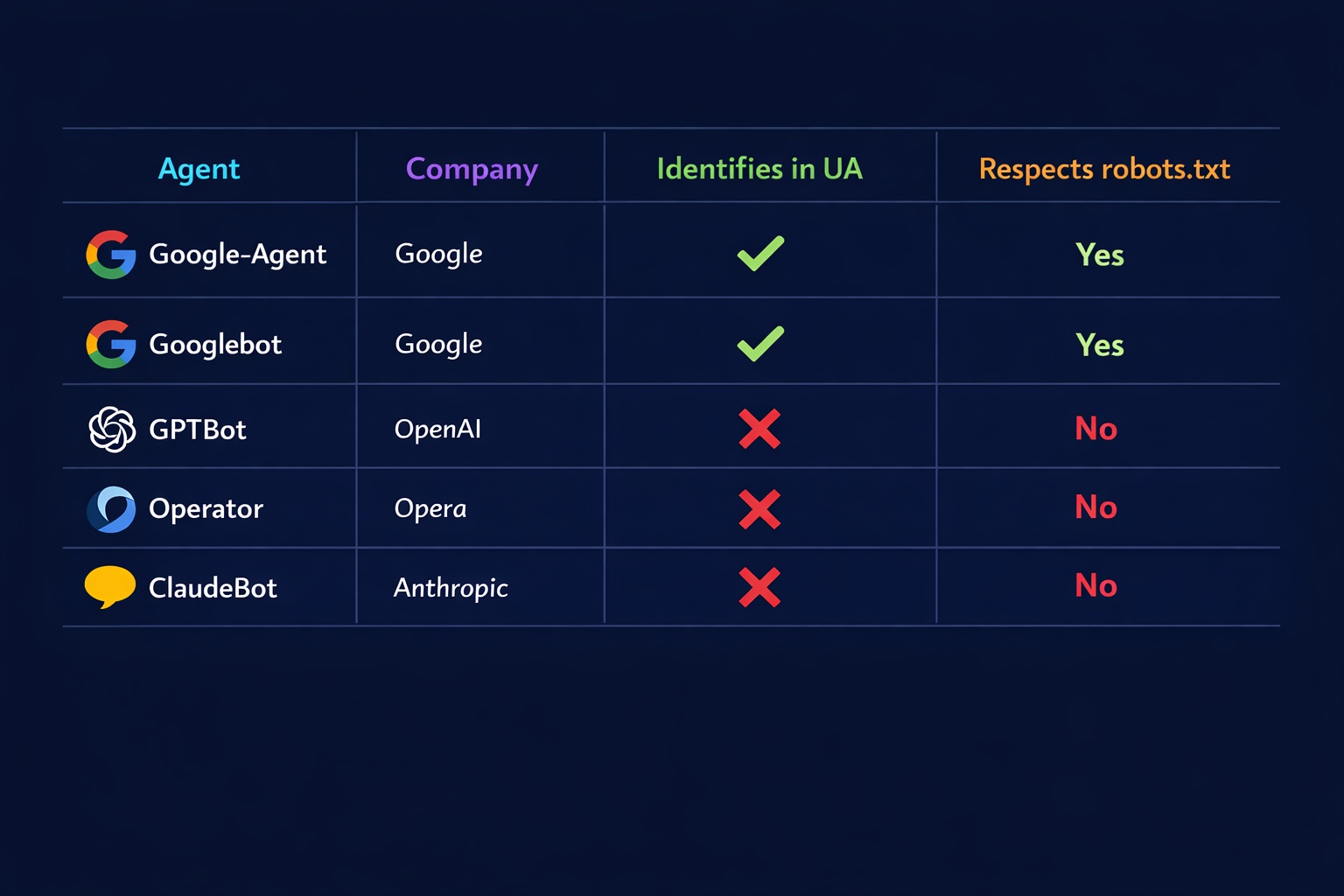
| robots.txt | Always respects robots.txt | Ignores robots.txt (user-triggered) |
| IP Ranges | common-crawlers.json | user-triggered-agents.json |
| Affects SEO | Yes (search indexing) | No (task execution only) |
| Verification | Reverse DNS | Reverse DNS + Web Bot Auth (experimental) |
The most important distinction: Google-Agent does not affect your search rankings. It is not a search crawler. It only visits your site when a real person asks it to do something specific. Think of it as a remote-controlled browser operated by AI on behalf of a human user.
Can You Block Google-Agent with robots.txt?
No. According to Google's official documentation, User-Triggered Fetchers generally ignore robots.txt rules because they are responding to direct user requests, not crawling automatically.
This is a critical difference from bots like GPTBot or ClaudeBot, which you can block via robots.txt. Google-Agent operates in a completely different category. When a user tells Project Mariner to "go to example.com and find the cheapest product," that is essentially the same as the user visiting your site themselves. Google-Agent is just doing it on their behalf.
However, you can still control Google-Agent access through other means:
Ways to Manage Google-Agent Access
WAF/Firewall rules: You can block the Google-Agent user-agent string at the server level or through your CDN (Cloudflare, Akamai, etc.)
IP-based blocking: Google-Agent uses IPs from user-triggered-agents.json. You can use this file to create IP block rules.
Warning: Blocking Google-Agent means blocking real users who delegated a task to Google's AI. You could lose potential customers.
Our recommendation: Do not block Google-Agent unless you have a specific security reason. Blocking it is like hanging up on a customer who called through an automated phone system. The request is real, even if the browser is controlled by AI.
Check what bots can currently access your site with the AI crawler checker and review your full bot access settings.
Web Bot Auth: Cryptographic Bot Verification
Perhaps the most forward-looking part of the Google-Agent announcement is the introduction of Web Bot Auth, an IETF draft standard for cryptographic bot verification. Google is experimenting with this protocol using the identity https://agent.bot.goog.
Here is why this matters: Until now, any bot could claim to be Googlebot by faking the user-agent string. The only verification method was a slow reverse DNS lookup. Web Bot Auth changes this completely.
How Web Bot Auth Works
Digital passport: Each bot has a cryptographic key pair (private + public key)
Signed requests: Every HTTP request from the bot is cryptographically signed with the private key
Instant verification: Your server (or WAF) checks the signature using the public key and knows with certainty the bot is who it claims to be
Companies like Cloudflare, Akamai, and Amazon already support Web Bot Auth in their WAF products. Google adopting this standard adds significant momentum. If you use a major CDN or firewall provider, Web Bot Auth support will likely be available to you automatically in the coming months.
The WebMCP Connection
Google-Agent becomes even more powerful when combined with WebMCP (Web Model Context Protocol), which Google co-developed with Microsoft and launched in Chrome 146 Canary in February 2026.
WebMCP allows websites to publish structured "Tool Contracts" that tell AI agents exactly what actions they can perform. Without WebMCP, Google-Agent has to figure out how your website works by reading the DOM and guessing. With WebMCP, your site explicitly declares: "Here is my search form. Here is my booking form. Here is how to add items to a cart."
This is why tracking Google-Agent activity matters. If you see significant Google-Agent traffic in your logs, it is a strong signal that implementing WebMCP should be a priority. The data tells you exactly how important agentic readiness is for your specific website.
How to Monitor Google-Agent Traffic
Here is how to track Google-Agent activity on your website:
1. Server Log Analysis
Filter your server access logs for the "Google-Agent" string:
# Apache/Nginx access logs
grep "Google-Agent" /var/log/nginx/access.log

# Count Google-Agent requests per day
grep "Google-Agent" /var/log/nginx/access.log | awk '{print $4}' | cut -d: -f1 | sort | uniq -c
2. Google Analytics 4
Google-Agent may or may not execute JavaScript (it depends on the task). For visits where it does, you can create a custom segment in GA4 to identify traffic with the "Google-Agent" user-agent pattern. Check out our guide on monitoring AI bot traffic in Google Analytics for detailed setup instructions.
3. Cloudflare Analytics
If you use Cloudflare, you can create a firewall rule with action "Log" (not block) to track Google-Agent visits without interfering with them. This gives you clean data on how often the agent visits and what pages it accesses.
How to Prepare Your Website for Google-Agent
While there is no immediate crisis, preparing now puts you ahead of competitors. Here is your checklist:
Website Owner Checklist
Set up log monitoring: Add "Google-Agent" as a tracked bot in your analytics and server log tools
Review WAF/firewall rules: Make sure aggressive bot protection does not block Google-Agent by mistake
Clean up your HTML forms: Use semantic labels, proper input types, and clear action attributes. Google-Agent understands clean HTML better.
Update structured data: Product schemas, pricing, availability, and business hours help Google-Agent complete tasks accurately
Explore WebMCP: Start learning about the Web Model Context Protocol to make your site explicitly agent-ready
Run an AI visibility check: Use the AI Crawler Check tool to see how all 248 bots interact with your site
Google-Agent vs. Other AI Agents
Google is not alone in the agentic browsing space. Here is how Google-Agent compares to competing AI agents:
| Agent | Company | Identifies in UA? | robots.txt? |
|---|---|---|---|
| Google-Agent | Yes (official UA) | Ignores | |
| Operator | OpenAI | Yes (ChatGPT Operator) | Ignores |
| Claude Computer Use | Anthropic | No (uses regular Chrome) | N/A |
| Big Sur AI | Big Sur AI | Yes | Ignores |
Google's approach of giving its agent an official user-agent string, a separate IP range file, and cryptographic verification is the most transparent of any AI agent provider. This sets a standard that other companies will likely follow.
What This Means for SEO and Website Strategy
Google-Agent itself does not affect search rankings. But the trend it represents has massive implications for website owners:
Agentic Commerce Is Coming
Users will increasingly send AI agents to browse, compare, and purchase on their behalf. E-commerce sites that are agent-friendly will capture these transactions. Sites that are not will lose sales to competitors.
Structured Data Becomes Critical
AI agents rely on structured data (JSON-LD schema) to understand what your site offers. Product data, pricing, availability, and business information must be machine-readable.
AEO: Agentic Engine Optimization
SEO experts are calling this "the biggest shift in technical SEO since structured data." A new discipline called AEO (Agentic Engine Optimization) is emerging, focused on making sites usable by AI agents.
The bottom line: Google-Agent is the first visible signal of a much bigger shift. The web is moving from "humans browse websites" to "AI agents browse websites on behalf of humans." Website owners who prepare now will have a significant advantage when this becomes mainstream.
Check Your AI Bot Settings
Run a free scan to see how Google-Agent and the other 247 bots we track interact with your website. Get your AI Visibility Score and personalized recommendations.
Check Your Website NowTimeline: What to Expect
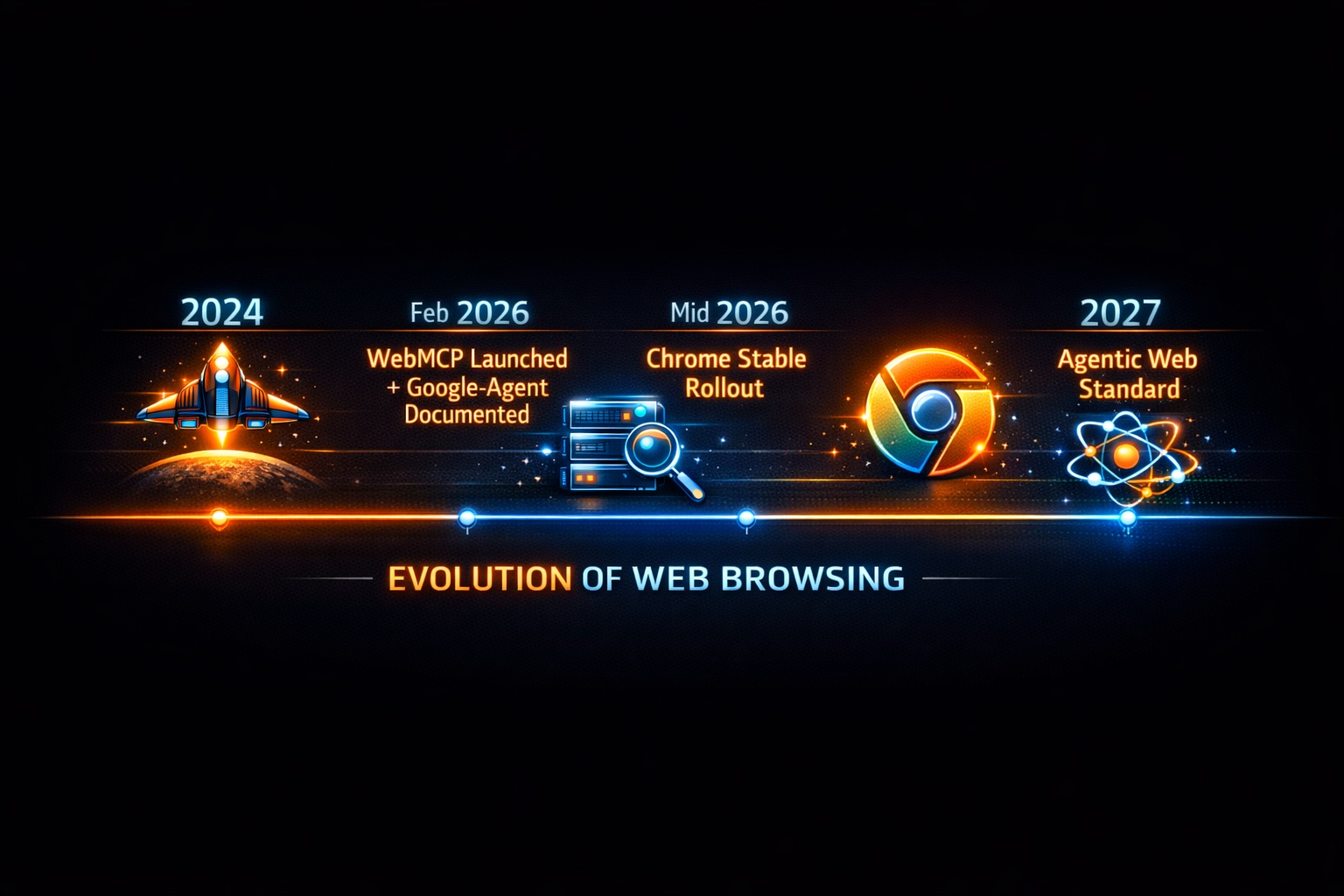
March 2026
Google-Agent officially documented. Available in US via Project Mariner (AI Ultra plan). User-agent string and IP ranges published.
Mid 2026
Expected wider rollout of Project Mariner. WebMCP stable release in Chrome and Edge. Google-Agent traffic increases significantly.
2027+
Agentic browsing becomes mainstream. Web Bot Auth standardized. Most major websites implement WebMCP. Agent-readiness becomes a competitive requirement.
Conclusion
Google-Agent marks the beginning of a new era in web interaction. For the first time, Google has given its AI agent an official identity with a dedicated user-agent string, separate IP ranges, and experimental cryptographic verification.
As a website owner, you do not need to panic. Google-Agent does not affect your search rankings, and you cannot (and probably should not) block it via robots.txt. But you should start preparing:
- Set up monitoring for Google-Agent in your server logs
- Make sure your WAF does not accidentally block it
- Improve your HTML forms and structured data
- Learn about WebMCP for explicit agent readiness
- Run an AI crawler check to understand your current bot access settings
The question is no longer whether AI agents will become part of everyday web traffic. The question is how soon, and whether your website will be ready when they arrive.