Most AI visibility problems are not content problems. They are technical problems hiding in plain sight. This guide helps you find and fix them.
In this guide you will learn how to resolve 403 responses to AI bots. We will keep it practical, with clear steps, visual breakdowns, and specific actions you can take today. The first step in any AI visibility project is to run an AI bot access checker on your website so you know exactly where you stand against the 265 bots we track across 8 categories.
Key Takeaways
- Fix 403 Errors That Block AI Crawlers is a practical, repeatable process, not a one-time fix.
- Most AI visibility problems trace back to access, not content.
- You can verify every change with the quick AI crawlability check and the robots checker.
- Document your approach so the whole team applies it consistently.
A Diagnostic Order That Narrows Fast
Debugging crawler access is a process of elimination, and the sequence below is ordered by how much each check rules out rather than by how likely it is to be the cause.
Reproduce the failure as the bot experiences it
Request the URL with the crawler user-agent and no JavaScript execution, and record the status code and the returned body. A problem you cannot reproduce deterministically cannot be confirmed fixed.
Separate a status-code problem from a content problem
A 403 or 429 is an access decision made by your server or firewall. A 200 that returns an empty shell is a rendering problem. These have nothing in common and mixing them up wastes the most time.
Check the layers in front of your application
CDN rules, WAF policies, rate limits and bot-management features all block crawlers without touching robots.txt, and they are frequently configured by a different team. Run an AI crawler checker to see the external result rather than reasoning from your config.
Rule robots.txt in or out explicitly
Test the exact failing path against the live file with a robots checker. If the file permits it, robots.txt is eliminated and you can stop looking there, which is worth doing early precisely because it is cheap.
Fix one layer, retest, then move outward
Changing several layers at once produces a working system with an unknown cause, which will regress. Confirm each fix independently before proceeding.
What 403 Errors Do, and What They Do Not
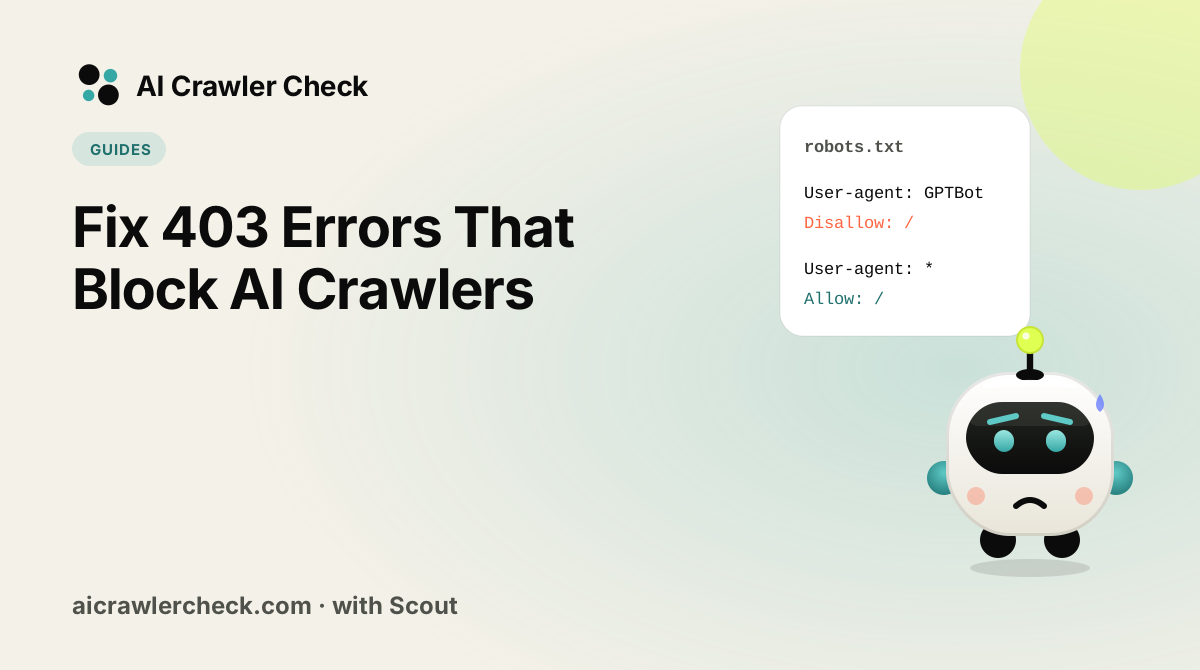
A 403 returned to a crawler is a decision your infrastructure made, and it is almost never made in robots.txt. It comes from a firewall rule, a bot-management feature, a rate limiter, or a security plugin, which means the file everyone checks first is the one place the cause is not.
It is also invisible from a browser. Your pages load normally for you, analytics looks healthy, and the only symptom is absence from AI answers. Reproducing the failure with the crawler user agent is the step that turns an unexplained visibility problem into a specific, fixable one.
The Four Things That Actually Matter About 403 Errors
Reproduce it as the crawler, not as yourself
Request the URL with the crawler user-agent string and without JavaScript, and record the status code. A 403 that appears only for that agent tells you a rule is matching on the user agent, which narrows the search immediately. A failure you cannot reproduce deterministically cannot be confirmed fixed either.
Check the layers in front of the application
CDN bot management, WAF rule sets, DDoS protections and hosting-level security features all return 403 before your application runs. These are frequently enabled by default, updated by the vendor without notice, and managed by a different team than the one that owns the site. Config review inside the application will never find them.
Distinguish a blanket block from a rule matching one signal
If every crawler is blocked, look for a broad bot-management setting. If one is blocked, look for a rule naming it or a reputation list containing its addresses. If access is intermittent, look at rate limits, because a limiter produces exactly that pattern and it is otherwise hard to explain.
Related: how AI engines choose their sources
Confirm the fix from outside your network
Testing from inside the perimeter, or from an address already allowlisted, reliably reports success that external crawlers do not experience. Verify with an external request from an unaffiliated network, since that is the condition a crawler is actually in.
The 403 Assumption Worth Checking
Spending the investigation on robots.txt
A 403 is an access decision and robots.txt cannot produce one, yet it is where nearly every investigation starts because it is the file people know how to read. Hours go into rewriting rules that were never involved, the file gets worse, and the WAF rule doing the blocking is never examined. Checking the status code first tells you which layer to look at.
How to Verify 403 Errors Without Guessing
The check that matters here: Request one important URL with a crawler user agent from an external network and record the status. If it is 403, work outward from your CDN and WAF, and leave robots.txt alone until they are cleared.
Where AI crawler 403 errors come from in 2026
A 403 is a decision made before your page runs. In 2026 that decision is increasingly made by a default rather than by you. Cloudflare, which sits in front of more than 20% of web domains, started blocking AI Training and Agent traffic by default on new domains that show ads from 15 September 2026, and blocking Training can also stop multi-purpose crawlers such as Googlebot and Bingbot (Cloudflare, 1 July 2026).
Two public reports show the pattern. On Reddit r/TechSEO in August 2026, Cloudflare's AI Training block returned 403 to Googlebot and Bingbot on a sitemap. On the Cloudflare community on 16 September 2026, a Pages custom domain returned 403 to GPTBot and ClaudeBot. Neither owner had written a rule.
403 sources compared: who blocks, and how to undo it
| Source | Typical trigger | Bots affected | Where to fix |
|---|---|---|---|
| CDN AI crawler control | Training or Agent set to Block, or a new-domain default | GPTBot, ClaudeBot, Meta-ExternalAgent; sometimes Googlebot, Bingbot | CDN dashboard, AI crawler settings |
| Managed bot rules | Bot score below threshold, unverified bot | Newer or unsigned crawlers | WAF skip rule for verified bots |
| Security plugin | User-agent blocklist shipped by the plugin | Any name on the list | Plugin settings, allowlist |
| Host-level firewall | Rate or country rules on the server | High-volume crawlers | Hosting control panel or support |
| Origin code | App returns 403 to non-browser clients | All bots | Application middleware |
A 403 is different from a robots.txt block. Semrush documents that a 4xx on robots.txt itself means "no restrictions", while a 5xx stops crawling (Semrush bot documentation), so a firewall that also blocks /robots.txt can make things worse in unexpected ways.
Fix only the bots you meant to allow
Do not whitelist every AI bot to make the error go away. Decide by tier: search and user-fetch agents (OAI-SearchBot, ChatGPT-User, Claude-SearchBot, Claude-User, PerplexityBot) are what put your pages into answers; training bots are an opt-in choice. A skip rule scoped to the search tier looks like this in Cloudflare's expression language:
(http.user_agent contains "OAI-SearchBot") or
(http.user_agent contains "ChatGPT-User") or
(http.user_agent contains "Claude-SearchBot") or
(http.user_agent contains "Claude-User") or
(http.user_agent contains "PerplexityBot")
Pair it with a verified-bot check so spoofed strings stay blocked, then retest with the AI crawler diagnostic and an AI bot access checker scan. If the 403 only appears for one path, the robots.txt validator rules out a matching Disallow first.
Tools for diagnosing a 403
- AI crawler checker: tests 265 bots against your robots.txt in one scan.
- AI crawler diagnostic: fetches a page as each AI bot and names the layer that blocks it.
- robots.txt validator: shows allowed, blocked and partial status per bot.
- robots.txt generator: builds a file with presets for search, agents and training.
- batch URL checker: compares up to 20 sites side by side, with CSV export.
- llms.txt generator: writes the file AI assistants read for a site summary.
- schema markup generator: produces JSON-LD for eight common types.
- GEO audit: scores a page for generative engine optimization.
The same firewall rule that returns 403 to AI bots often catches search engines too. Test Googlebot access on the affected URL: if our Googlebot request is refused but a browser gets a 200, the report flags fake-bot protection instead of calling the page blocked.
Where to Go From Here
403 is one piece of a larger picture. The full list of AI crawlers documents every crawler we track with its operator, purpose and safety rating, and the multi-URL checker audits many sites in one pass if you manage a portfolio.
Most access failures are invisible from a browser, which is why they persist. Start with an AI crawler checker to see which layer is actually returning the block.
Your 403 Action Checklist
Applied to Fix 403 Errors That Block AI Crawlers, it looks like this:
- □Reproduce the failure with a request that sets the bot user-agent, not your browser default.
- □Work through the layers in order: DNS, firewall, HTTP status, robots.txt, then rendering.
- □Compare the raw HTML response against what you see on screen, because many bots never run JavaScript.
- □Record which layer returned the block before changing anything, so the fix is targeted.
- □Re-test the exact same request after the fix to confirm the status actually changed.