
2026 Key Clarification
Applebot-Extended is not a crawler and never visits your site. Regular Applebot does all the crawling. Applebot-Extended is an opt-out control token: adding it to robots.txt tells Apple not to use your already-crawled content for Apple Intelligence training. Blocking it does not reduce bot traffic by a single request. It works exactly like Google-Extended.
Apple entered the AI race in a big way with Apple Intelligence, and with it came a new robots.txt control: Applebot-Extended. This crawler is separate from the original Applebot that has been powering Siri and Spotlight search for years. Applebot-Extended is specifically designed to collect web data for training Apple's AI models. For website owners, this means you now have a new AI crawler to manage, and the decisions you make about it can affect whether your content becomes part of Apple's AI training data.
In this guide, we will cover everything about Applebot-Extended: what it is, how it differs from the original Applebot, what data it collects, and how to control access. We will also explain how Applebot-Extended fits into the broader Apple Intelligence ecosystem and why the distinction between these two crawlers matters for your AI strategy.
Start by checking your current status. Use the AI bot access checker to see whether Applebot-Extended can currently access your website content.
What is Apple Intelligence?
Apple Intelligence is Apple's on-device and cloud AI system, first announced in June 2024 and expanded throughout 2025 and 2026. Unlike competitors that rely heavily on cloud processing, Apple Intelligence runs many AI features directly on iPhone, iPad, and Mac devices. However, it also connects to cloud-based AI models for more complex tasks.
Apple Intelligence powers a wide range of features across Apple devices:
Siri with AI: Enhanced Siri can now understand context, answer complex questions, and perform multi-step tasks using AI-generated responses.
Writing tools: AI-powered writing assistance built into Mail, Messages, Notes, and third-party apps for rewriting, summarizing, and generating text.
Image generation: Create images, illustrations, and Genmoji based on text descriptions, using Apple's own image models.
Safari AI summaries: Automatically summarize web pages and articles in Safari, requiring web content to train and refine models.
Visual Intelligence: Point your camera at objects and get AI-powered information and context about what you see.
All of these features require vast amounts of training data. While Apple emphasizes on-device processing and privacy, the AI models themselves need to be trained on web content. That is where Applebot-Extended comes in.
Applebot vs. Applebot-Extended: The Key Difference
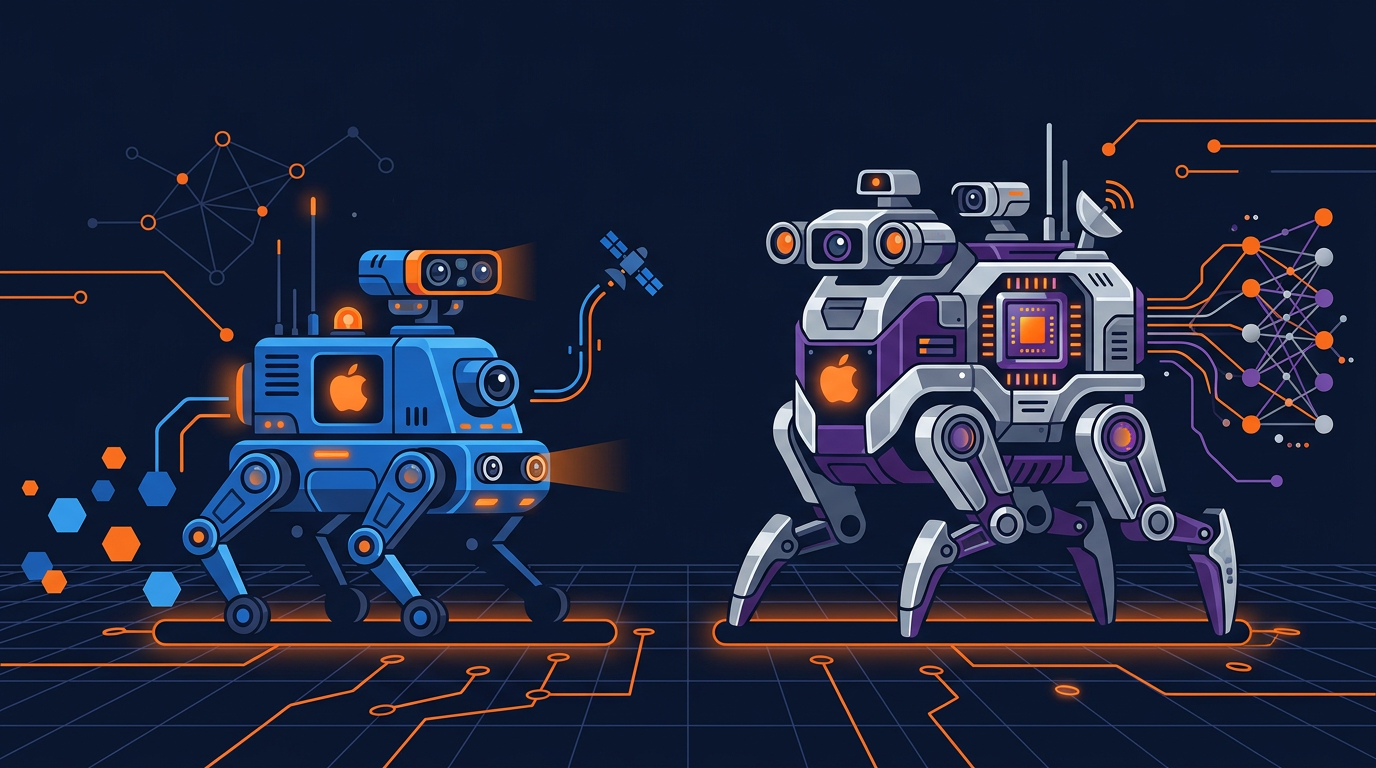
The most important thing to understand is that Apple uses two separate crawlers with different purposes. This is a pattern we have seen from other companies too. Google did the same thing by splitting Googlebot (search) from Google-Extended (AI training).
| Feature | Applebot | Applebot-Extended |
|---|---|---|
| Purpose | Siri, Spotlight, Safari suggestions | Apple Intelligence AI training |
| User Agent | Applebot/0.1 | Applebot-Extended/0.1 |
| Sends traffic? | Yes (Siri, Spotlight) | No (training only) |
| Respects robots.txt? | Yes | Yes |
| Can block independently? | Yes | Yes |
| Introduced | 2015 | 2024 |
| Recommendation | Allow (drives traffic) | Your choice |
The key takeaway is that you can block Applebot-Extended (AI training) while keeping Applebot (search) allowed. This means you can prevent Apple from using your content to train AI models while still appearing in Siri suggestions and Spotlight search results on Apple devices.
This mirrors what OpenAI did with GPTBot versus ChatGPT-User. The industry is moving toward splitting training crawlers from search crawlers, giving website owners more control.

How Applebot-Extended Works
Applebot-Extended operates similarly to other major AI crawlers. Here is the step-by-step process:
Robots.txt check. Before crawling any page, Applebot-Extended checks your robots.txt file. It looks for rules specific to Applebot-Extended first. If none exist, it falls back to rules for the general Applebot user agent. If neither is found, it checks the wildcard * rules.
Page fetching. If allowed, the crawler downloads your web pages. It renders JavaScript and processes the full page content, similar to how a modern browser works.
Content extraction. The crawler extracts text content, structured data, metadata, and other information from the page.
Data processing. Collected data is processed and prepared for AI model training. Apple uses this data to improve Apple Intelligence features like Siri AI, writing tools, and Safari summaries.
Training pipeline. The processed content feeds into Apple's AI training pipeline, where it is used alongside other data sources to train and fine-tune Apple Intelligence models.
Apple has stated that Applebot-Extended is designed to be respectful of server resources. It honors crawl-delay directives in robots.txt and adjusts its crawling speed based on server response times. In practice, most website owners report that Applebot-Extended puts very little load on their servers compared to more aggressive crawlers like ByteSpider.
Identifying Applebot-Extended in server logs
You can spot Applebot-Extended in your server access logs by looking for its user agent string:
# Applebot-Extended user agent string
Mozilla/5.0 (Macintosh; Intel Mac OS X 10_15_7)
AppleWebKit/605.1.15 (KHTML, like Gecko)
Version/17.0 Safari/605.1.15 (Applebot-Extended/0.1)
The key identifier is Applebot-Extended in the user agent string. The regular Applebot uses just Applebot without the "-Extended" suffix.
You can verify that Applebot-Extended requests are legitimate by performing a reverse DNS lookup. Apple's crawlers come from IP ranges that resolve to Apple-owned domains. If the reverse DNS does not match Apple's domain, the request may be from an impersonator.
Apple's Privacy Approach to AI Crawling
Apple has built its brand around privacy, and this extends to how they handle data collected by Applebot-Extended. Here is what Apple has communicated about their data practices:
On-device processing priority: Apple emphasizes that many Apple Intelligence features process data on the device itself, reducing the need for cloud-based data collection.
Private Cloud Compute: For tasks that require cloud processing, Apple uses what they call Private Cloud Compute, which processes data on Apple Silicon servers with end-to-end encryption.
Robots.txt compliance: Applebot-Extended respects robots.txt rules, giving website owners clear control over whether their content is used for training.
Separate crawler identity: By using a distinct user agent (Applebot-Extended vs. Applebot), Apple allows granular control that some competitors did not initially offer.
While Apple's privacy reputation is strong, the fundamental issue remains the same as with other AI companies. If you allow Applebot-Extended to crawl your site, your content will be used to train AI models. The difference is in how Apple handles that data after collection. Whether you consider Apple's privacy assurances sufficient depends on your own standards and business needs.
How to Control Applebot-Extended Access
You have several options for managing Applebot-Extended access to your website:
Option 1: Block Applebot-Extended only (recommended)
This blocks AI training while keeping Siri and Spotlight functionality:
# Allow Applebot for Siri/Spotlight
User-agent: Applebot
Allow: /
# Block Applebot-Extended for AI training
User-agent: Applebot-Extended
Disallow: /
Option 2: Block both Applebot crawlers
This completely prevents Apple from crawling your site for any purpose:
# Block all Apple crawlers
User-agent: Applebot
Disallow: /
User-agent: Applebot-Extended
Disallow: /
Note: Blocking both means your site will not appear in Siri suggestions or Spotlight search on Apple devices. Only choose this option if you have no interest in Apple's search ecosystem.
Option 3: Allow both (maximum Apple AI visibility)
If you want your content to appear in Apple Intelligence features and are comfortable with AI training, allow both crawlers full access. You do not need to add any rules since the default behavior is to allow access. Just make sure your robots.txt does not have any Disallow rules that would catch Apple's crawlers.
How Apple Compares to Other AI Crawlers
Apple's approach to AI crawling is relatively respectful compared to some competitors. Here is how Applebot-Extended compares to other major AI crawlers:
| Crawler | Company | Respects robots.txt | Separate from search | Server impact |
|---|---|---|---|---|
| Applebot-Extended | Apple | Yes | Yes | Low |
| GPTBot | OpenAI | Yes | Yes | Moderate |
| Google-Extended | Yes | Yes | Low | |
| ClaudeBot | Anthropic | Yes | Mixed | Moderate |
| CCBot | Common Crawl | Yes | N/A (no search) | Moderate |
| Bytespider | ByteDance | Sometimes | No | High |
Apple's decision to create a completely separate user agent for AI training is considered best practice in the industry. It gives website owners the clearest possible control. Compare this to ClaudeBot, which uses a single crawler for both search and training purposes, making it harder to control access granularly.
Impact on Website Owners
Apple Intelligence is installed on over 2 billion Apple devices worldwide. This makes Applebot-Extended one of the most consequential AI crawlers to manage. Here is how it can affect your website:
Siri citations: If you allow Applebot-Extended, your content may be used to train the models that power Siri AI responses. This means Siri could cite your content when answering user questions, potentially driving traffic from Apple device users.
Safari AI summaries: Safari's AI-powered page summaries use Apple Intelligence models. If your content is well-structured and informative, it is more likely to be featured in these summaries.
Content use concern: Like all AI training, allowing Applebot-Extended means your content becomes part of Apple's training dataset. The content may be used in ways you did not anticipate, and there is currently no way to selectively control what content is used for what purpose once it is collected.
No opt-out after collection: Once Applebot-Extended has crawled your content, it may already be part of the training dataset. Blocking the crawler later prevents future crawling but cannot undo past collection. Act early to match your preferences.
The scale of Apple's user base makes this decision particularly significant. If Siri becomes a major source of web referral traffic (as it is trending to become), websites that blocked Applebot-Extended early may find themselves at a disadvantage. On the other hand, waiting gives Apple more of your content for training before you decide.
Use the scan your site for AI crawlers tool to check whether both Applebot and Applebot-Extended are currently allowed or blocked on your site. This helps you understand your current exposure and make informed decisions.
Optimizing for Apple Intelligence
If you decide to allow Applebot-Extended, there are steps you can take to improve your chances of being cited in Apple Intelligence responses:
Use structured data: Implement schema markup (JSON-LD) on your pages. Apple Intelligence, like other AI systems, uses structured data to better understand your content.
Create an llms.txt file: An llms.txt file provides AI models with structured information about your website, helping them understand your content better.
Write clear, factual content: AI systems prioritize content that is well-structured, factual, and authoritative. Use clear headings, bullet points, and concise paragraphs.
Ensure fast page loading: Applebot-Extended, like all crawlers, works more efficiently with fast-loading pages. Optimize your page speed for better crawling coverage.
Use proper meta tags: Include descriptive title tags, meta descriptions, and Open Graph tags. These help AI models understand the purpose and topic of each page.
Understanding Applebot-Extended Fallback Behavior
One important technical detail about Applebot-Extended is its fallback behavior when reading robots.txt rules. When Applebot-Extended visits your site, it checks your robots.txt file in a specific order:
First check: It looks for rules specific to User-agent: Applebot-Extended. If found, it follows those rules exclusively.
Second check: If no Applebot-Extended rules exist, it falls back to User-agent: Applebot rules. This means blocking Applebot blocks both crawlers unless you add a specific Allow for Applebot-Extended.
Third check: If neither Applebot-Extended nor Applebot rules exist, it follows the general wildcard User-agent: * rules.
This fallback behavior means you need to be careful about the order and specificity of your rules. Here is the safest configuration to block AI training while allowing Siri search:
# CORRECT: Separate rules for each Apple bot
User-agent: Applebot
Allow: /
User-agent: Applebot-Extended
Disallow: /
If you only add the Applebot-Extended Disallow without an explicit Applebot Allow, and your wildcard rule blocks all bots, you might accidentally block the regular Applebot too. Always be explicit with both crawler rules.
Measuring Siri and Apple Intelligence Traffic
Tracking traffic from Apple's AI ecosystem is important but more difficult than tracking traffic from web-based AI search. Here is how to measure your Apple AI exposure:
Server log analysis: Search your access logs for both Applebot and Applebot-Extended user agents. Track the frequency and which pages are most crawled. Pages crawled most often are likely the most valuable to Apple's AI.
Safari referral traffic: Check your analytics for referral traffic from Safari-based sources. While not all Safari traffic comes from AI features, increases in Safari referrals after allowing Applebot-Extended may indicate AI-driven discovery.
Spotlight mentions: Apple Spotlight searches on Mac and iOS can surface your content. If your content appears in Spotlight results, it means Applebot has indexed it successfully.
Voice search testing: Test your key topics on Siri to see if your content is being cited. Ask Siri questions related to your expertise and check if it references your website or brand.
Use these log analysis commands to track Applebot activity:
# Count Applebot vs Applebot-Extended requests
grep "Applebot" /var/log/nginx/access.log |
grep -oE "Applebot(-Extended)?" | sort | uniq -c
# Most visited pages by Applebot-Extended
grep "Applebot-Extended" /var/log/nginx/access.log |
awk '{print $7}' | sort | uniq -c | sort -rn | head -10
Apple's AI ecosystem is growing rapidly, and Applebot-Extended will become more important as Apple Intelligence expands to more devices and features. Making a thoughtful decision now about how to handle these crawlers will serve your website well in the coming years.
Key Takeaways
Applebot-Extended is Apple's dedicated AI training crawler, separate from the original Applebot.
You can block Applebot-Extended without affecting Siri, Spotlight, or Safari suggestions.
Apple's approach is relatively respectful, with separate user agents and robots.txt compliance.
With 2+ billion Apple devices, the decision to allow or block Applebot-Extended has significant implications.
If you allow it, optimize with structured data, llms.txt, and clear content for better citations.
Use the Robots.txt Generator to configure Apple bot rules alongside the other 70 AI crawlers we track.
Check Your Apple Bot Status
See if Applebot and Applebot-Extended can currently access your website.
Scan Your Website Now