
GPTBot is OpenAI's official web crawler. Its job is to visit websites and collect content that OpenAI uses to train ChatGPT and other GPT models. Since OpenAI first announced it in August 2023, GPTBot has become one of the most important AI crawlers on the internet. What GPTBot does with your content directly affects how ChatGPT understands and talks about your brand, your products, and your industry.
In this guide, we will explain everything you need to know about GPTBot. You will learn what it does, how it works, what its user-agent string looks like, how to block or allow it, and how it connects to the rest of OpenAI's crawler family. We will also look at the real impact on your SEO and help you decide whether to block GPTBot or let it in.
This guide is written for website owners, SEO professionals, and anyone who wants to understand how OpenAI collects data from the web. You do not need technical experience to follow along.
GPTBotOpenAI
Model Training
Safe (follows robots.txt)
Full details: GPTBot directory page
What Does GPTBot Do?
GPTBot is an automated program (also called a web crawler or spider) that visits websites and reads their content. Think of it like a very fast reader that goes from website to website, reading pages and saving the text. But instead of a person reading for fun, GPTBot reads so that OpenAI can use the information to make ChatGPT smarter.
When GPTBot visits your website, it does several things. First, it reads the text on your pages. This includes articles, blog posts, product descriptions, help pages, and any other text content. Second, it follows links on your pages to find more content on your site. Third, it sends the collected data back to OpenAI's servers, where engineers use it to train the next version of ChatGPT.
According to OpenAI's official documentation, GPTBot has these important rules:
- It collects only publicly available web content (no private or password-protected pages)
- It follows robots.txt rules (you can tell it to stay away and it will listen)
- It does not collect content behind paywalls or login pages
- It does not collect personally identifiable information (PII) like names, emails, or phone numbers
- It uses a known IP address range that you can verify
- It identifies itself clearly with the user-agent string "GPTBot"
GPTBot is different from other web crawlers like Googlebot because it does not build a search index. Googlebot visits your website to add your pages to Google's search results. GPTBot visits your website to collect data that improves ChatGPT's ability to write, answer questions, and complete tasks. The two bots have completely different goals.
This is an important point: blocking GPTBot does not affect your Google search ranking. Googlebot and GPTBot are separate programs from separate companies that do separate things. You can block GPTBot without any effect on your position in Google search results.

GPTBot's User-Agent String
Every web crawler has a user-agent string. This is like an ID card that the bot shows to websites when it visits. The user-agent string tells the website who the bot is and where to find more information about it.
GPTBot's full user-agent string looks like this:
In your robots.txt file, you only need to use the short name:
You can check if GPTBot is visiting your website by looking at your server access logs. Search for "GPTBot" in the log files and you will see the full user-agent string. You can also use AI Crawler Check to scan your website and see if your robots.txt file blocks or allows GPTBot.
OpenAI also gives website owners a way to verify that a visitor really is GPTBot and not a fake bot pretending to be GPTBot. They publish the IP address ranges that GPTBot uses. If you see a bot claiming to be GPTBot but coming from an IP address outside the published range, it is probably fake.
To see all the details about GPTBot, including its IP ranges and the exact way it behaves, visit the GPTBot page in our Bot Directory.
The Complete OpenAI Crawler Family
GPTBot is not the only crawler that OpenAI operates. The company has several different bots, and each one has a specific job. Understanding the differences between these bots is very important for your robots.txt strategy. Here is the complete family of OpenAI crawlers:
| Crawler Name | User-Agent | What It Does | Why It Matters |
|---|---|---|---|
| GPTBot | GPTBot | Collects data for model training | Your content becomes part of future ChatGPT versions. This is the main training crawler. |
| ChatGPT-User | ChatGPT-User | Fetches pages in real time for ChatGPT search | When someone asks ChatGPT a question, this bot visits your page to find the answer. Your content appears in ChatGPT responses with a link. |
| OAI-SearchBot | OAI-SearchBot | Indexes pages for OpenAI's search system | Builds a search index that ChatGPT Search and other OpenAI products use to find relevant content quickly. |
| ChatGPT Operator | ChatGPT Operator | Performs tasks and actions on websites | Used when ChatGPT needs to interact with websites on behalf of users (like filling out forms or checking prices). |
The most important distinction is between GPTBot and ChatGPT-User. These two bots have very different purposes, and many website owners confuse them. Let us look at the difference more closely:
GPTBot (Training)
GPTBot visits your website on its own schedule, without any user asking for it. It collects your content and sends it to OpenAI. Later, OpenAI uses your content (along with millions of other web pages) to train new versions of ChatGPT. Your specific words may not appear in ChatGPT outputs, but your information helps the model learn about topics, writing styles, and facts.
Blocking GPTBot means: Your content is not used for training future ChatGPT models. ChatGPT Search can still show your content if ChatGPT-User is allowed.
ChatGPT-User (Search)
ChatGPT-User visits your website only when a real person asks ChatGPT a question. If ChatGPT thinks your page has a good answer, it sends ChatGPT-User to read your page right at that moment. Then it uses the information to create a response for the user. ChatGPT often includes a link back to your website, which can bring you traffic.
Blocking ChatGPT-User means: Your content will not appear in ChatGPT Search results. You miss out on AI search traffic from ChatGPT.
Because these bots are separate, you can make different decisions for each one. A common strategy is to block GPTBot (to protect your content from training) but allow ChatGPT-User (to keep getting traffic from ChatGPT Search). To learn how to set this up, read our guide to blocking AI crawlers.
How to Block GPTBot
If you decide you want to block GPTBot, the process is simple. You add two lines to your robots.txt file. Your robots.txt file lives at the root of your website (for example, example.com/robots.txt).
Here is the code to block only GPTBot:
If you want to block all OpenAI crawlers (including ChatGPT Search), use this:
If you want to block GPTBot from specific folders only (for example, premium content), you can do that too:
After you update your robots.txt file, you should verify that the changes are correct. You can do this in two ways:
- 1.Use the robots txt check to check your file for errors and see exactly which bots are blocked
- 2.Run a full scan at AI Crawler Check to see your updated AI Visibility Score and confirm GPTBot's status
If you do not want to write robots.txt code by hand, use our Robots.txt Generator. It has one-click presets for blocking all OpenAI bots, and it also supports selective blocking where you block GPTBot but allow ChatGPT-User.

The Real SEO Impact of Blocking GPTBot
One of the most common questions website owners ask is: "Will blocking GPTBot hurt my SEO?" The short answer is: it will not affect your Google search ranking. But it will affect your overall visibility in AI tools. Let us break this down.
What Blocking GPTBot Does NOT Affect
- Your Google search ranking stays exactly the same (Googlebot is separate from GPTBot)
- Your Bing search ranking is not affected
- Your website speed and performance do not change
- ChatGPT Search can still cite your content (if ChatGPT-User is allowed)
What Blocking GPTBot DOES Affect
- Your content will not be in future ChatGPT training data
- ChatGPT may become less familiar with your brand over time
- Your AI Visibility Score will be lower
- You may get fewer mentions in AI-generated content about your industry
The real question is: how valuable is AI visibility to your business? If you run an online store and want customers to find your products through ChatGPT, allowing GPTBot makes sense. If you are a news publisher and your original reporting is your main product, blocking GPTBot protects your competitive advantage.
There is no one right answer. The decision depends on your business model. To help you make the right choice, check your current AI Visibility Score at AI Crawler Check. It shows you exactly which bots can access your site and how your settings compare to industry best practices.
GPTBot Compared to Other AI Crawlers
GPTBot is just one of many AI crawlers active on the web. How does it compare to the others? Here is a side-by-side comparison of the biggest AI training crawlers:
| Feature | GPTBot (OpenAI) | ClaudeBot (Anthropic) | Google-Extended | CCBot (Common Crawl) |
|---|---|---|---|---|
| Purpose | ChatGPT training | Claude training | Gemini / AI Overviews | Open dataset |
| Follows robots.txt | Yes | Yes | Yes | Yes |
| Verifiable IPs | Yes | Yes | Yes | Partial |
| Data use transparency | High | High | High | Medium |
| Impact on your site | High | High | Very High | Medium |
| Linked search product | ChatGPT | Claude | Google AI, Gemini | Multiple (open data) |
All of these bots follow robots.txt rules, which means you can control them. The main difference is what happens with your data after the bot collects it. GPTBot sends your data to OpenAI for ChatGPT training. ClaudeBot sends it to Anthropic for Claude training. Google-Extended sends it to Google for Gemini and AI Overviews.
If you want to learn more about how Google's crawlers work (including the difference between Googlebot and Google-Extended), check our detailed guide on Google-Extended vs Googlebot. Understanding how Google handles AI crawling is especially important because Google controls both regular search and AI-powered search features.
You can see the full details of every AI crawler, including user-agent strings, safety ratings, and blocking instructions, in our Bot Directory. It covers more than 196 bots across 8 categories.
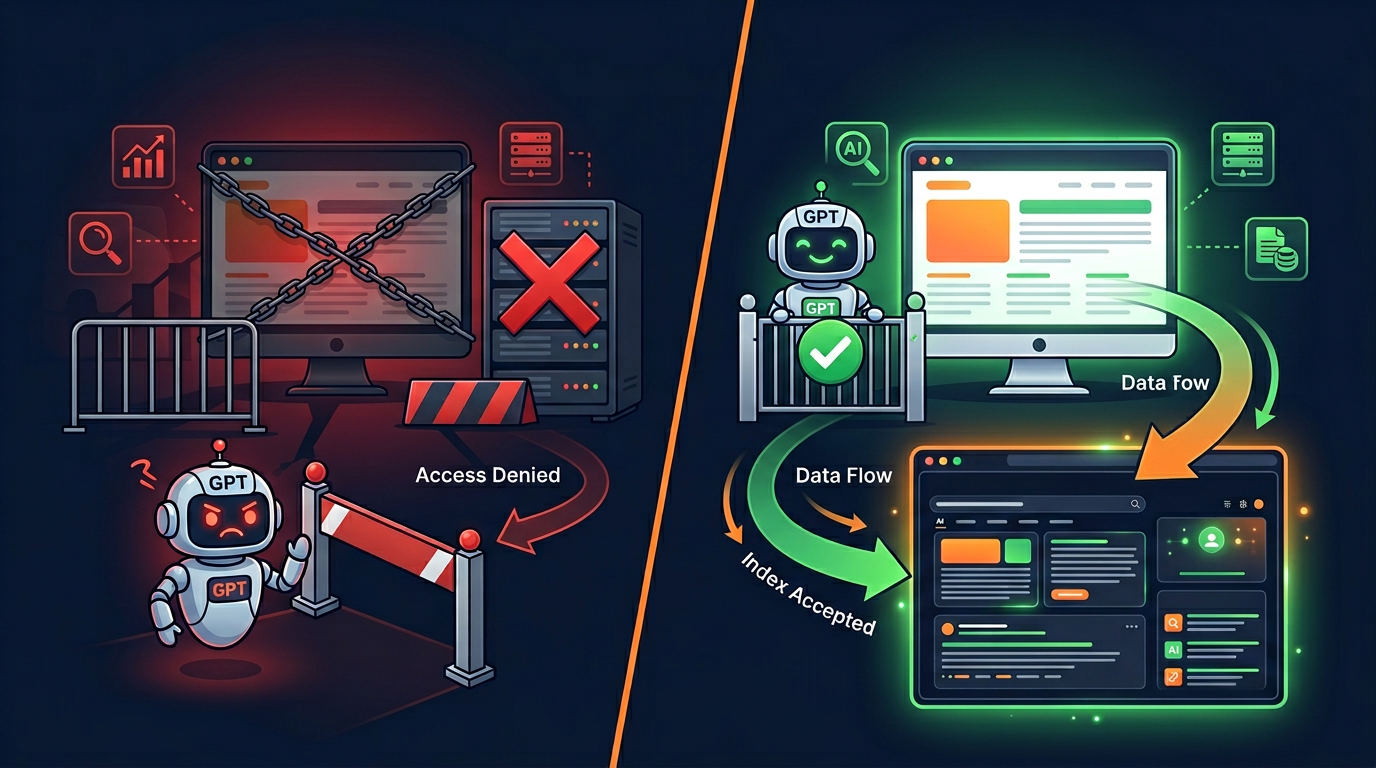
How GPTBot Crawling Works: Behind the Scenes
When GPTBot decides to visit your website, it goes through several steps. Understanding this process can help you make better decisions about your AI crawler strategy.
Step 1: Check robots.txt. Before GPTBot reads any of your pages, it first visits yourdomain.com/robots.txt. It reads the file and looks for rules that mention "GPTBot" as the user-agent. If the file says Disallow: / for GPTBot, the crawler stops. It will not visit any other pages on your site.
Step 2: Start crawling. If your robots.txt allows GPTBot (or if you do not have a robots.txt file), the bot starts visiting your pages. It usually begins with your homepage and then follows links to find more pages. It reads the HTML content of each page, including the text, headings, lists, and other structured content.
Step 3: Filter content. GPTBot does not keep everything it finds. According to OpenAI, it filters out pages behind paywalls, pages with mostly personal information, and pages that violate OpenAI's content policies. It also respects robots.txt path rules, so if you block specific folders, those folders will not be crawled.
Step 4: Send data to OpenAI. The collected content is sent back to OpenAI's servers. There, it goes through additional processing and filtering before being added to the training dataset. OpenAI uses this data, along with content from many other sources, to improve their AI models.
Step 5: Model training. The content GPTBot collects is used during the training process for new ChatGPT models. Training happens over weeks or months, so your content does not appear in ChatGPT right away. It becomes part of the model's knowledge base over time, helping ChatGPT understand topics better and give more accurate answers.
One important thing to note: once GPTBot has collected your content and OpenAI has used it for training, blocking GPTBot later will not remove your content from existing models. It will only prevent new content from being collected in the future. The training data that was already collected before you added the block will stay in the model.
How to Verify GPTBot Access on Your Website
After setting up your robots.txt rules, you want to make sure everything is working correctly. Here are three ways to verify GPTBot access on your website:
Method 1: Use AI Crawler Check (Easiest)
The fastest way is to go to AI Crawler Check and enter your website URL. The tool reads your robots.txt file and shows you if GPTBot is blocked, allowed, or partially restricted. It also checks all other 196+ bots at the same time and gives you an overall AI Visibility Score.
Method 2: Use the Robots.txt Validator
Our Robots.txt Validator lets you paste your robots.txt content and check it for errors. It will show you exactly which bots are blocked and which are allowed. This is a good option if you want to test your robots.txt before uploading it to your server.
Method 3: Check Server Logs
If you have access to your server's access logs, you can search for "GPTBot" to see if and when the bot has visited your website. The log entry will show the full user-agent string, the pages it visited, and the response codes your server returned (200 for success, 403 for blocked, etc.).
We recommend checking your AI crawler settings at least once every three months. New crawlers appear regularly, and your strategy should be updated to account for changes in the AI landscape. If you manage many websites, use the Batch Checker to scan up to 20 URLs at once.
Our Recommended Strategy for GPTBot
Based on our analysis of thousands of websites, here is what we recommend for most website owners when it comes to GPTBot and other OpenAI crawlers:
For Most Business Websites: Allow GPTBot
If your website represents a business, brand, or service, we recommend allowing GPTBot. The visibility benefits are significant. When ChatGPT understands your business well, it is more likely to recommend you when users ask relevant questions. The training data helps ChatGPT learn about your industry, products, and expertise.
For Content Publishers: Selective Blocking
If you create original content as your main product (news, research, creative writing), consider blocking GPTBot but allowing ChatGPT-User. This protects your content from being used for training while still allowing your pages to appear in ChatGPT Search results. This is the best balance between content protection and AI search traffic.
For Maximum Privacy: Block All OpenAI
If you do not want any OpenAI product to access your content for any reason, block GPTBot, ChatGPT-User, OAI-SearchBot, and ChatGPT Operator. Be aware that this means your content will not appear in any ChatGPT features, which removes a growing traffic source.
No matter which strategy you choose, we also recommend these additional steps to improve your overall AI visibility:
Create an llms.txt file to help AI systems understand your website better
Follow robots.txt best practices for all crawlers, not just GPTBot
Check your AI Visibility Score regularly to track your AI search readiness
Learn about Google-Extended vs Googlebot to manage Google's AI crawling separately
Summary
GPTBot is OpenAI's main web crawler for collecting training data for ChatGPT. It is one of the most important AI crawlers on the internet, and your decisions about it affect your website's AI visibility. Here are the key takeaways from this guide:
GPTBot collects publicly available content for ChatGPT model training
It follows robots.txt rules and uses the user-agent name "GPTBot"
GPTBot is different from ChatGPT-User (search bot) and they can be controlled separately
Blocking GPTBot does not affect Google search rankings
Most businesses benefit from allowing GPTBot for better AI visibility
Content publishers may prefer selective blocking (block training, allow search)
Is GPTBot Blocked on Your Website?
Check instantly with a free scan. See GPTBot's status and all 196+ bots in seconds.
Check Now Free