
Your robots.txt file has always been an important part of SEO. It tells search engines which pages to crawl and which pages to skip. But in 2026, this simple text file has become the most important file on your entire website. Why? Because it now controls not just search engine access, but also whether your content appears in AI-generated answers from ChatGPT, Claude, Gemini, Perplexity, and dozens of other AI tools.
A badly configured robots.txt file can make your website invisible to AI search, costing you a growing source of traffic. A well-configured file can maximize your visibility across both traditional search and AI-powered search. The difference between a good and bad setup can mean thousands of visitors per month.
This guide covers everything you need to know about robots.txt in the age of AI SEO. We will start with the basics for beginners and then move into advanced strategies. Whether you are an SEO professional, a webmaster, or a website owner, you will find practical advice you can use right away.
Need to create or update your robots.txt? Use our free Robots.txt Generator with presets for 196+ bots. Already have one? Check it with the Robots.txt Validator.
Robots.txt Basics: A Quick Review
Let us start with a quick review of how robots.txt works. If you already know the basics, feel free to skip to the next section. Your robots.txt file is a plain text file that lives at the root of your website. Every website can only have one robots.txt file, and it must be at the exact location: https://yourdomain.com/robots.txt.
The file follows the Robots Exclusion Protocol (also known as RFC 9309). This is a standard that was first created in the 1990s and has been updated over the years. The basic format is simple. You write rules that tell specific bots what they can and cannot do on your website.
Here are the four main parts of a robots.txt file:
Important rules to remember:
- User-agent: * means "all bots" and is used as a default rule
- Disallow: / means "block everything on the website"
- Allow: / means "allow access to everything"
- More specific rules win over less specific rules
- Bots look for their own name first, then fall back to the
*rule - Robots.txt is case-sensitive for paths (so /Blog/ and /blog/ are different)
- If there is no robots.txt file, all bots can access all pages
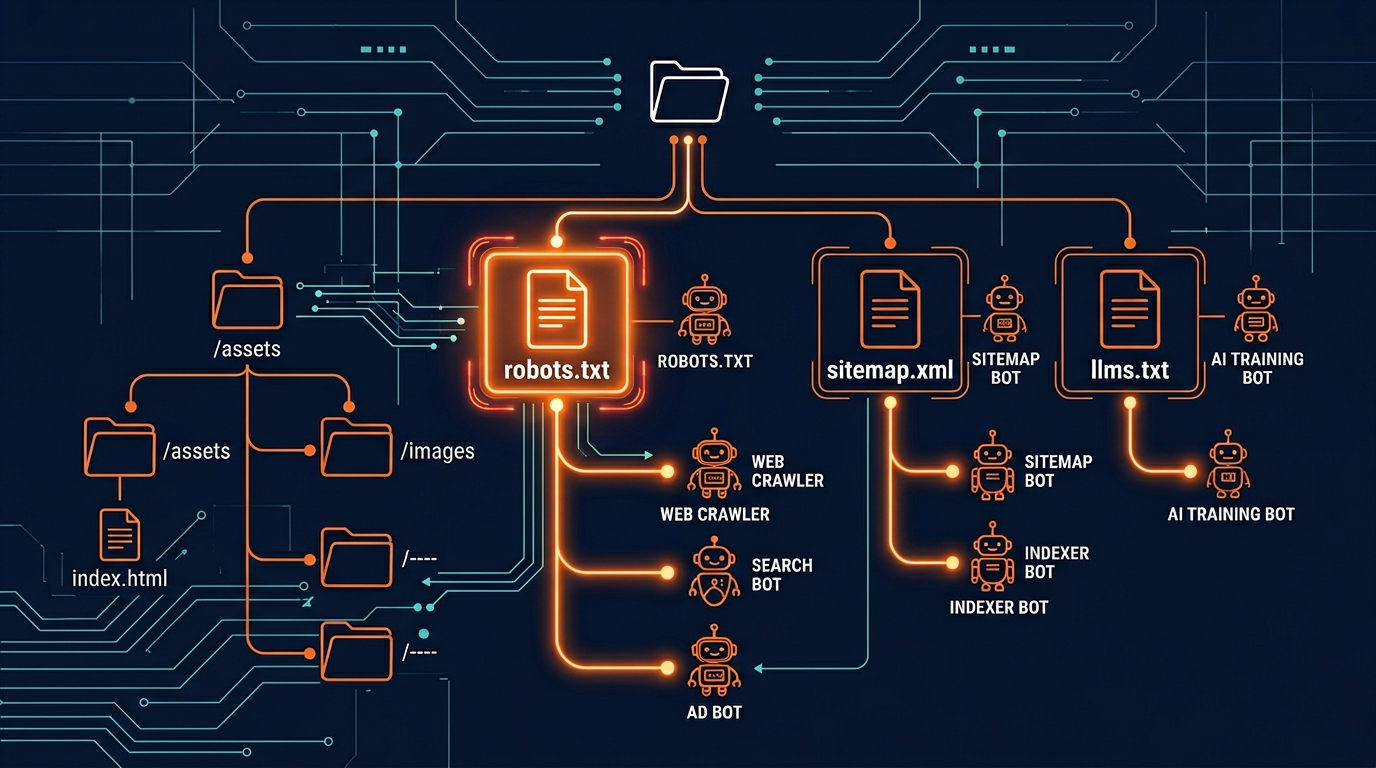
Why Robots.txt Has Changed in the AI Era
For the first 25 years of robots.txt, most website owners only needed to worry about search engine bots like Googlebot and Bingbot. The rules were simple: let search engines in, block a few private folders, and you were done.
That changed dramatically starting in 2023 when AI companies began sending their own crawlers to collect training data. Suddenly, a website's robots.txt file needed to handle not just search engines, but also dozens of AI crawlers from companies like OpenAI, Anthropic, Google, Perplexity, and many others.
Here is what makes the AI era different:
More bots to manage. We now track 71 AI crawlers that are active on the web. Each one has its own user-agent name and its own rules. Managing all of them manually is very time-consuming.
New trade-offs to consider. With search engines, you almost always wanted to be crawled. With AI crawlers, the decision is more complex. Allowing AI crawlers means more visibility but also means your content is used for AI training.
Training vs. search distinction. AI companies now have separate bots for training and search. You need to know the difference to make the right decisions. Read more in our guide to blocking AI crawlers.
AI search traffic is growing fast. AI-powered search tools like ChatGPT Search, Perplexity, and Google AI Overviews are sending more and more traffic to websites. Your robots.txt settings directly affect whether you get this traffic.
Because of these changes, the old "set it and forget it" approach to robots.txt no longer works. You need a strategic approach that considers both traditional SEO and AI SEO. Let us look at the best practices for 2026.
12 Best Practices for Robots.txt in 2026
Here are the twelve most important best practices for robots.txt in the age of AI SEO. Following these guidelines will help you maximize your visibility while protecting your content where it matters.
1. Use Specific User-Agent Names for AI Crawlers
Do not rely on User-agent: * to control AI bots. Many AI crawlers first look for rules that mention their own name. If they do not find a specific rule, they may follow the wildcard rule or they may use their own default behavior. Always write a separate rule for each AI bot you want to control. See all bot names in our Bot Directory.
2. Separate Training Crawlers from Search Crawlers
This is the most important practice for AI SEO. Training crawlers (like GPTBot and ClaudeBot) collect data for model improvement. Search crawlers (like ChatGPT-User and Perplexity-User) fetch content to answer user questions in real time. You can block training while allowing search, which protects your content AND keeps AI search traffic coming. Learn more in our GPTBot guide.
3. Always Include a Sitemap Directive
Add Sitemap: https://yourdomain.com/sitemap.xml at the bottom of your robots.txt. This helps both search engines and AI crawlers find all your pages. A sitemap makes crawling more efficient and helps bots discover new content faster. It also tells bots about your page priorities and update dates.
4. Block Aggressive Scrapers
Not all bots are good bots. Some scrapers like Bytespider and CCBot are known for heavy crawling that uses your server resources. Always block these aggressive scrapers. They consume your bandwidth and may use your content without transparency. Check the safety ratings of all bots in our Bot Directory.
5. Protect Sensitive Paths
Block folders like /admin, /api, /login, /checkout, and /private for all bots. Use the wildcard rule: User-agent: * Disallow: /admin/. This keeps sensitive areas of your website away from all crawlers, including both search engines and AI bots. Never expose your admin panel or API endpoints to crawlers.
6. Never Block CSS, JavaScript, or Image Files
Some old robots.txt guides tell you to block CSS and JavaScript files. Do not do this. Both Google and AI crawlers need these files to understand your page layout and content. Blocking them can hurt your search ranking and make AI systems misunderstand your pages. Only block page URLs, not asset files.
7. Add an llms.txt File for AI Discoverability
The llms.txt standard is the next step beyond robots.txt for AI SEO. While robots.txt controls access, llms.txt tells AI systems what your site is about. It can add up to 15 points to your AI Visibility Score. Less than 0.3% of websites have adopted it, which means there is a big early-mover advantage.
8. Test Your File with Multiple Tools
After making any change, test your robots.txt file. Use our Robots.txt Validator to check for syntax errors and see which bots are blocked. Then run AI Crawler Check to see the real-world impact on all 196+ bots and your AI Visibility Score.
9. Review and Update Every Three Months
New AI crawlers appear regularly. Set a calendar reminder to review your robots.txt at least every quarter. Check the AI Bots directory for new bots and update your rules. Use the Batch Checker if you manage many websites.
10. Keep Your File Clean and Organized
Use comments to organize your robots.txt into sections: search engines, AI search bots, AI training bots, aggressive scrapers, and default rules. This makes it easier to maintain and less likely that you will make a mistake. A well-organized file is easier to review and update.
11. Use Crawl-Delay for Heavy Bots
If a bot is crawling your site too fast and using too much bandwidth, add Crawl-delay: 10 (wait 10 seconds between requests). Not all bots follow crawl-delay, but some do. This is helpful for smaller servers that cannot handle heavy crawling. Our Generator includes this option.
12. Understand Google-Extended Separately
Google-Extended is Google's AI training crawler. It is separate from Googlebot. Blocking Google-Extended does not affect your Google search ranking, but it does stop your content from being used in Google AI Overviews and Gemini. This is a separate decision from blocking other AI crawlers.

Recommended robots.txt Template for 2026
Here is a complete robots.txt template that follows all 12 best practices. You can use this as a starting point and customize it for your needs. This template uses the selective blocking approach, which works best for most websites.
This template gives you a solid foundation. It allows search engines and AI search bots for maximum visibility. It blocks aggressive scrapers that waste your bandwidth. And it protects sensitive paths from all crawlers.
You can customize this template in seconds using our Robots.txt Generator. The tool has one-click presets for different strategies (block all AI, allow all AI, selective blocking) and lets you add or remove specific bots with checkboxes.
How to Build a robots.txt File From Scratch
Everything above describes what good robots.txt best practices look like. This section is the shorter answer for anyone who needs to build a robots.txt file today and wants the order of operations rather than the reasoning. Five steps, and the whole job takes about ten minutes.
- Create the file in the right place. A plain text file named exactly
robots.txt, at your domain root. Not in a subfolder, and not renamed. One file per domain. - Start permissive, then restrict. Open with a group that allows everything, so a mistake later fails safe rather than deindexing you.
- Name the crawlers you actually care about. Vague wildcards are what cause accidents. Write explicit groups for the search crawlers you want and the AI crawlers you do not.
- Add your sitemap. One
Sitemap:line with an absolute URL. This is the single most skipped step. - Confirm it parses before you rely on it. A robots.txt file with one bad line can behave nothing like you intended, and the failure is silent.
A minimal starting file that follows all five steps, and is a reasonable robots.txt for AI in 2026:
On the fifth step, do not check by eye. Paste the file into the robots.txt validator and it will parse the syntax the way a crawler does, then show you which bots each rule really affects. If you would rather not hand-write the file at all, the generator builds one from presets. Those two tools are where the checking and building happen; this guide is for understanding the decisions behind them.
Googlebot and robots.txt: the one rule to get right
If you take one thing from this guide, take this. Googlebot and Google-Extended are different crawlers with different consequences, and confusing them is the most expensive robots.txt mistake we see. A Disallow aimed at Googlebot removes you from Google Search. The same line aimed at Google-Extended only opts you out of AI training, and Google has confirmed it carries no search ranking penalty. Full detail in Google-Extended vs Googlebot.
Advanced Robots.txt Techniques
Once you have the basics in place, there are several advanced techniques that can give you even better control over how bots interact with your website.
Using Pattern Matching
Robots.txt supports two wildcard characters: * (matches any text) and $ (matches end of URL). Here are some useful patterns:
Combining Robots.txt with Meta Tags
For page-level control, use meta robot tags in your HTML. This is useful when you want to allow a bot to see most of your site but block it from specific pages:
Server-Level Protection
For the strongest protection, combine robots.txt with server-level blocking. This stops bots from even receiving a response from your server:
These advanced techniques give you very precise control over how different bots interact with your website. For most websites, the basic robots.txt rules are enough. But if you have specific needs, like protecting certain content types or controlling access by page, these techniques are very helpful.

Common robots.txt Mistakes to Avoid
Even experienced webmasters make mistakes with robots.txt. Here are the most common problems we see when analyzing websites with AI Crawler Check:
Mistake: Blocking Googlebot When You Mean to Block Google-Extended
Googlebot is the regular search engine crawler. Google-Extended is the AI training crawler. If you block Googlebot by accident, your website disappears from Google search results. Always double-check which Google crawler you are targeting. They are completely different bots.
Mistake: Having Multiple robots.txt Files
Your website can only have one robots.txt file, and it must be at the root domain. If you have files at subpaths like example.com/blog/robots.txt, bots will ignore them. Make sure all your rules are in one file at the root.
Mistake: Empty Disallow Line
An empty Disallow line (just Disallow: with nothing after it) means "allow everything." Some people think it means "block everything," but it is the opposite. To block everything, use Disallow: / with a forward slash.
Mistake: Not Testing Changes
Always test after any change. A single typo or extra space can break your rules. Use the robots checker every time you make an edit.
Mistake: Thinking robots.txt is a Security Tool
Robots.txt is not a security measure. It is a request, not a command. Malicious bots will ignore it. Never put sensitive information in your robots.txt file (like paths to admin panels). Use proper authentication and server security for protection.
robots.txt Tips by Platform
Different website platforms handle robots.txt differently. Here are specific tips for the most popular platforms:
WordPress
WordPress creates a default robots.txt file automatically. You can edit it through SEO plugins like Yoast SEO or Rank Math. Go to SEO settings, find the robots.txt section, and add your AI crawler rules. Make sure to save and verify the changes. Some WordPress security plugins may overwrite your robots.txt, so check regularly.
Shopify
Shopify has a built-in robots.txt file that you can customize through the theme editor. Go to Online Store, then Themes, then edit the robots.txt.liquid file. You can add custom rules for AI crawlers here. Remember that Shopify also adds its own default rules, so make sure your AI rules do not conflict with them.
Wix
Wix lets you edit your robots.txt file from the SEO tools section in your dashboard. Go to Marketing and SEO, then SEO Tools, then robots.txt Editor. Add your AI crawler rules and save. Wix applies the changes automatically.
Custom/Static Sites
For custom websites, simply create a file called robots.txt and put it in your website's root directory. Make sure your web server serves it at the correct URL (yourdomain.com/robots.txt). Test by visiting the URL in your browser. You should see the plain text content of the file.
Monitoring Your robots.txt Performance
Setting up your robots.txt is not a one-time task. You need to monitor how it is working and make adjustments over time. Here are the tools and methods we recommend:
AI Crawler Check (weekly): Run a scan at aicrawlercheck.com to see your AI Visibility Score and check which bots are blocked or allowed
Robots.txt Validator (after changes): Use the Validator every time you edit your robots.txt to check for errors
Server logs (monthly): Check your server access logs to see which bots are visiting and how much bandwidth they use
Batch Checker (quarterly): If you manage many websites, use the Batch Checker to scan up to 20 URLs at once
Bot Directory (quarterly): Check the Bot Directory for new AI crawlers that need to be added to your rules
Summary and Next Steps
Your robots.txt file is now one of the most important files on your website. In 2026, it controls not just search engine access but also your visibility in AI-powered search and AI-generated content. Here are the key things to remember:
Use specific user-agent names for AI crawlers, not wildcards
Separate training crawlers from search crawlers in your rules
Always block aggressive scrapers (Bytespider, CCBot, Diffbot)
Include a sitemap directive for better crawling
Add an llms.txt file for extra AI visibility
Test and review your robots.txt at least every three months
Generate Your Perfect robots.txt
Use our free generator with 196+ bot presets and one-click strategies