AI Crawler Check
Free Bot Analysis Tool
Redirects, Status Codes, and AI Crawler Access - branded illustration on a dark teal gradient with the Horatos and AI Crawler Check logo
Guides 11 min read

Redirects, Status Codes, and AI Crawler Access

By Brian Ho ·

Most AI visibility problems are not content problems. They are technical problems hiding in plain sight. This guide helps you find and fix them.

In this guide you will learn use redirects without losing AI access. We will keep it practical, with clear steps, visual breakdowns, and specific actions you can take today. The first step in any AI visibility project is to free AI crawler check on your website so you know exactly where you stand against the 196 bots we track across 8 categories.

Key Takeaways

  • Redirects, Status Codes, and AI Crawler Access is a practical, repeatable process, not a one-time fix.
  • Most AI visibility problems trace back to access, not content.
  • You can verify every change with the free AI crawler check and the robots.txt validator.
  • Document your approach so the whole team applies it consistently.

How AI Search Changed the Rules

For two decades, the web ran on a simple bargain. Search engines crawled your pages, indexed them, and sent you visitors in return for the content you published. Googlebot took your words and gave you clicks. That exchange built the modern internet, and it shaped how every marketer thinks about visibility.

Generative AI broke that bargain in two important ways. First, AI engines do not always send a click. They read your content, synthesize an answer, and present it directly to the user. The user may never visit your site at all. Second, AI engines do not show ten blue links. They generate a single answer and cite a small handful of sources, often just two to five. If you are not one of those sources, you are invisible for that query, no matter how well you would have ranked in classic search.

This is the heart of why use redirects without losing AI access matters now. The old playbook optimized for ranking. The new playbook optimizes for being read, trusted, and quoted by machines. Both still matter, because Google organic search continues to drive the majority of web traffic, but the AI channel is growing far faster than the traditional one, and the brands that adapt early are already pulling ahead.

The encouraging news is that you do not have to choose. Roughly seventy percent of what makes content succeed in AI answers also helps it rank in Google: genuine expertise, clear structure, fast and accessible pages, and strong authority signals. The remaining thirty percent is AI-specific, and that is exactly what we will cover. To understand the full relationship between the two channels, read our deep dive on GEO vs SEO.

Common Myths About AI Crawlers
Myth

Blocking GPTBot hides you from ChatGPT entirely.

Fact

GPTBot controls training only. ChatGPT Search uses OAI-SearchBot and ChatGPT-User, which are separate tokens you can allow while still blocking training.

Myth

If you rank on Google, you automatically show up in AI answers.

Fact

AI engines cite two to five sources per answer using their own signals. Strong Google rankings help, but citability, structure, and trust decide who gets quoted.

Myth

robots.txt physically stops bots from reading your pages.

Fact

robots.txt is a voluntary instruction. Reputable bots obey it, but it is not a firewall. Real enforcement needs server rules or a WAF.

Why This Matters in 2026

AI search has moved from novelty to mainstream. Tools like ChatGPT Search, Perplexity, Google AI Overviews, and Gemini now answer millions of questions a day, and they decide which sources to cite based on what they can crawl and trust. If your technical setup quietly blocks or confuses these crawlers, you lose visibility you may not even know you had, and unlike a broken page there is no error message to alert you.

That is why use redirects without losing AI access is no longer optional. The good news is that the fixes are usually straightforward once you can see the problem clearly. The hard part is seeing it at all, because the failure is invisible from your browser. A page that loads perfectly for you can be completely unreadable to an AI crawler that hits a firewall challenge, a JavaScript wall, or an over-broad robots.txt rule. Start by running the free AI crawler check so you have a baseline and a list of exactly which bots are affected.

Before we get tactical, it helps to understand the nuances that trip people up. These are the details that separate a setup that quietly works from one that quietly fails.

None of these are obvious from the outside, which is exactly why so many websites lose AI visibility without ever realizing it. A regular scan removes the guesswork. That is the entire reason we built the AI Crawler Check and keep the AI bot directory current with every new crawler we discover.

163
AI & web bots we track
8
crawler categories
22
checks per GEO report
0
cost to run a scan

Step-by-Step Process

Follow this sequence to use redirects without losing AI access. Each step builds on the last.

The Core Workflow
1

Establish a baseline

Run the free AI crawler check and record your current AI Visibility Score and any blocked bots.

2

Diagnose the root cause

Review robots.txt, meta robots, HTTP status codes, and firewall rules for anything blocking AI bots.

3

Make targeted changes

Edit only what is needed. Use the robots.txt generator to produce clean, correct rules.

4

Validate before publishing

Test with the robots.txt validator so you do not ship a rule that backfires.

5

Re-check and monitor

Re-run the scan, then schedule a recurring audit to catch regressions.

Common Mistakes to Avoid

Blocking everything "to be safe"

A blanket Disallow: / for AI bots makes you invisible in AI answers. Block selectively instead. See block or allow AI crawlers.

Confusing noindex with disallow

They do different jobs. Read noindex vs disallow before choosing.

Letting a firewall block bots silently

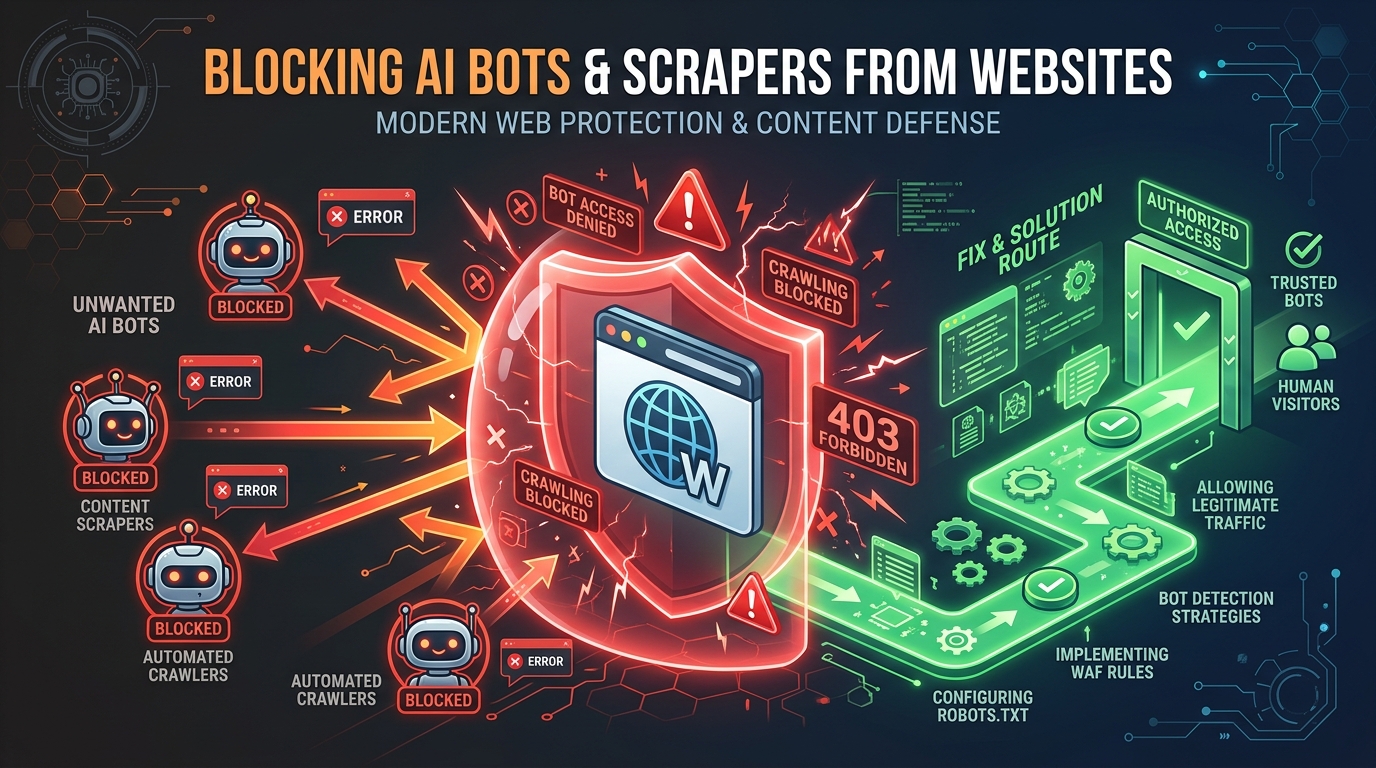
A WAF can return 403s to AI bots even when robots.txt allows them. See is your WAF blocking AI crawlers.

Never re-testing after changes

Changes can have side effects. Always re-run the free AI crawler check and keep a monthly audit habit.

Run the Free Check

Run a free AI crawler check on your website to see which of the 196 AI bots can access your content. The tool analyzes your robots.txt, looks for an llms.txt file, checks for firewall blocks, and gives you an AI Visibility Score from 0 to 100. Most websites score below 50 because they have never optimized for AI bot access. You can also explore the full AI bot directory or run a deeper GEO Audit tool.

Understanding the Moving Parts

To use redirects without losing AI access with confidence, it helps to know the four layers that control whether an AI crawler can read a page. Problems can hide in any of them, and they interact in ways that surprise even experienced teams.

The Four Layers of Crawl Access
LayerWhat it controlsCommon failure
DNS and hostingWhether the request reaches your server at allGeo-blocking or rate limits drop bot requests
Firewall and CDNWhether the request is allowed throughBot-management rules return 403 to AI crawlers
robots.txtWhether a compliant bot is permitted to fetchOver-broad Disallow or wrong user-agent name
Page renderingWhether the bot can read the contentContent only appears after JavaScript runs

Most owners assume the problem is robots.txt because that is the layer they know about. In practice, the firewall and rendering layers cause just as many silent failures. This is why a tool that checks all four, rather than just parsing your robots.txt, gives you a far more honest answer. The AI Crawler Check inspects access end to end and tells you which layer is responsible when something is blocked.

Once you know which layer is at fault, the fix becomes obvious. A robots.txt problem is solved with a text edit. A firewall problem is solved by allow-listing verified bot ranges. A rendering problem is solved with server-side rendering or pre-rendering. Diagnosing the layer first saves hours of guessing.

A Practical Example

Imagine a content site that wants to appear in AI answers but accidentally blocks several AI bots through an over-broad robots.txt rule. After running the check, the owner sees an AI Visibility Score of 38 and finds three major bots disallowed. The owner had never intentionally blocked anything, the rule was inherited from an old SEO plugin that pre-dated the rise of AI crawlers.

The fix is simple: replace the blanket rule with targeted ones that allow search-and-cite bots while still protecting private paths. Here is a clean starting point.

robots.txt (recommended pattern)
# Allow major AI search bots
User-agent: GPTBot
User-agent: OAI-SearchBot
User-agent: ClaudeBot
User-agent: PerplexityBot
User-agent: Google-Extended
Allow: /

# Protect private areas from all bots
User-agent: *
Disallow: /admin/
Disallow: /checkout/

Sitemap: https://example.com/sitemap.xml

After publishing and re-checking, the same site jumps to a score in the 80s within a day or two, once the engines refresh their cached copy of the file. The content did not change at all. Only the access did. This is the single most common AI visibility win, and it costs nothing but a few minutes of editing. For more patterns by platform, see robots.txt for WordPress, Shopify, and Webflow and Framer.

It is worth stressing what this example does and does not promise. Fixing access makes you eligible to be cited. It does not guarantee a citation, because the engine still weighs your content against every other eligible source. Think of access as buying a ticket to the game. You cannot win if you are not in the stadium, but the ticket alone does not win the match. The rest of this guide, and our work on content citability and E-E-A-T signals, is about winning once you are inside.

How to Measure Success

A change you cannot measure is a guess. After applying the steps above, track these four signals so you know whether your effort is working.

Set a baseline today, change one thing at a time, and compare. That discipline turns AI SEO from guesswork into a repeatable process you can defend to a client or a boss.

The Free Toolkit You Will Use

You do not need an expensive stack to use redirects without losing AI access. Four free tools cover almost everything, and they work together as a loop: diagnose, fix, validate, monitor.

ToolWhen to use itWhat it answers
AI Crawler CheckFirst, and after every changeCan the 196 bots reach my content, and what is my score?
robots.txt generatorWhen writing or rewriting rulesWhat should my robots.txt actually say?
robots.txt validatorBefore publishing any ruleDoes this rule do what I think it does?
batch checkerWhen managing many sitesWhich of my client sites have access problems?

Used in that order, these tools turn a fuzzy worry into a clear, finished task. They are also why the AI bot directory stays useful over time: every bot the scanner checks is documented there with its purpose and safety rating, so you are never guessing what a user-agent means.

Frequently Misunderstood Points

A few ideas in this area are repeated so often that they have hardened into myths. Clearing them up will save you from expensive mistakes.

Checklist You Can Reuse

TaskToolDone?
Baseline AI Visibility ScoreAI Crawler Check
Audit robots.txt rulesrobots.txt validator
Check for firewall 403s403 fix guide
Confirm llms.txt existsllms.txt templates
Re-check and schedule monthly auditmonthly audit

Where to Go From Here

Redirects, Status Codes, and AI Crawler Access works best as part of a broader GEO strategy. Pair it with strong content and structured data, then keep an eye on results. Explore the AI bot directory to understand every bot, use the GEO Audit tool for a deeper analysis, and read why AI Crawler Check is different to see how our 163-bot coverage compares to other checkers.

Ready to start? Run your free AI crawler check now and turn the insights above into a concrete action plan.

Your AI Visibility Action Checklist

Use this interactive checklist to track your progress. Tick each item as you complete it and watch your readiness bar fill up.

Tick off each step as you go
0/7

Frequently Asked Questions

What is the fastest way to use redirects without losing AI access?
Start by running the free AI crawler check to get a baseline, then follow the step-by-step process in this guide. Most fixes take under an hour.
How do I check if AI bots can access my website?
Use the free AI Crawler Check tool. It scans your site against 196 AI and web bots, analyzes your robots.txt and firewall, checks for an llms.txt file, and returns an AI Visibility Score from 0 to 100 with specific recommendations.
Do AI crawlers affect my SEO?
AI crawlers and search crawlers are related but distinct. Managing AI bots affects your visibility in AI answers, while traditional SEO affects Google rankings. The best results come from optimizing for both. See GEO vs SEO.
How often should I re-check my AI visibility?
Monthly is a good cadence, plus an extra check after any major site change such as a redesign, migration, or new firewall rule. Use the monthly audit checklist.
Is the AI Crawler Check tool free?
Yes. The core scan, AI Visibility Score, robots.txt analysis, and bot directory are all free with no sign-up. See why AI Crawler Check is different from other tools.

Quick Knowledge Check

Score: 0 / 5

Test what you just learned. Tap "I know this" if you are confident, or "Show me" to reveal the answer.

1

What is the fastest way to use redirects without losing AI access?

2

How do I check if AI bots can access my website?

3

Do AI crawlers affect my SEO?

4

How often should I re-check my AI visibility?

5

Is the AI Crawler Check tool free?

Was this article helpful?

Related Articles

H
Co-founder & Marketing Director at Horatos.ai

Brian is the Co-founder of Horatos.ai, an AI SEO and GEO consultancy. He built AI Crawler Check to help website owners navigate the rapidly evolving landscape of AI crawlers and search. Plus, Brian has 8+ years of experience helping brands grow across Singapore, Korea, Japan, the US, and the UK. Former Head of AISEO at MediaOne Singapore. Led campaigns for Dior, HL Assurance, FXTrading, and Evoto.ai.

Check Your AI Visibility Now

Scan your website against 196+ bots and get your AI Visibility Score