Redesign case studyv6.2 to v6.3
Website redesign, before and after: how we rebuilt AI Crawler Check
AI Crawler Check is a free tool site with 265 crawler profiles, eleven tools and more than 150 articles. Version 6.3 changed almost every template, added a mascot and doubled the useful content, without losing a single URL or a ranking signal. This page shows the real before and after, side by side, and explains every decision.
Site redesign designed and built by Horatos.ai. Screenshots captured on .
- 19,80738,157words of useful content on 17 key pages
- 1100duplicate internal links on those pages
- 140key pages under 1,500 words
- 578615URLs in the sitemap; every old URL kept or redirected
The brief
Why we redesigned a site that already worked
Version 6.2 did its job. The checker was fast, the bot database was accurate, and pages ranked. But three problems were growing with every new page we published, and each one cost us either trust, traffic or leads.
Pages felt assembled, not designed
Tool pages had a plain heading, a box and a long tail of text blocks added one at a time. Each tool looked different from the next, and none matched the homepage.
Thin pages under the quality bar
14 of the 17 key pages had fewer than 1,500 words in the main content. The Tools hub had 251; the contact page had 102. Thin pages give search engines and AI answer engines little to cite.
No personality, no memory
The site looked like every other SEO tool. Nothing on it was memorable, so visitors used a tool once and forgot who made it, which is the opposite of what a lead-generation site needs.
The goal for 6.3 was therefore not a new look for its own sake. It was a site that looks like one product, gives every page enough depth to be worth citing, and leaves visitors with a reason to remember the brand, all while keeping every ranking signal 6.2 had earned.
Methodology
How we decided what to change
Every change in this redesign had to pass one test: does it help a visitor finish a task, or help a crawler understand the page? If it did neither, it did not ship. We worked in six steps.
- Audit what exists, with numbersWe measured every page: words in the main content, headings, structured data, internal links, contrast and tap targets. That produced the before column in every table on this page.
- Freeze what already worksThe homepage hero, every URL and every fact that ranked were frozen before design began. A release check compares the homepage word for word, so no sentence that earned traffic can disappear.
- Design one system, not pagesOne hero, one card style, one heading scale and one set of buttons, applied to every template. A new page inherits the system instead of inventing its own.
- Write content for the task on each pageEach tool page documents that tool: its options, its samples, its export columns, its score method. No shared filler, no block pasted onto ten pages.
- Turn every owner finding into a gateWhen the site owner found a defect during review, it became an automatic release check, so the same mistake cannot return. The release now runs more than 30 checks across all 615 URLs.
- Check visually at three widthsEvery changed template was screenshotted at 1280, 390 and 320 pixels, before and after, and checked for overflow, overlap, contrast and touch target size.
Before vs after: homepage
The homepage: same promise, clearer page
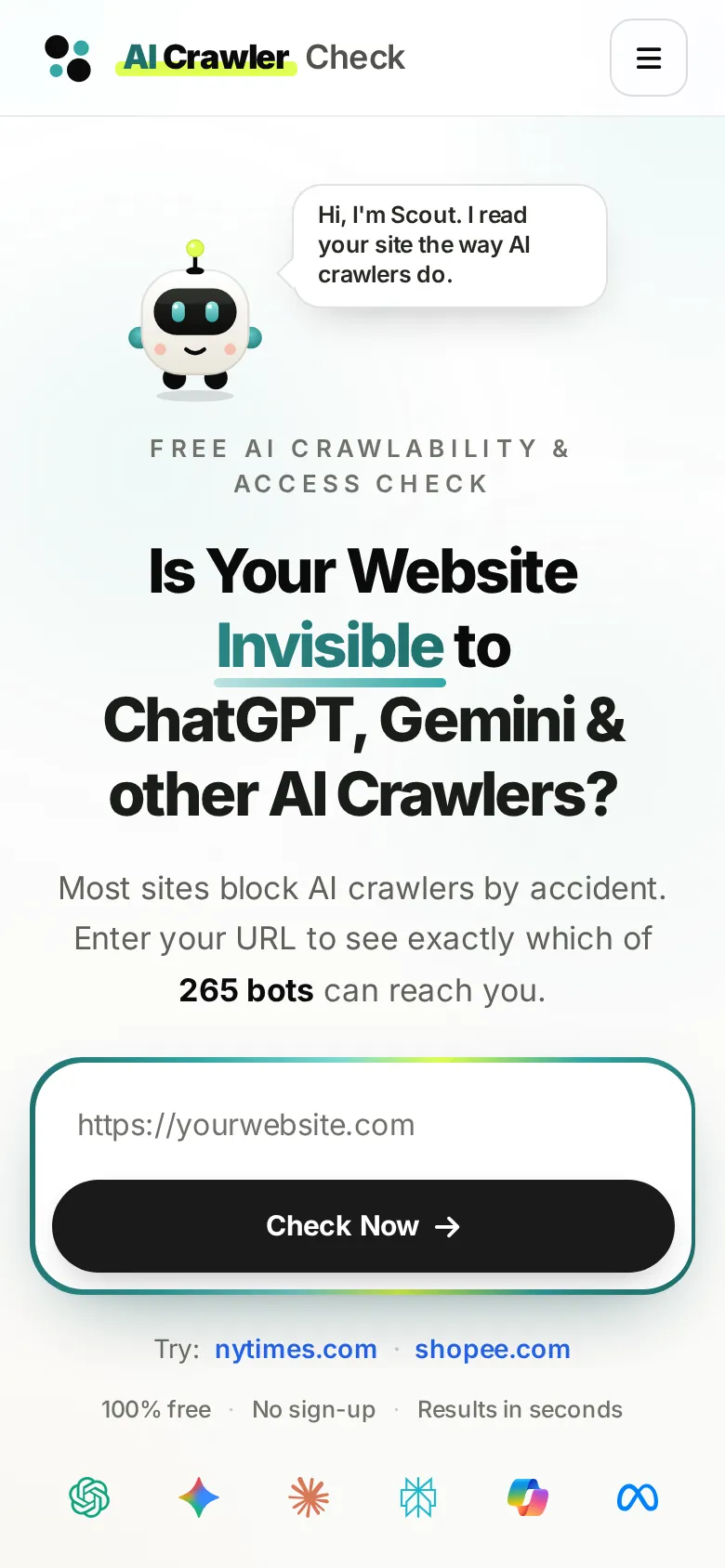
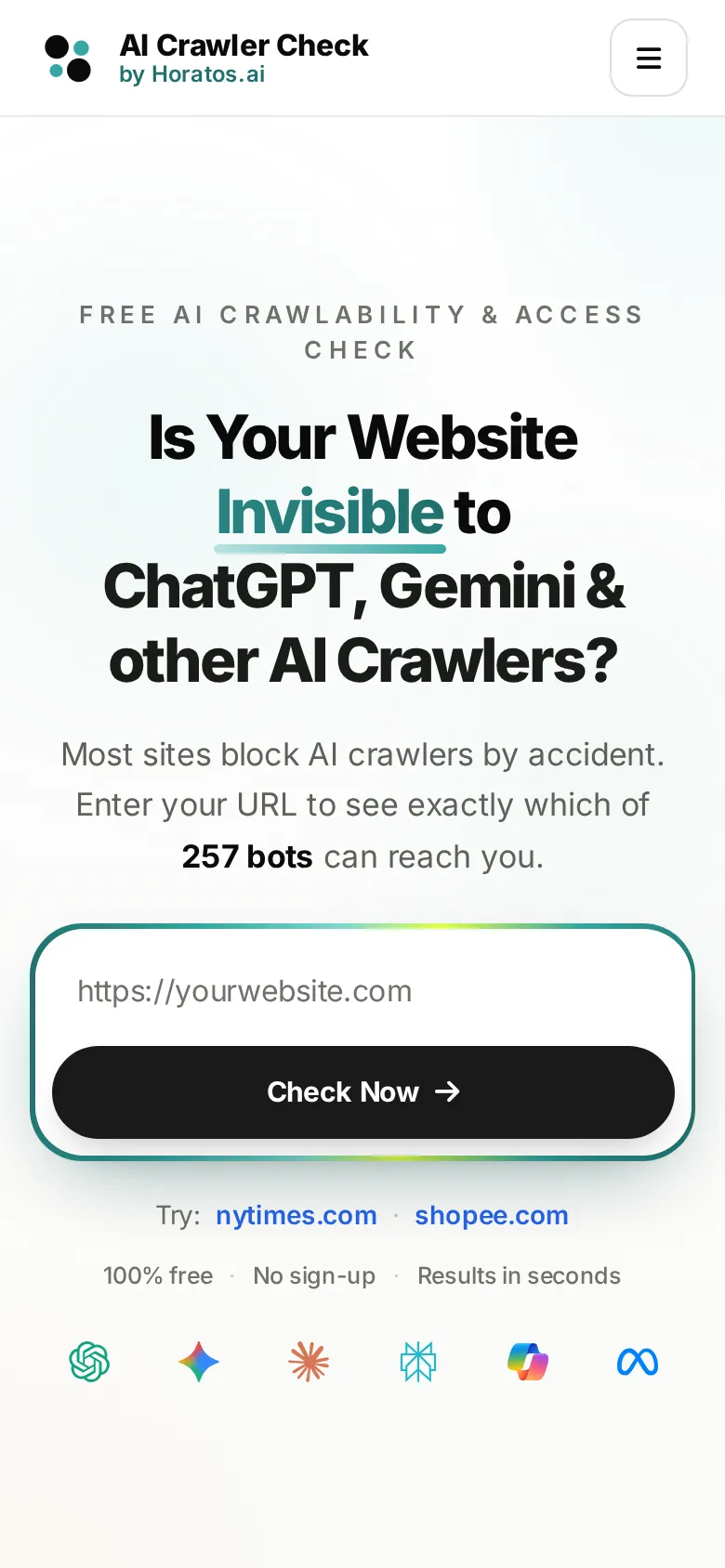
The homepage hero was the one part we did not redesign. Its headline, search box and wording had earned the site's rankings and conversions, so it stayed word for word. What changed is the header above it and everything below it.
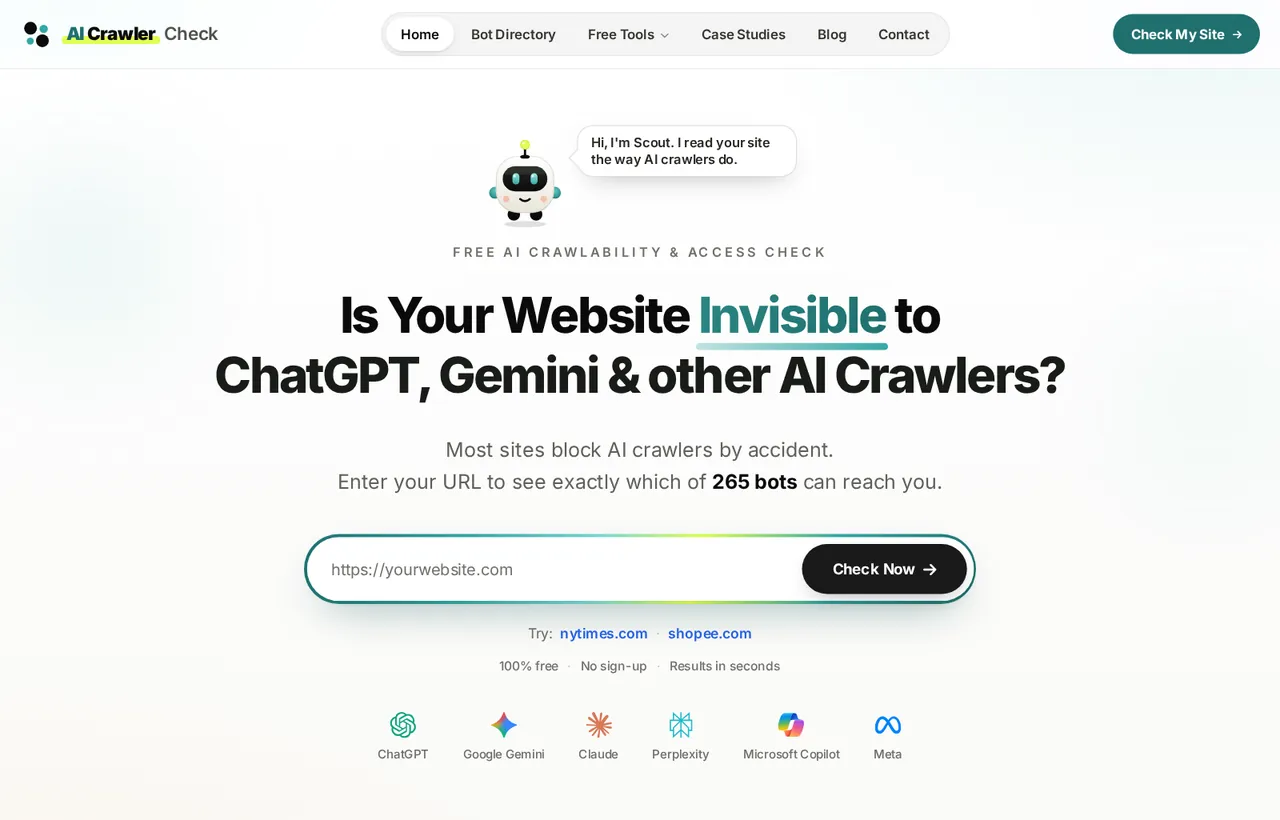
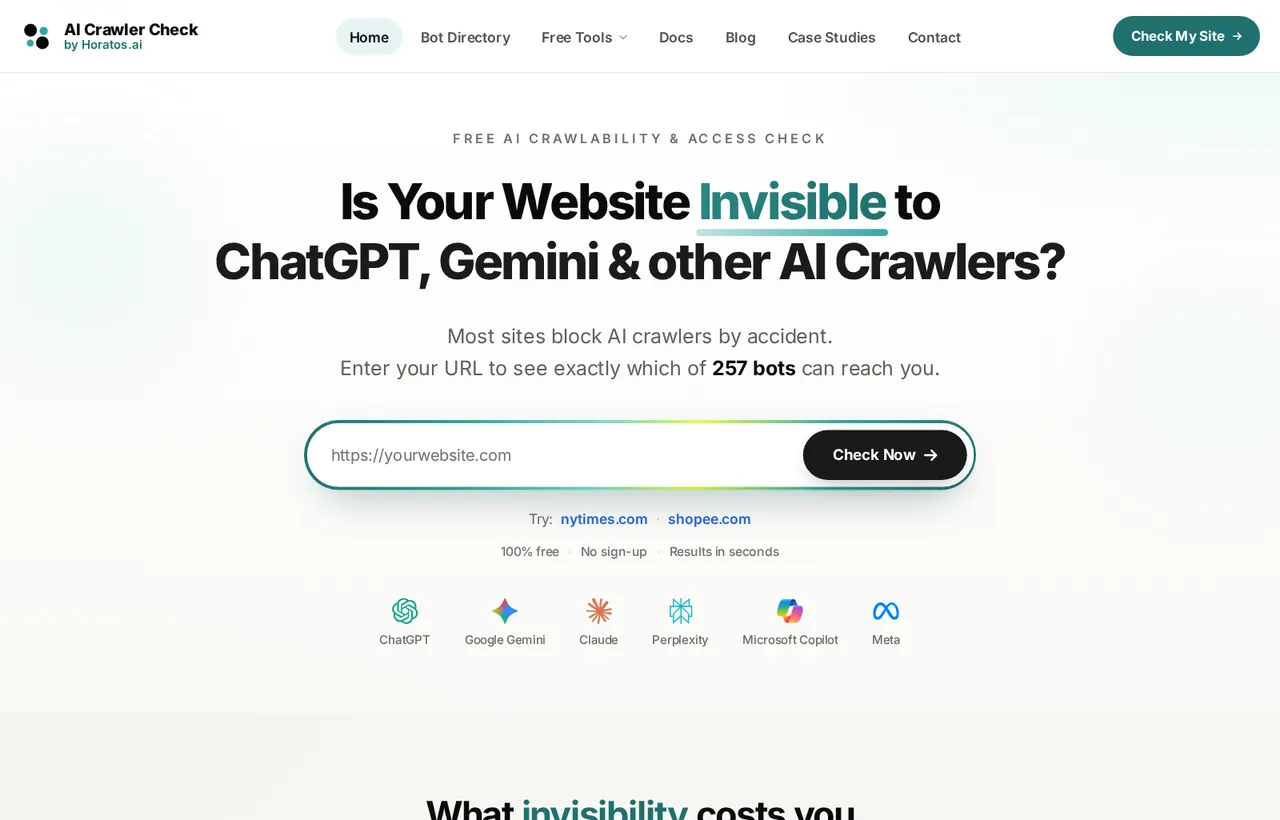
- Header: glass background, one brand line instead of two, and the "AI Crawler" wordmark.
- Scout greets visitors beside the headline with one sentence on what the page does.
- The bot count in the hero now comes straight from the database (265 today), so it is never typed by hand.
The header wordmark
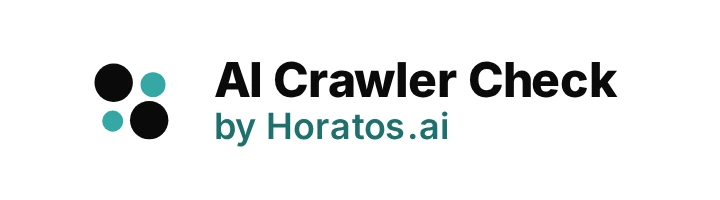
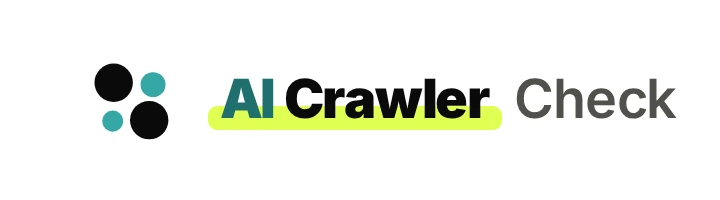
The logo mark stayed exactly as it was; only the words beside it changed. "AI Crawler" now sits on a lime highlighter band, the site's accent colour, with "AI" in brand teal. On hover a small dot runs along the band, like a crawler reading the line, and the letters of "Crawler" lift one after another. Under reduced-motion settings nothing moves.
What changed below the hero, and why
- Scout became chapter 01. Right after the check form, visitors meet the research agent behind the data, with the four things it does. This answers "who made this and why should I trust it" before the visitor scrolls further.
- One column, larger headings. Sections now share one 1,152-pixel column and one heading scale, so the page reads as a sequence of chapters instead of a stack of widgets.
- Calmer numbers and colour. Numbered markers and coloured badges were toned down, so the few things that should stand out (the score, the call to action) actually do.
- The sample report moved up. Visitors see what a finished report looks like before they are asked for a URL, which removes the main reason people hesitate.
- Built for the thumb. Every tap target is at least 24 pixels, and nothing scrolls sideways even at 320 pixels.
Related: how AI engines choose their sources
Want this for your own site? A before and after like this one, with every ranking signal protected.
Book a free redesign reviewBefore vs after: tool pages
Eleven tools, one design system
The tools bring in most new visitors, and in 6.2 each one looked like a different product. In 6.3 every tool page opens with the same teal hero, with Scout giving a one-line tip, three facts about the tool, and a button that jumps straight to it.
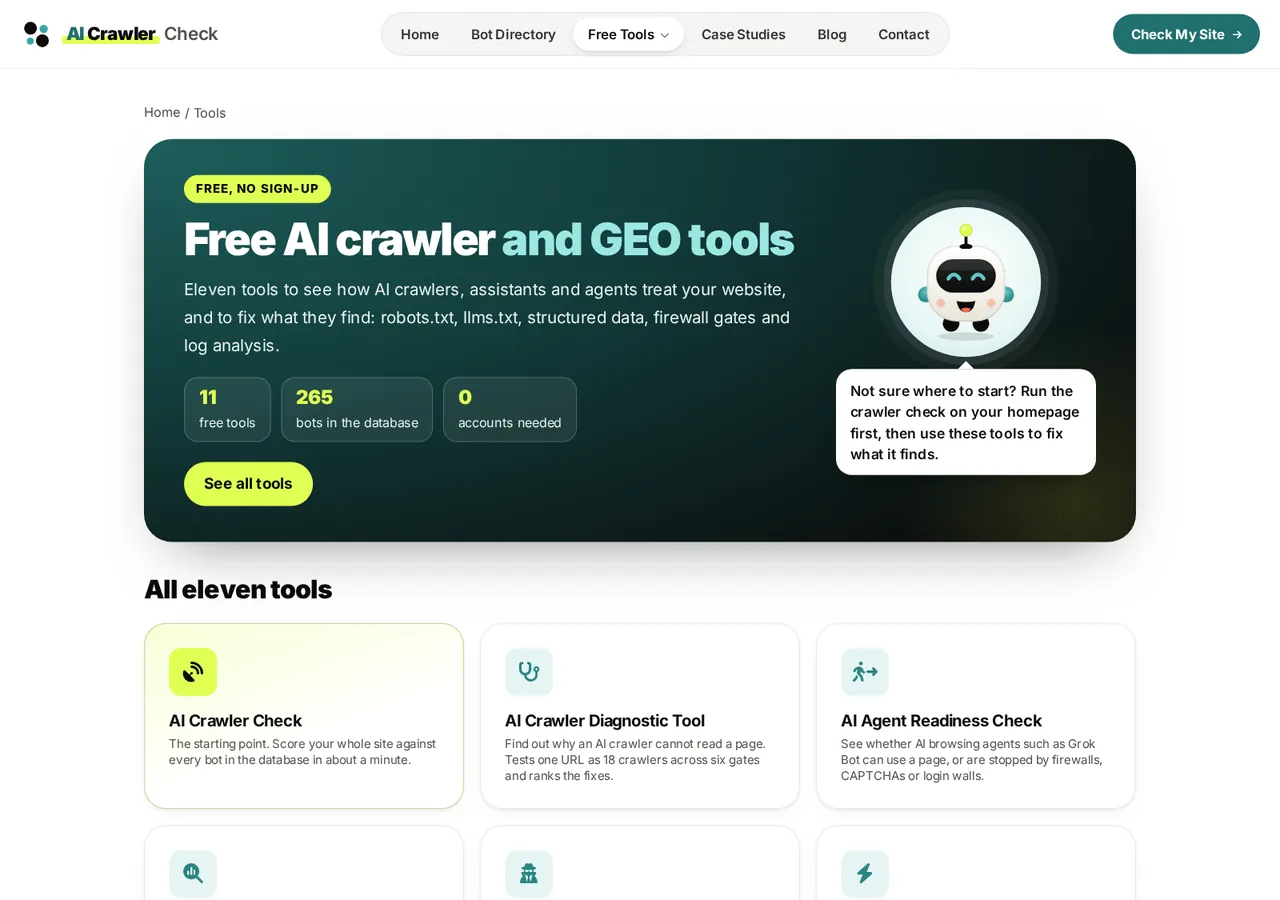
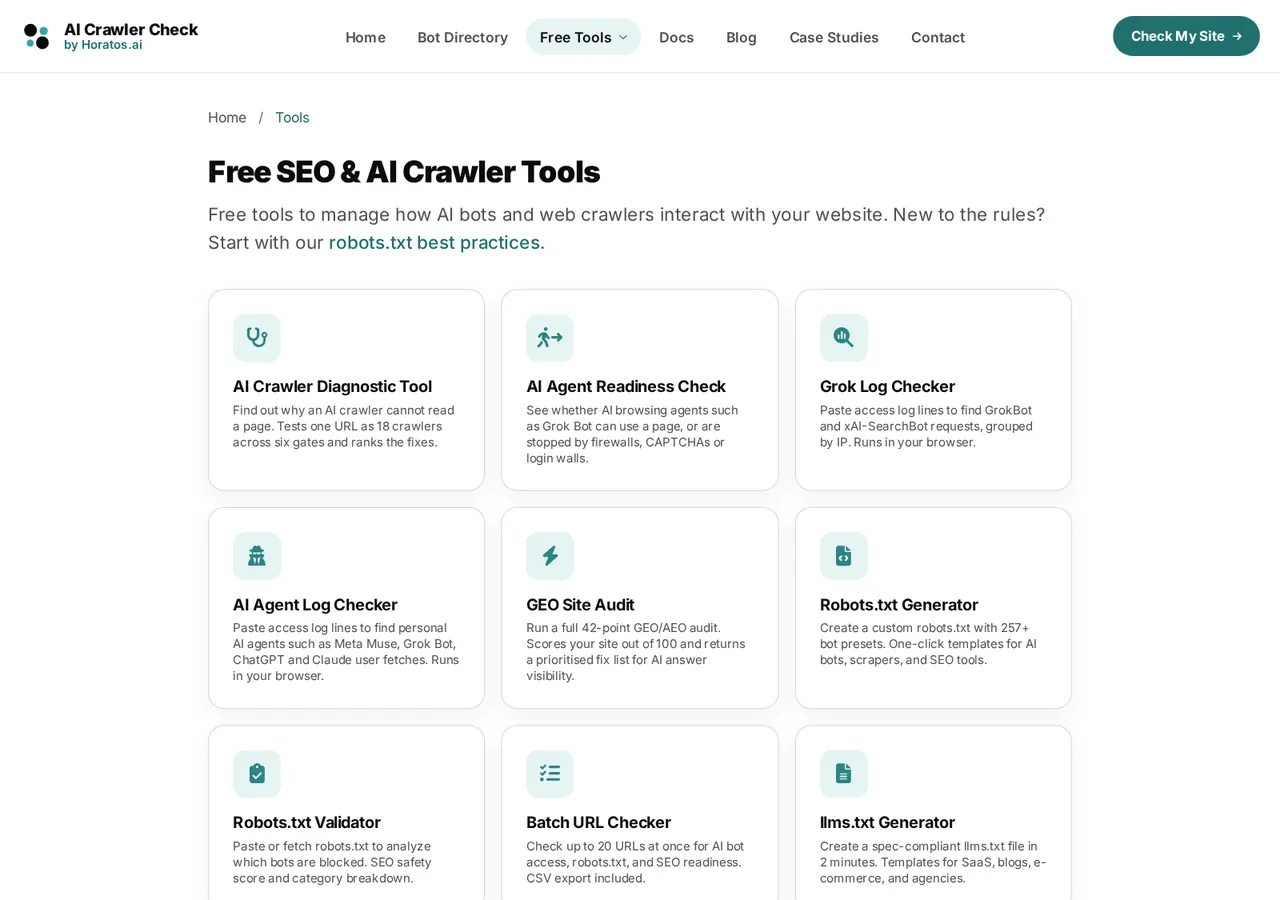
- The homepage checker is now the first card, so the main tool is never missing from the tools list.
- Each card says what the tool answers, not only what it is called.
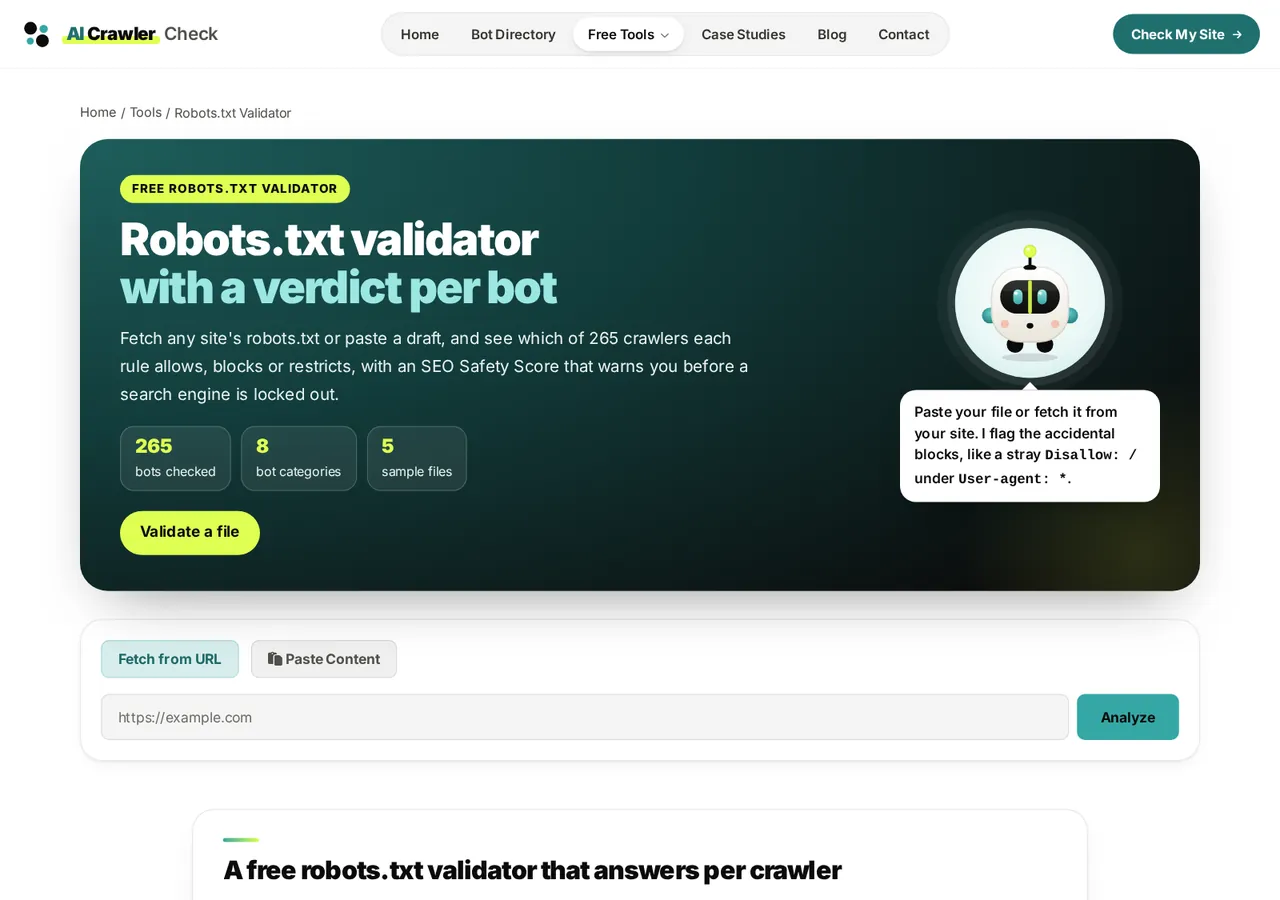
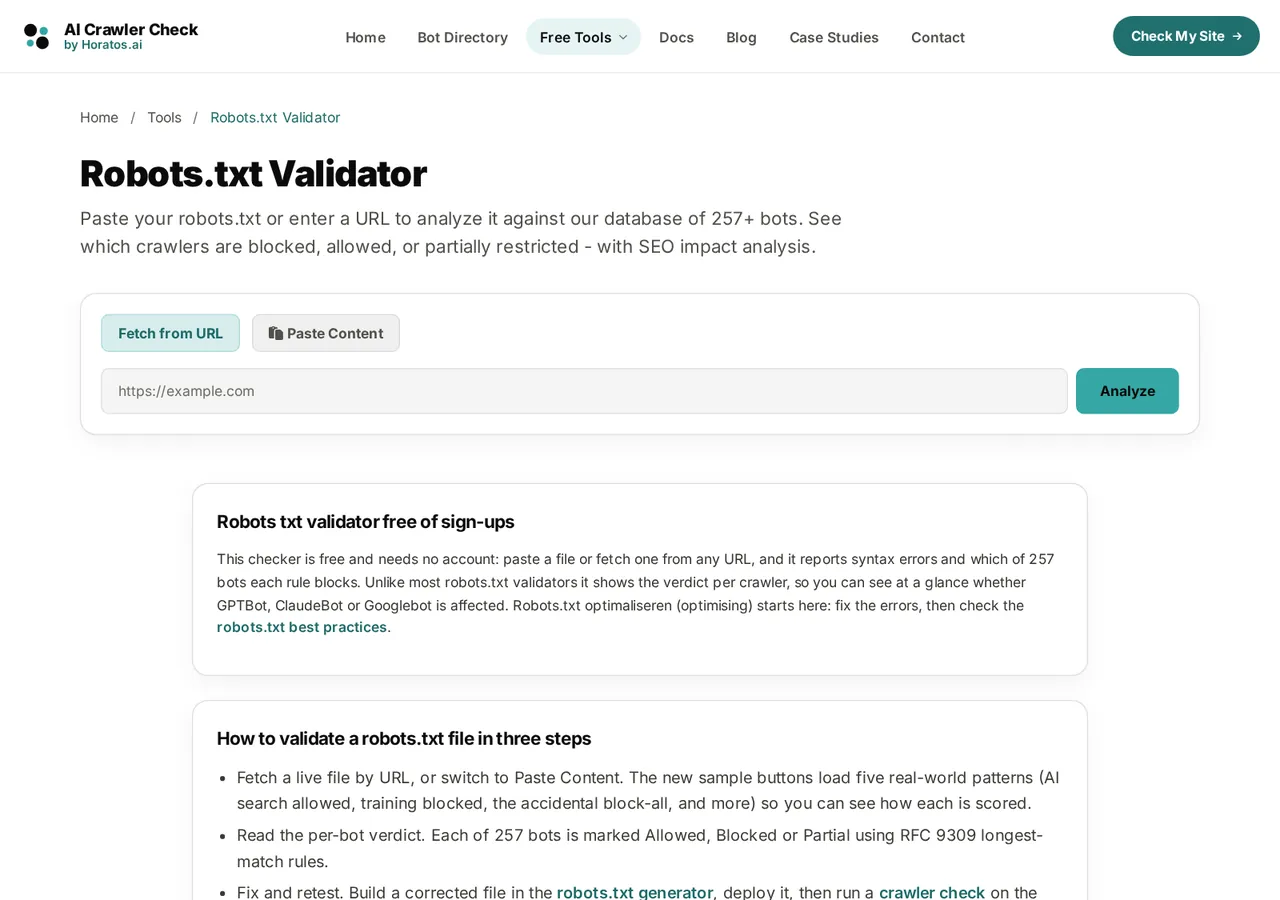
- Scout names the most common mistake (a stray
Disallow: /) before you paste anything. - The guide below the tool was rewritten for this tool only: samples, rule order and per-bot verdicts.
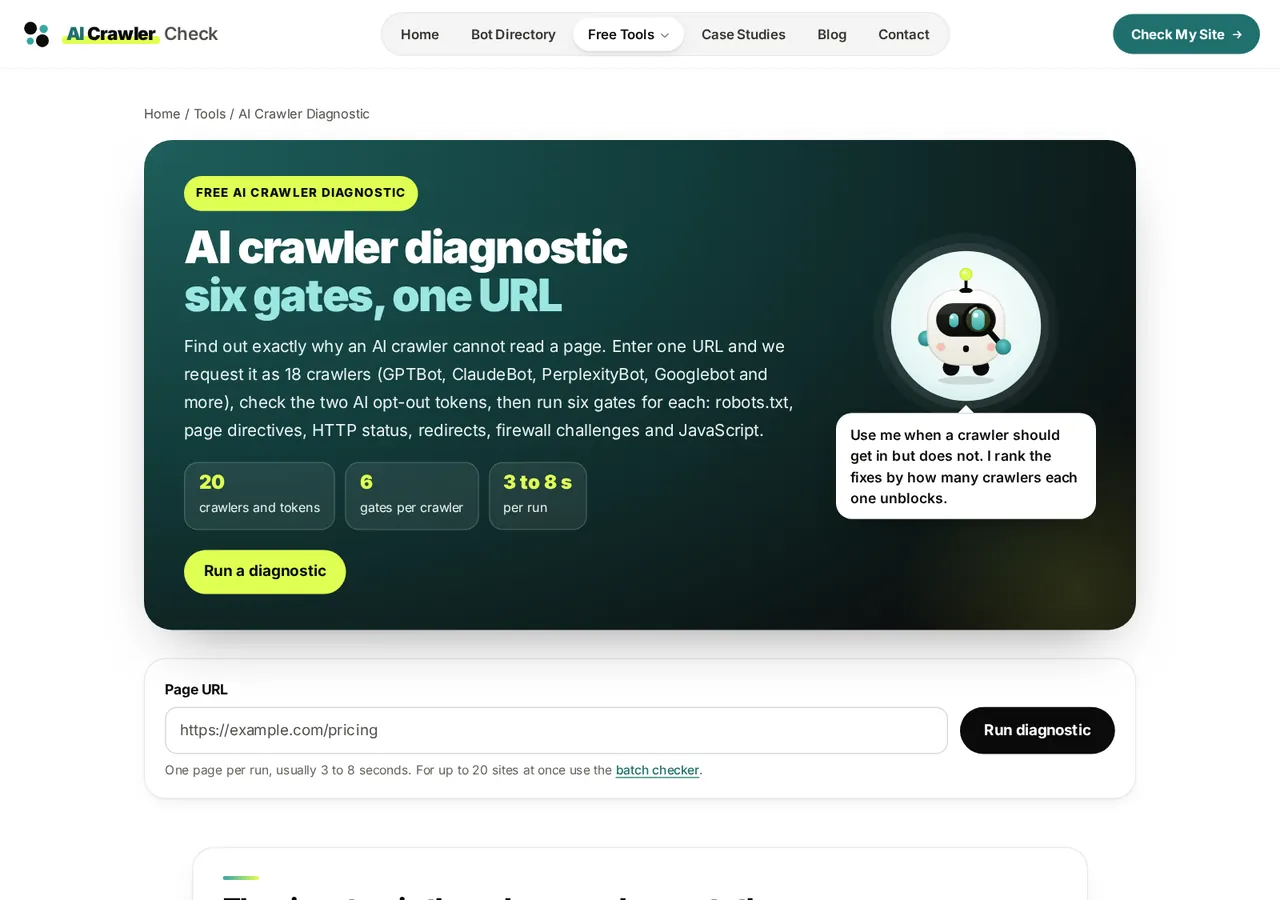
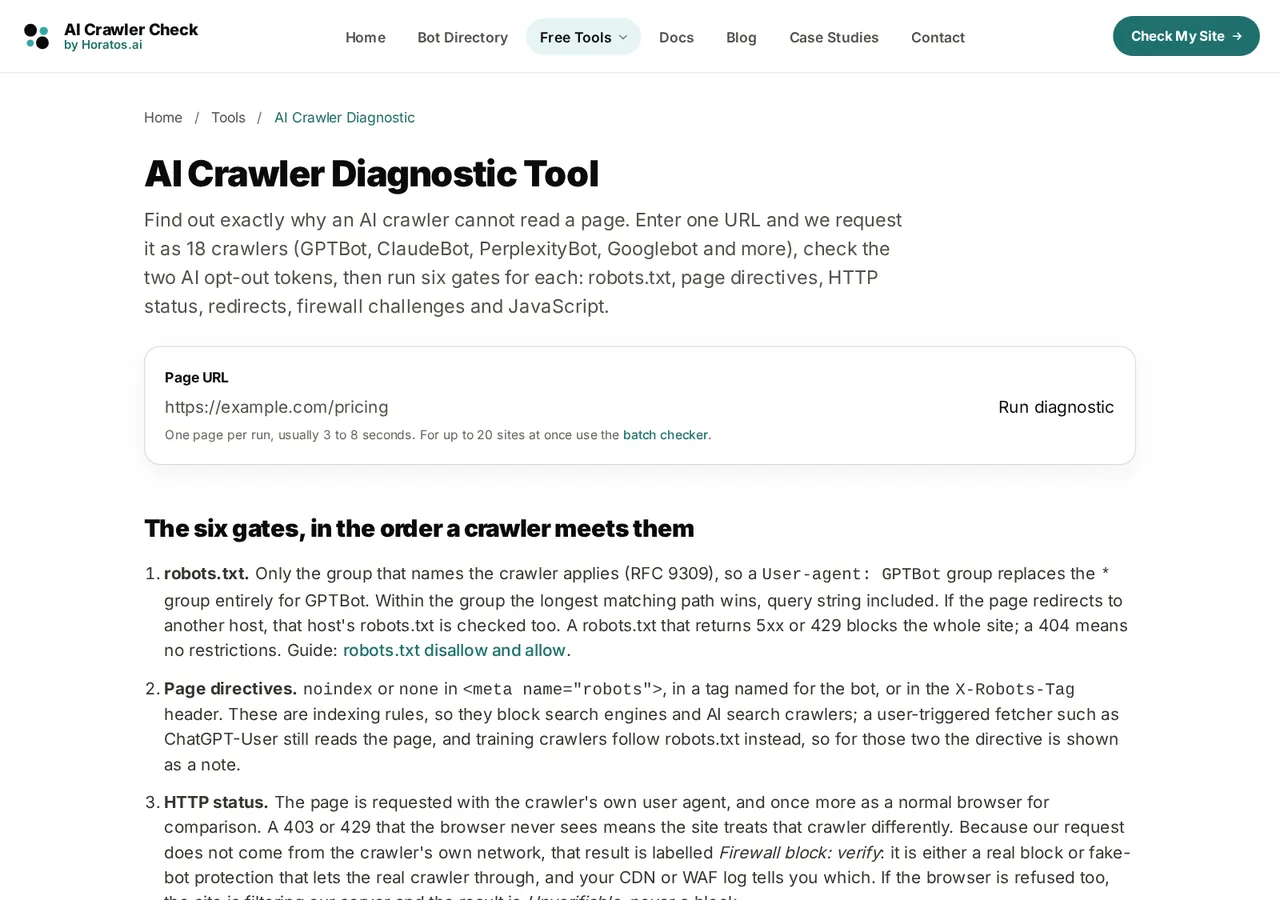
- Shared button styles now load on every tool page, so a page cannot ship with a bare button again.
- The six checks are listed in the order the tool runs them.
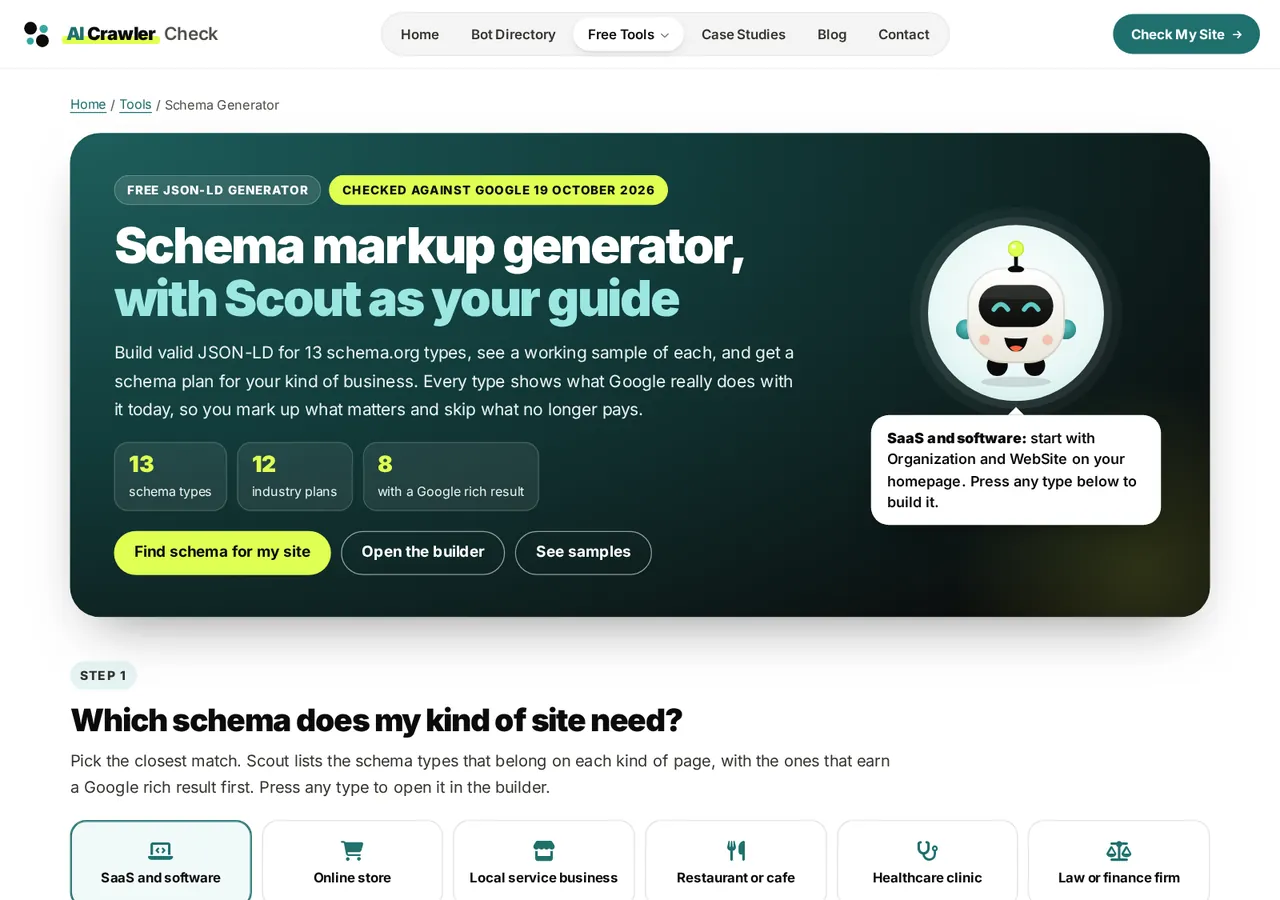
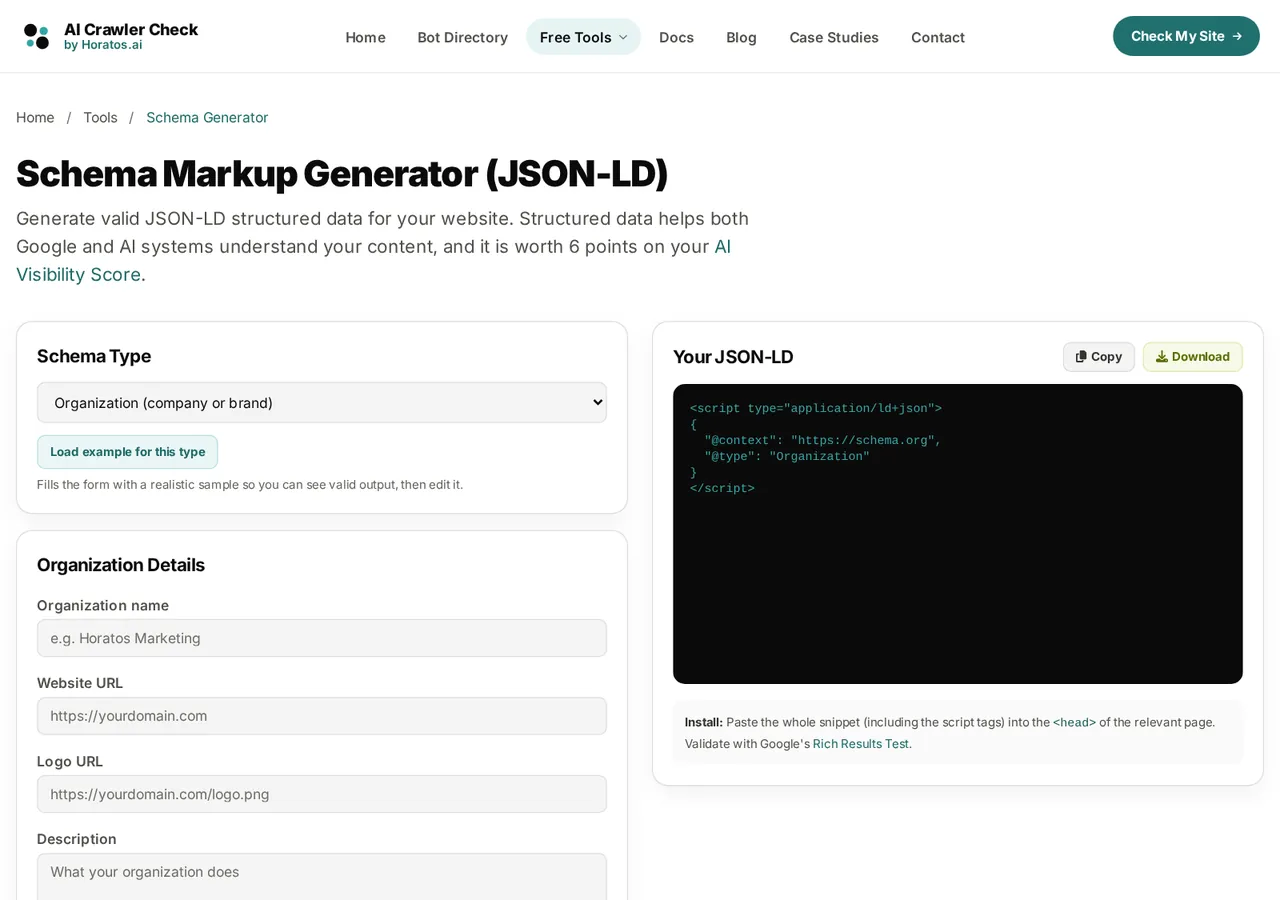
- Pick an industry and get a schema plan, page by page.
- Build JSON-LD for 13 types, or open a working sample of each one.
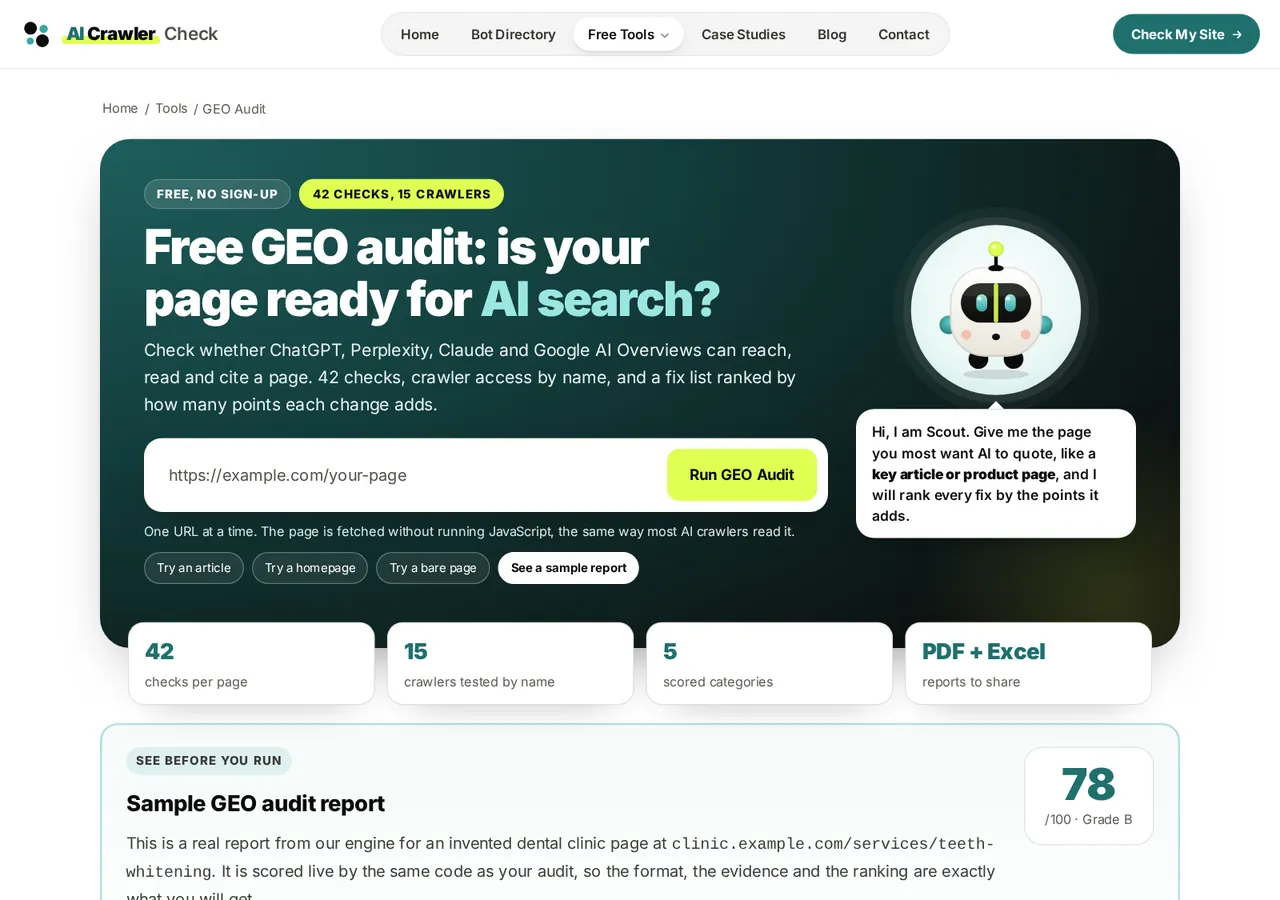
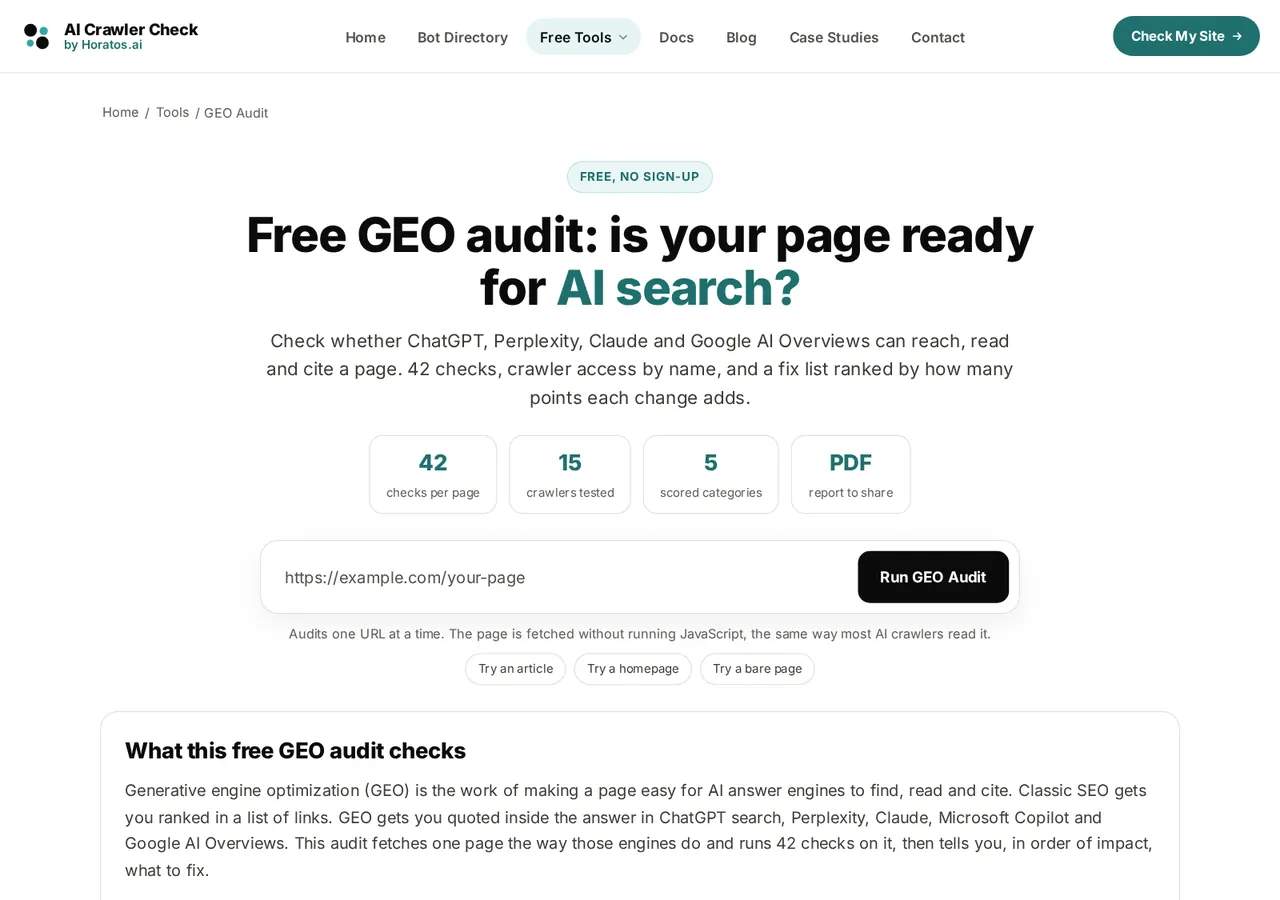
- An industry guide says which templates to audit first.
- The score method is published on the page, cap by cap.
Related: writing content AI engines can cite
The same system on a phone
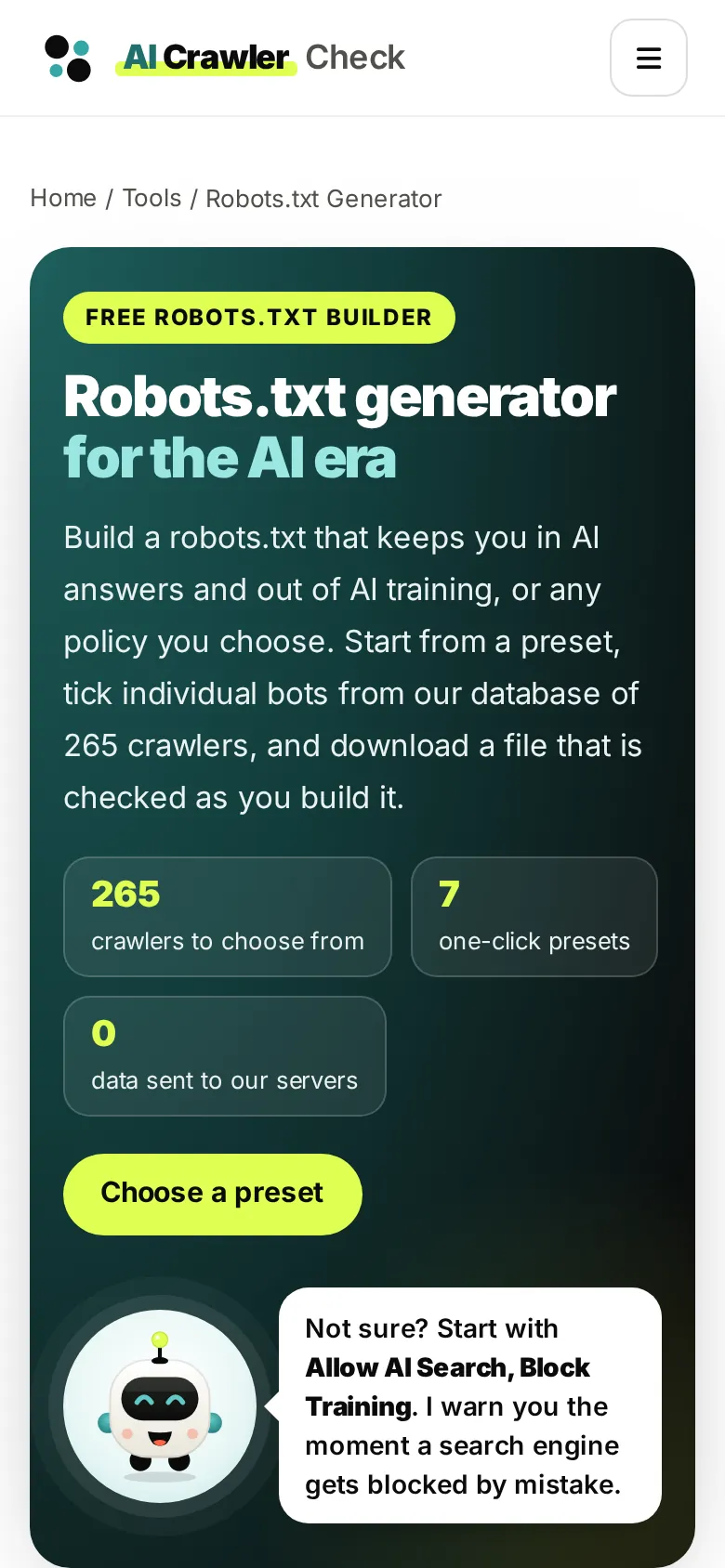
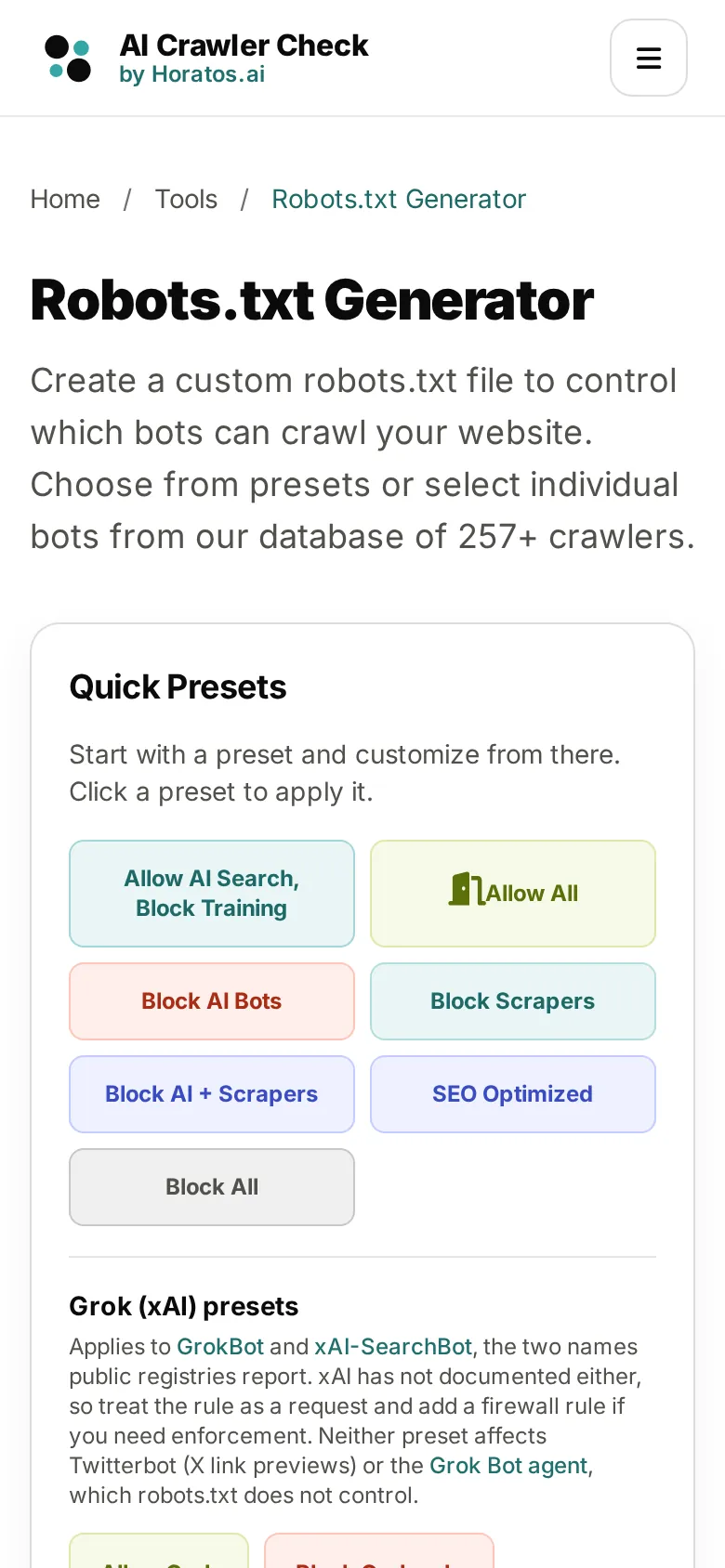
On a phone the hero stacks in a fixed order: title, three facts, the button that jumps to the tool, then Scout with his tip. The tool itself is never more than one tap away, and the presets keep their full labels instead of being cut off.
Every tool page shares this order, so a visitor who learns one tool has already learned the next. That consistency is what makes eleven separate tools feel like one product.
Content
Why we rewrote the content, not just the layout
A redesign that only changes colours leaves the real ranking problems in place. Search engines and AI answer engines rank and cite pages for what they say. So the content changed as much as the design: 19,807 words on 17 key pages became 38,157, and not one page of those 17 is under 1,500 words now.
| Page | Before (v6.2) | After (v6.3) | Change |
|---|---|---|---|
Homepage / | 4,252 | 4,795 | +543 words |
Tools hub /tools | 251 | 1,574 | +1,323 words |
Schema generator /tools/schema-generator | 989 | 4,580 | +3,591 words |
GEO audit /geo-audit | 2,507 | 3,879 | +1,372 words |
llms.txt generator /tools/llms-txt-generator | 355 | 1,530 | +1,175 words |
Crawler diagnostic tool /tools/ai-crawler-diagnostic | 883 | 1,628 | +745 words |
Directory of crawlers /directory | 515 | 1,631 | +1,116 words |
GPTBot profile /directory/ai-bots/gptbot | 1,233 | 2,186 | +953 words |
Blog /blog | 772 | 1,646 | +874 words |
Contact /contact | 102 | 1,839 | +1,737 words |
Methodology /methodology | 604 | 1,556 | +952 words |
Case studies hub /case-study | 106 | 1,765 | +1,659 words |
More words is not the goal; fewer repeats is
The first pass at depth went wrong, and the way it went wrong is worth sharing. To lift thin pages we added content in layers: a research block, a search-intent block, a guide. Each layer was sensible alone. Stacked, they repeated each other: the schema page explained "which type for which page" three times, and two of its headings covered the same subject in different words. The owner spotted it in review.
The fix was a rule rather than an edit. Each tool page now has one list of sections written for that tool alone: the options of the generator, the sample files of the validator, the CSV columns of the batch checker, the score caps of the agent readiness check. A release check fails if a heading repeats, if two sections share most of their wording, or if a shared block appears on more than one tool page.
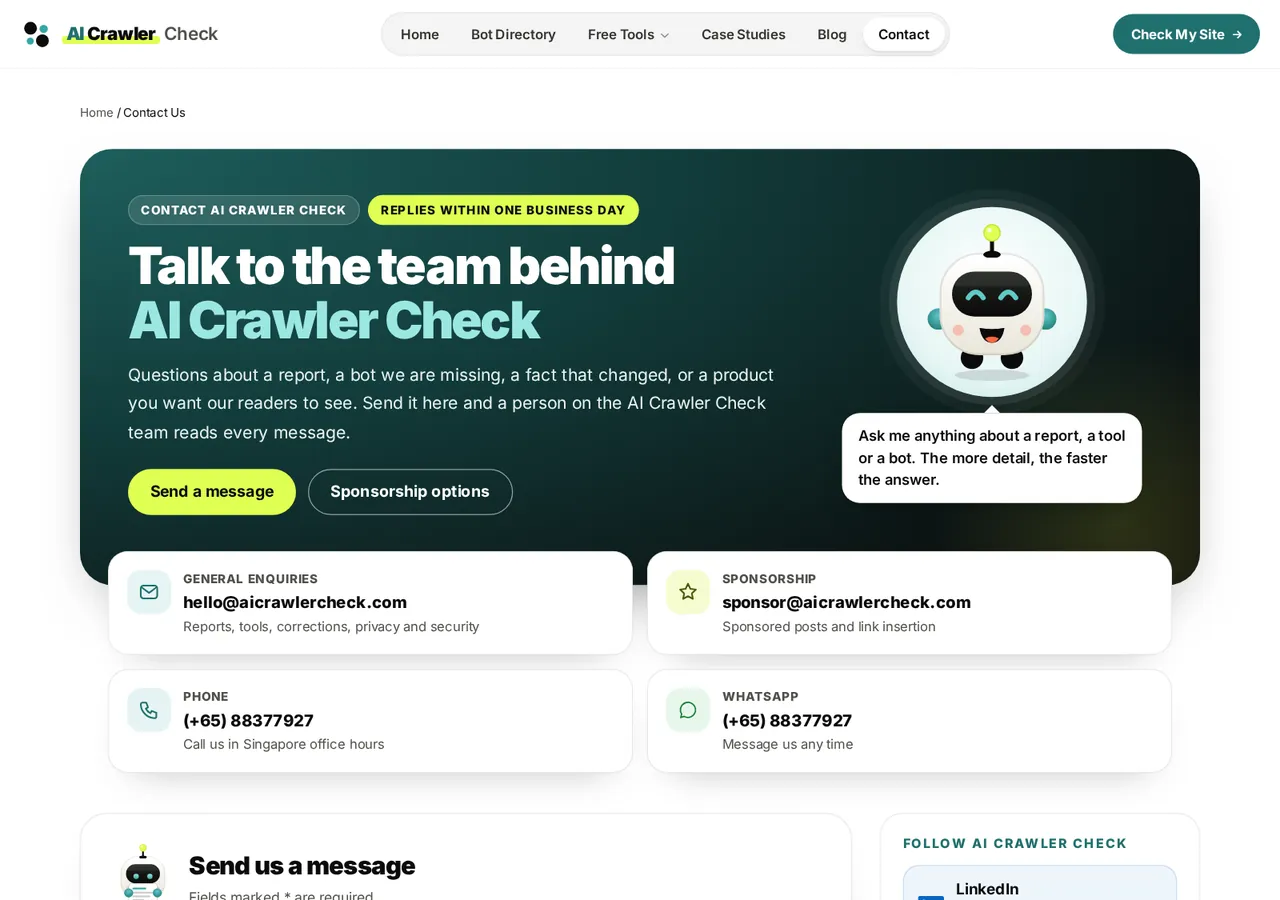
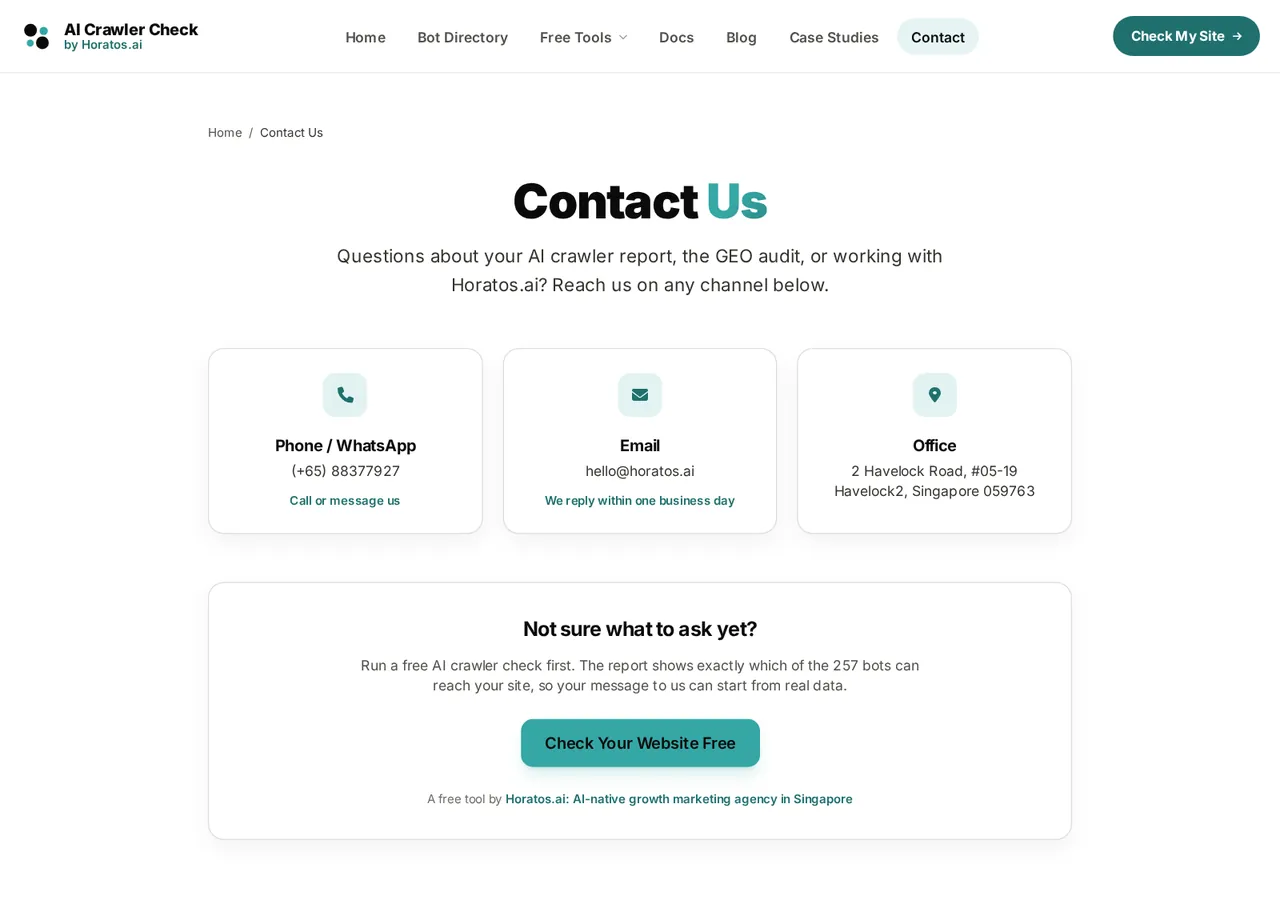
- Every channel in one place: enquiries, sponsorship, phone and WhatsApp.
- What to send for each kind of request, how corrections work, and a form that routes each message to the right person.
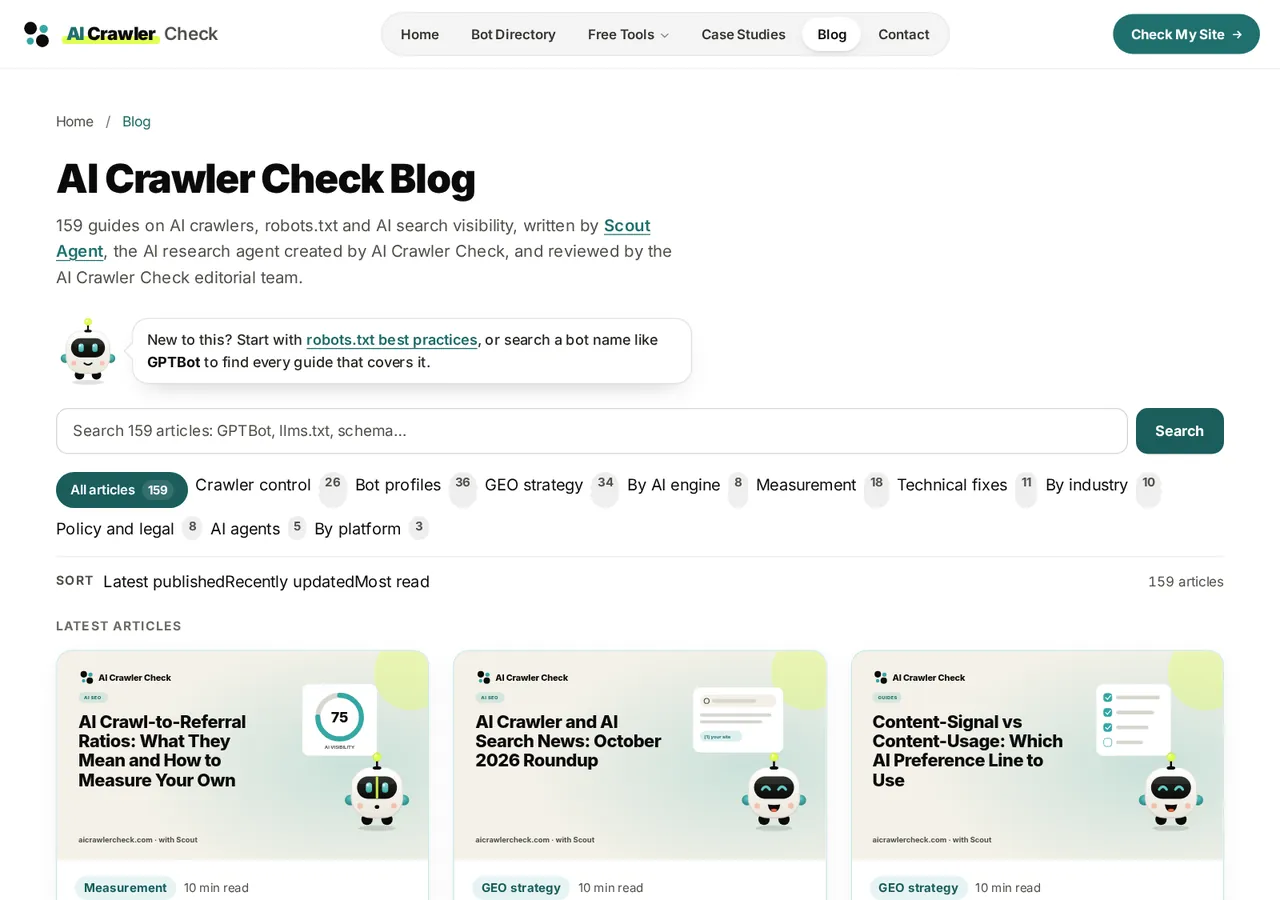
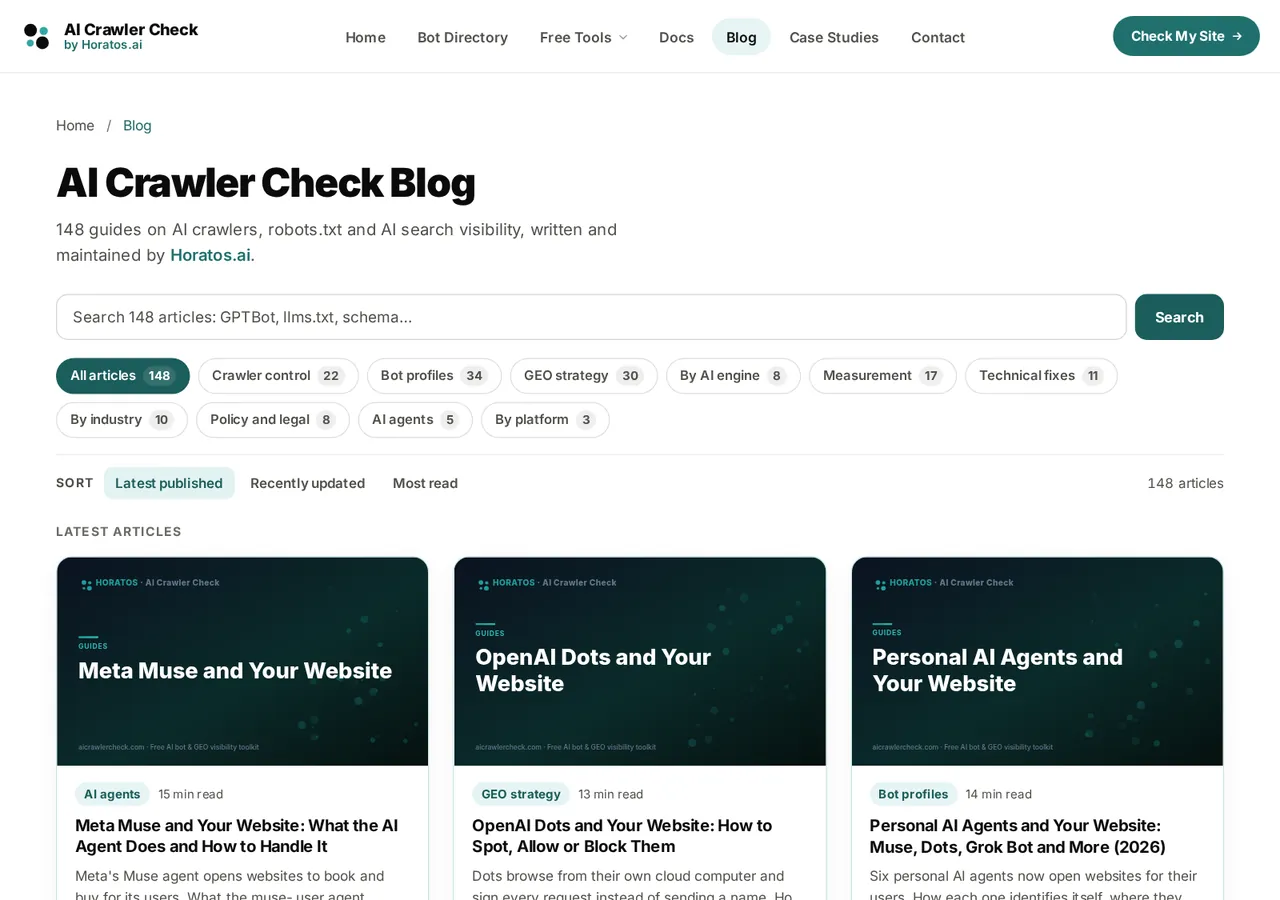
- Topic chips with counts replace a long, flat list.
- Scout introduces the blog as the author of its research.
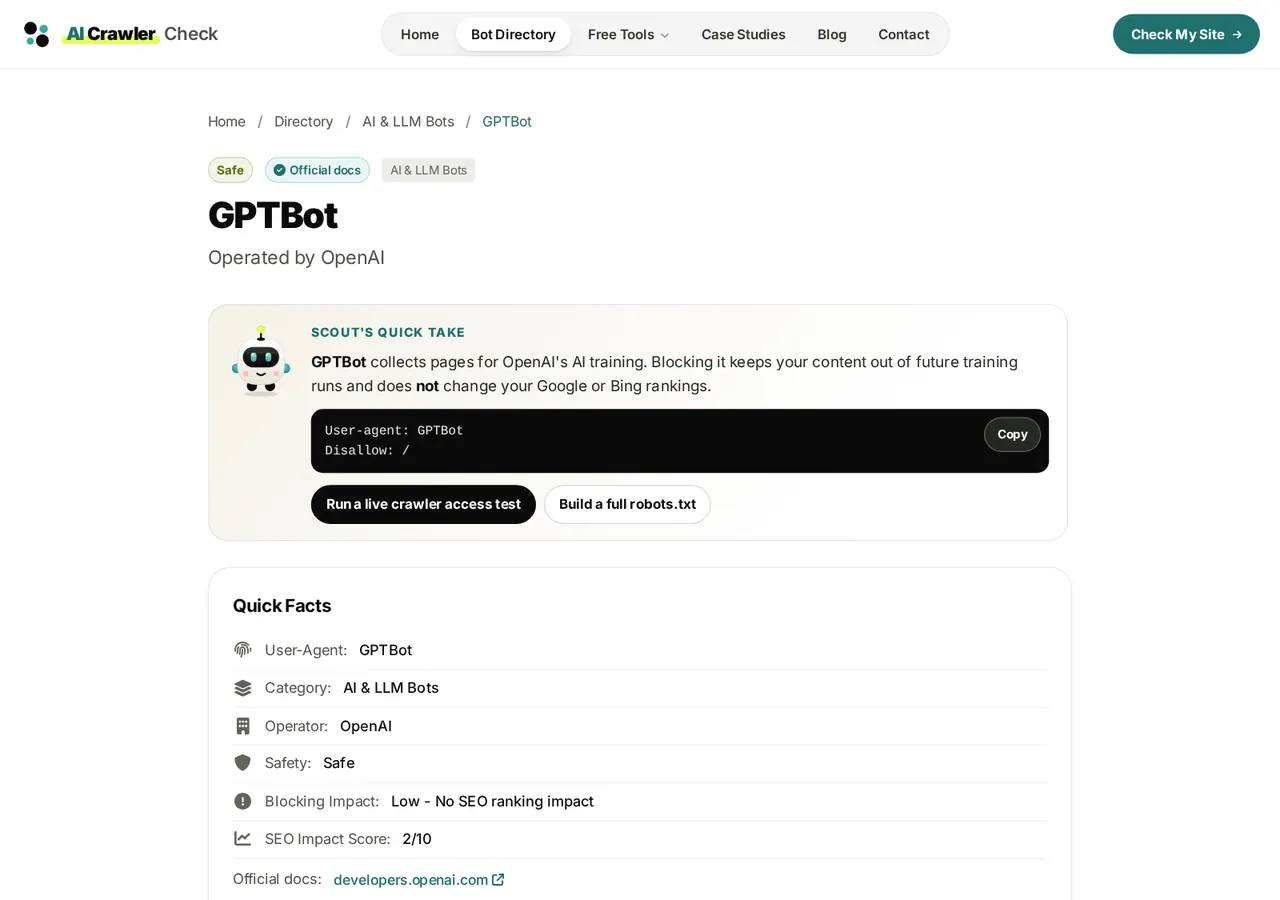
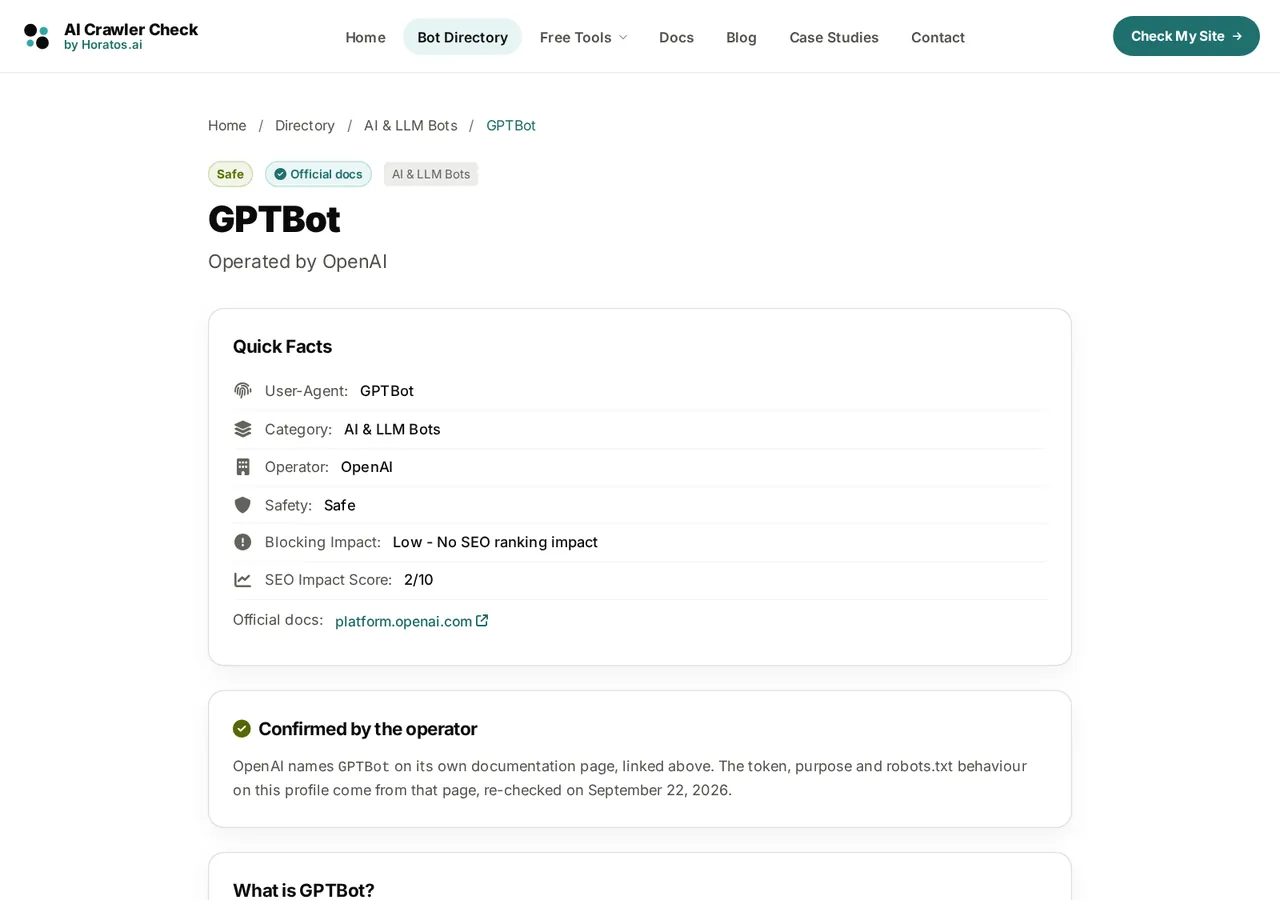
- Each one gained Scout's quick take at the top: what the bot does in one sentence and the exact robots.txt rule to copy.
- Two next steps follow: a live test and a full robots.txt.
Brand mascot
Why a tool site needed a mascot
Scout is a small robot built from the Horatos mark: the two black dots are his feet, the two teal dots his hands, and the lime antenna is the site's accent colour. He was not added for decoration. Each job he does solves a problem 6.2 had.
A guide on every page
Every page opens with one sentence from Scout on what to do there and where to go next. New visitors stop guessing which of eleven tools they need.
A named author
Research articles are written by Scout Agent and reviewed by the editorial team, with an author page that explains how. Search engines and AI answer engines look for named authorship; a faceless tool site has none.
A status you can read
Scout's mood follows the result: he scans while a check runs, cheers at a clean report and looks worried at a block. Ten moods, all drawn in SVG, so they cost almost nothing to load.
Memory
People forget tools and remember characters. A visitor who met Scout once recognises the site in a search result, a social post or an AI answer.
A bridge to the agency
Because Scout is drawn from the Horatos mark, the character quietly connects the free tool to the agency that built it, without putting an advert in front of the tool.
Built to be accessible
Each pose is an inline SVG with a text alternative, never an image of words. Motion stops for visitors who prefer reduced motion, and Scout never covers content.
What we were careful about
A mascot can make a serious tool look like a toy. Three rules kept Scout useful: he never says anything the page does not back up, he never blocks a control or asks for attention while a tool is running, and he only appears once per page, in the hero, unless the page is about him.
SEO and GEO
How we redesigned without losing search or AI visibility
Most redesigns lose traffic in the first month. The usual causes are changed URLs, content that moved behind JavaScript, lost structured data and broken internal links. Each one had a safeguard here, and each safeguard is a check that runs before every release.
| Risk | Safeguard in this redesign | Result |
|---|---|---|
| URLs change and links break | No URL was removed. Renamed slugs answer with one 301 to the new address, never a chain. Every sitemap URL must answer 200. | 578 to 615 URLs |
| Content moves behind JavaScript | Every page is complete in the raw HTML a crawler receives. A check fetches each page without running scripts and fails on empty shells. | All pages readable without JavaScript |
| Structured data is lost | JSON-LD is generated from the same data as the page, and every block must parse. Page headlines must equal the title tag. | 119 to 132 schema types |
| Internal links dilute | One link per page to each internal URL, because search engines and AI crawlers credit the first link they meet. Later mentions are plain text. | 110 to 0 duplicates |
| Thin pages | Every URL in the sitemap needs 1,500 words or more in its main content, written for that page. | 14 to 0 thin key pages |
| Headings break structure | One h1 per page, headings in order, nothing below h3, no heading repeated on a page. | Checked on every URL |
| The homepage loses what ranked | The hero is byte-identical and no sentence from the previous homepage may disappear. | Homepage words up, none lost |
What we did specifically for AI answer engines
- Answer first. Headings are phrased the way people ask, and the first sentence under each one answers it, so an AI engine can lift a clean passage.
- Evidence labels. Every bot fact says whether it comes from the operator's own documentation or from a third-party report, so an engine can tell a confirmed fact from a claim.
- Named authorship and dates. Each article carries an author, a reviewer and dates taken from the release history, never typed by hand.
- Open to the right crawlers. The site's own robots.txt allows the AI search and assistant crawlers it wants to be cited by, and the checks confirm it from outside.
If you want to see how your own site looks to AI crawlers before a redesign, the AI crawler check takes about a minute and needs no sign-up.
Techniques
The techniques behind the new design
One token palette
Ink, two teals and one lime accent, with no new colours added. Every text and background pair passes WCAG 2.2 AA contrast, checked automatically.
Shared components
A hero, a section card, a FAQ, a "where to go next" row and a button set, written once and used by every tool page.
Edge rendering
Pages are rendered on Cloudflare's edge with Hono. Content is in the HTML from the first byte; scripts only add interaction.
Rules in code
Link rules, the one-link-per-URL rule and the external link ceiling run as an HTML rewriter on every response, so a careless edit cannot break them.
Three-width QC
Automated checks at 1280, 390 and 320 pixels for overflow, overlap, 12-pixel minimum text and 24-pixel tap targets.
Light assets
Illustrations are SVG, photos are WebP with set dimensions, and the comparison images on this page average about 50 KB each.
Honest trade-offs
Pros and cons of a redesign like this
What it gained
- A site that looks like one product, on every page and every screen size.
- Twice the useful content on key pages, with no repeated sections.
- A character that makes the brand memorable and gives research a named author.
- Release checks that stop the same mistakes from returning.
- No lost URLs, no lost homepage content, no duplicate internal links.
What it cost
- Time. Writing page-specific content for every tool took longer than the design.
- Heavier pages: more words means more HTML, about 60% more on the pages measured, though still fast at the edge.
- Ongoing upkeep. More content means more facts to keep current, which is why dates and counts come from code.
- Some false starts. Stacked content layers had to be removed and rewritten after review.
- A mascot needs discipline: without rules it becomes noise.
Would we make the same choices again? Yes, with one change: write the content rules before writing the content. Most of the rework in this project came from adding depth first and checking for repetition later.
For your project
How a Horatos redesign runs
- Week 1: measure and freezeA full audit of your pages, rankings and AI visibility, and a list of what must not change: URLs, content that ranks, conversion paths.
- Week 2: one design systemTokens, components and two or three key templates, reviewed with you at three screen widths.
- Weeks 3 to 5: build and writeEvery template moves to the system, and the content on each page is written for its task, with structured data generated from the same source.
- Week 6: gate and launchRelease checks for links, headings, schema, accessibility and lost content run before launch, then we watch search and AI visibility for a month.
Timelines depend on the size of the site; a site with a few dozen templates is usually four to eight weeks.
Questions
Redesign questions, answered
Will a redesign hurt my rankings?
It can, if URLs change without redirects, content moves behind JavaScript or structured data is lost. Each of those can be checked automatically before launch, which is how this redesign kept every URL and grew its content.
Are these screenshots real?
Yes. The before images were captured from the live site, which served version 6.2 on 19 October 2026, and the after images from the version 6.3 build on the same day, at the same widths, without retouching.
Why keep the homepage hero unchanged?
Its headline and search box had earned the site's rankings and conversions. Changing proven wording for the sake of a new look is a risk with no clear upside, so the hero stayed and a release check guards it.
Does a mascot suit a B2B site?
It can, if it has a job. Scout guides, signs research and shows results. He is drawn from the existing logo, so he strengthens the brand instead of adding a second one.
Related: answer-first page structure
Do you only redesign tool sites?
No. The same method applies to service, e-commerce and publisher sites: measure, freeze what works, build one system, write content for each page's task and gate every release.
Can you redesign for AI search, not just Google?
Yes. AI answer engines need the same foundations as search, plus answer-first structure, named authorship and evidence they can quote. That is part of every Horatos redesign.
Work with Horatos
Plan your redesign with the team behind this one
Horatos.ai designs and builds websites that rank in search and get cited by AI answer engines. Send us your site and we will reply with a short before-and-after plan: what to keep, what to change and what it protects.
- A list of the pages and signals that must not change
- The three templates that would gain the most from a redesign
- An AI search visibility check of your current site
Get a redesign plan See GEO services
Reply within one business day. No obligation.