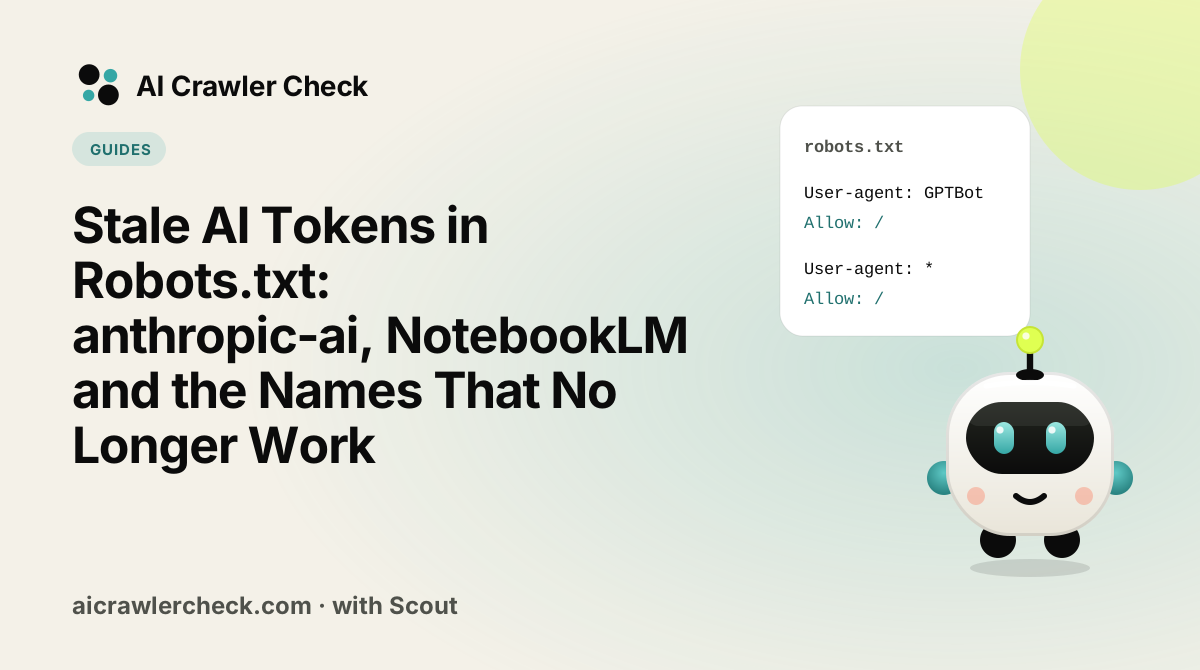
Robots.txt files age badly. A block list copied from a blog post in 2023 still names crawlers that have since been renamed, merged or retired, and it quietly misses the ones that replaced them. We checked every robots.txt in the Tranco top 10,000 on 17 October 2026 for eight well-known stale tokens. 629 of 5,254 valid files (12.0%) name at least one, and 142 name a stale token without the current one that replaced it.
This guide lists the stale tokens, explains what replaced each one, and gives you a ten-minute audit to bring your file up to date. The same problems appear in client sites every week, so it is a good first check for any AI visibility audit.
Key Takeaways
- anthropic-ai is the most common stale token. 543 top-10k files name it. Anthropic's current crawlers are
ClaudeBot,Claude-UserandClaude-SearchBot. - 56 files name anthropic-ai but have no ClaudeBot group. If they meant to manage Anthropic's training crawler, the rule may not be doing what they think.
- Google renamed its notebook fetcher. 78 files still name Google-NotebookLM; 72 of them do not name
Google-GeminiNotebook. - Product names are not tokens. "Operator", "ChatGPT Agent" and "ChatGPT Operator" appear in 86 files. Robots.txt matches tokens, not product names.
- Stale lines are harmless on their own. The risk is the false sense of security when the current token is missing.
Why tokens go stale
Robots.txt works by matching the token in a crawler's user agent against the names in your User-agent lines. RFC 9309 says the match is on the product token, case-insensitive. When a company renames a crawler, splits one crawler into several, or retires a product, the old token stops matching anything that visits you. Your rule still sits in the file, looking reassuring, but it applies to no live crawler.
Three things cause most stale tokens in 2026:
- Consolidation. Anthropic moved from older names to three clearly separated crawlers: one for training, one for search, one for user requests.
- Renames. Google renamed its notebook fetcher to Google-GeminiNotebook and supported the old name only until August 2026.
- Copying product names. CDN dashboards and news articles talk about "Operator" or "ChatGPT Agent". Those are product or bot-manager labels, not robots.txt tokens.
The stale tokens we checked
| Stale token | Files naming it | Without the current token | What to use instead |
|---|---|---|---|
anthropic-ai | 543 | 56 | (training); also decide on and |
Claude-Web | 438 | 25 | |
Google-NotebookLM | 78 | 72 | |
NotebookLM | 12 | 12 | (the bare name was never a token) |
Operator | 42 | 8 | ChatGPT-User for on-demand ChatGPT fetches |
ChatGPT Agent | 37 | 1 | |
ChatGPT Operator | 7 | 0 | |
Teoma | 30 | Not applicable | Nothing; Ask.com's Teoma crawler has been inactive for years |
The "Without the current token" column counts files that name the stale token but no user-agent group for its replacement. Those are the files where the rule is most likely not doing what the owner intended.
Why we still list some legacy tokens
Our crawler directory keeps profiles for tokens such as anthropic-ai and Claude-Web, because many sites and registries still name them and some crawlers may still honour them. The advice is not "delete them", it is "add the current token too".
Anthropic: from two old names to three new ones
Anthropic's crawler article describes three robots today. ClaudeBot collects content that may be used for training; Anthropic says restricting it "signals that the site's future materials should be excluded from our AI model training datasets". Claude-User fetches pages when a Claude user asks a question. Claude-SearchBot indexes content to improve search results for Claude users.
Many files from 2023 and 2024 contain only anthropic-ai and Claude-Web. That made sense at the time. Today, a file that wants to stop training should name ClaudeBot, and a file that wants to stay visible in Claude's answers should make sure Claude-SearchBot and Claude-User are allowed.
# Anthropic: no training, yes to search and user requests
User-agent: ClaudeBot
User-agent: anthropic-ai
User-agent: Claude-Web
Disallow: /

User-agent: Claude-SearchBot
User-agent: Claude-User
Allow: /
Keeping the two legacy names in the training group does no harm and covers any old crawler that still uses them. The important line is the first one.
Google: the notebook fetcher rename
Google lists Google-GeminiNotebook on Google's user-triggered fetchers page. It fetches a URL when a user adds it as a source in a Gemini notebook. It is a user-triggered fetcher, and Google says that because those fetches are requested by a user, they "generally ignore robots.txt rules". So a robots.txt block was never a strong control here, under either name. If you need to keep notebook fetches away from a page, that has to happen at the server, or by putting the page behind login.
The practical point: if your file names Google-NotebookLM and you want the rule to keep matching, rename it. If you added it because you thought it would stop Google using your content in AI, read Google-Extended vs Googlebot and our guide to Google's Search generative AI control first, because neither notebook token does that.
OpenAI: product names that are not tokens
OpenAI's crawler page documents four names that matter for robots.txt: GPTBot for training, OAI-SearchBot for search, ChatGPT-User for actions a user triggers, and OAI-AdsBot for checking ad landing pages. "Operator" and "ChatGPT Agent" are product names. Some CDNs and bot managers use them as labels in their dashboards, which is how they end up copied into robots.txt files, but no OpenAI crawler announces itself with those tokens.
A User-agent: Operator group therefore matches nothing that OpenAI documents. If your goal was to control agent activity in ChatGPT, the documented token is ChatGPT-User, and OpenAI says robots.txt rules may not apply to user-initiated actions. Agent traffic that drives a real browser can look like a normal visitor and cannot be matched by any token.
The ten-minute audit
Here is the routine we use on client sites. It works on any robots.txt.
- List every user-agent token in the file. Run AI Crawler Check on your homepage: its report lists outdated tokens it finds in your robots.txt and what to use instead. Our robots.txt validator shows how each tracked crawler is treated.
- Mark each token as current, legacy or not a token, using the table above and our crawler directory.
- For every legacy token, add the current one to the same group, unless it is already covered elsewhere.
- Remove product names that are not tokens, or leave them with a comment if a stakeholder insists, but add the real token.
- Check the opposite problem: crawlers you want to allow, such as
OAI-SearchBotandPerplexityBot, must not be caught by a broad block. - Test the live file with AI Crawler Check, which checks each tracked crawler against your real robots.txt.
- Write the date and reason in a comment at the top of the file, so the next person knows when it was last reviewed.
A before-and-after example
This is a composite of patterns we see often in older files. It is not taken from a single real site.
User-agent: GPTBot
Disallow: /

User-agent: anthropic-ai
Disallow: /

User-agent: Claude-Web
Disallow: /

User-agent: Google-NotebookLM
Disallow: /

User-agent: Operator
Disallow: /

User-agent: *
Allow: /
On paper this site blocks OpenAI, Anthropic, Google's notebook tool and "agents". In practice, ClaudeBot reads the star group and is allowed, Google-GeminiNotebook generally ignores robots.txt anyway, and the Operator group matches no documented crawler. Only the GPTBot rule does what the owner intended.
# Reviewed 2026-10-18. Training: no. AI search and assistants: yes.
User-agent: GPTBot
User-agent: ClaudeBot
User-agent: anthropic-ai
User-agent: Claude-Web
User-agent: Google-Extended
Disallow: /

User-agent: OAI-SearchBot
User-agent: ChatGPT-User
User-agent: Claude-SearchBot
User-agent: Claude-User
User-agent: PerplexityBot
Allow: /

User-agent: *
Allow: /
The new file states each decision once, names the crawlers that actually exist, and adds a review date. It also makes a choice the old file never made: AI search crawlers and assistants are explicitly allowed, so a later change to the star group cannot block them by accident.
Where stale tokens come from
Most stale tokens arrive by copy and paste. A popular blog post or a plugin publishes a block list, thousands of sites copy it, and the list is never updated on any of them. Three habits break that cycle.
- Write the file from decisions, not lists. Decide what you want for training, search and assistants, then name the tokens for those jobs. Our robots.txt generator works this way.
- Check tokens against the operator's own page. Every major company publishes its tokens. If a name does not appear there, ask why it is in your file. Our operator index links each operator's documentation.
- Own the file. Give one person or team responsibility, and record changes in version control or at least in a dated comment.
For agencies: a one-paragraph client note
Clients rarely care about token names, so explain the finding in plain terms. A note like this works: "Your robots.txt names several AI crawlers by old names that the companies no longer use. As a result, Anthropic's training crawler is not blocked, even though the file looks as if it is, and your preferences for AI search tools are not stated at all. We recommend updating the file to current names and making an explicit choice for AI search. The change takes a few minutes and has no effect on Google or Bing rankings." Pair it with the before-and-after table and a AI Crawler Check report, and the change usually gets approved the same day.
Other signs your file is out of date
- No AI search tokens at all. A file written before 2024 often names GPTBot and CCBot and nothing else. Decide explicitly on the search crawlers and fetchers that arrived since.
- Crawl-delay for Googlebot. Google does not support crawl-delay. The line does nothing for Google.
- Rules above the first user-agent line. They belong to no group and are ignored by RFC 9309 parsers.
- A copied block list with dozens of scrapers. Long lists are often copied without checking, and a single typo or stray wildcard can catch crawlers you want. See robots.txt mistakes that block AI.
- HTML instead of rules. Some sites return their homepage at /robots.txt. Crawlers treat that as no rules at all.
What a stale token costs you
A stale token rarely breaks anything visible. Pages still load, rankings stay put, and nobody gets an error. That is exactly why these lines survive for years. The cost shows up in two quieter ways.
- A policy you think you have, but do not. If your business decided not to allow AI training and the file only names
anthropic-ai, Anthropic's current training crawler reads your star group and is allowed. The decision was made; it just never reached the crawler. - Decisions nobody made. Old files predate AI search crawlers and assistants, so they say nothing about them. Those crawlers then fall back to the star group. If someone later tightens the star group for an unrelated reason, AI search visibility disappears with it.
Both problems are fixed by the same move: name the current tokens for each job and write the decision down. It is one of the cheapest improvements in any AI visibility audit, and one of the few that can be checked in seconds with AI Crawler Check.
Case sensitivity is not the problem
People sometimes worry that claudebot in lowercase will not match. It will: RFC 9309 matches user-agent tokens case-insensitively. Paths are different, so Disallow: /Blog/ does not block /blog/. If you are cleaning up tokens, check your paths in the same pass.
How often to review
AI companies changed their crawler line-ups several times in 2025 and 2026, and they will keep doing so. A quarterly review is enough for most sites; publishers and large e-commerce sites should check monthly. Our new AI bots watchlist tracks new tokens as they appear, and our monthly AI crawler audit fits this review into a wider routine.
What to do now
- □Search your robots.txt for
anthropic-ai,Claude-Web,Google-NotebookLM,NotebookLM,OperatorandChatGPT Agent. - □For each one you find, add the current token from the table above.
- □Decide separately on training, search and user-request tokens for each company, as explained in training bots vs search bots.
- □Validate the file and run AI Crawler Check.
- □Put a review date in your calendar three months from now.