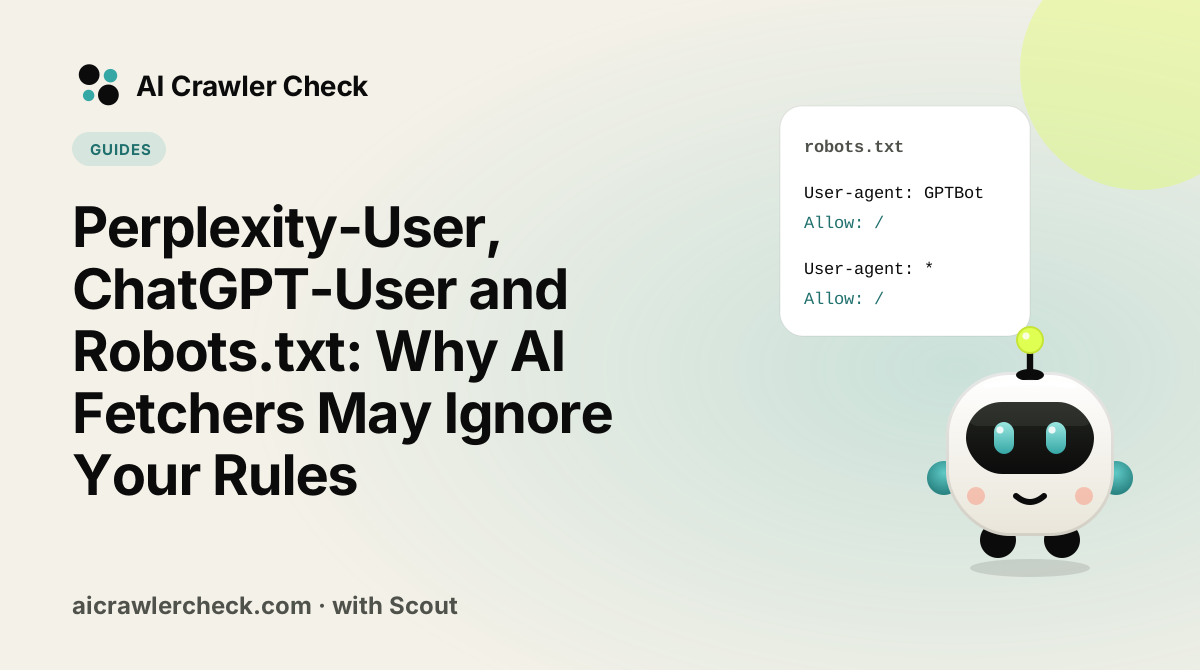
When you ask ChatGPT, Perplexity or Gemini to "read this page", a fetcher visits the site for you. These user-triggered fetchers are not crawlers in the classic sense, and most AI companies now say plainly that robots.txt may not apply to them. Perplexity's documentation says its Perplexity-User fetcher "generally ignores robots.txt rules". Google says the same about its user-triggered fetchers, and OpenAI says robots.txt rules "may not apply" to ChatGPT-User.
That surprises a lot of site owners, because 428 of the top 10,000 sites block Perplexity-User in robots.txt. This guide explains what each company actually promises, what our data shows, and what you can do if you really need to keep these fetchers out.
Key Takeaways
- Three companies say robots.txt may not apply. Perplexity, Google and OpenAI all document that fetches made on a user's request may not follow robots.txt.
- Anthropic is the exception. Its help article says its bots, including
Claude-User, honour robots.txt directives. - Many sites block them anyway. 428 valid top-10k robots.txt files block Perplexity-User, 502 block ChatGPT-User and 408 block Claude-User.
- Robots.txt still records your wish. But if you need a real block, it has to happen at the server or edge, using the published IP ranges.
- Think before you block. A user-triggered fetch usually means a person asked about your page right now. Blocking it can stop an AI from citing you in that answer.
What a user-triggered fetcher is
A classic crawler such as Googlebot or OAI-SearchBot visits pages on a schedule, decides for itself what to fetch, and builds an index. A user-triggered fetcher does none of that. It fetches one page because a person, in a chat or an agent session, asked for it. The analogy companies use is a browser: if a person opens your page in Chrome, Chrome does not read robots.txt first, and they argue that an assistant fetching a page for a person is doing the same job.
That is why the documentation for these fetchers reads differently from the crawler documentation. They are about one request at a time, and the "do not crawl" logic of robots.txt was written for automated crawling.
What each company says
| Fetcher | Company | What the documentation says about robots.txt | Published IP list |
|---|---|---|---|
Perplexity-User | Perplexity | "Since a user requested the fetch, this fetcher generally ignores robots.txt rules." (Perplexity's crawler page) | perplexity-user.json |
ChatGPT-User | OpenAI | "Because these actions are initiated by a user, robots.txt rules may not apply." (OpenAI's crawler page) | chatgpt-user.json |
Google-GeminiNotebook, Google-Agent and others | "Because the fetch was requested by a user, these fetchers generally ignore robots.txt rules." (Google's user-triggered fetchers page) | user-triggered-fetchers.json and related files | |
| Anthropic | Says its bots "respect 'do not crawl' signals by honoring industry standard directives in robots.txt". (Anthropic's crawler article) | claude.com/crawling/bots.json |
Two details in these pages are worth knowing. OpenAI adds that ChatGPT-User "is not used to determine whether content may appear in Search" and tells you to use OAI-SearchBot for search opt-outs. Perplexity says changes to its robots.txt handling can take up to 24 hours to show. Both are reminders that the search crawler and the fetcher are separate decisions.
Anthropic's different stance
Anthropic's help article says that disabling Claude-User "prevents our system from retrieving your content in response to a user query, which may reduce your site's visibility for user-directed web search." In other words, the block works, and it has a visibility cost.
What the top 10,000 sites do
In our 17 October 2026 scan of the Tranco top 10,000, we parsed 5,254 valid robots.txt files and checked whether each fetcher was blocked from the whole site, either by a group naming it or by the User-agent: * group.
| Fetcher | Files that block it | Share of valid files | Files that name it in a group |
|---|---|---|---|
| Perplexity-User | 428 | 8.1% | 345 |
| ChatGPT-User | 502 | 9.6% | 629 |
| Claude-User | 408 | 7.8% | 339 |
| Any of the three | 581 | 11.1% | Not counted |
For Perplexity specifically, 407 files block both PerplexityBot and Perplexity-User, 175 block only PerplexityBot, and 21 block only Perplexity-User. So most sites that block Perplexity block everything, and very few separate the search crawler from the fetcher. By Perplexity's own documentation, the fetcher part of that block is a request rather than a guarantee.
our October robots.txt study has the same breakdown for 26 tokens, split by site rank.
One more detail in the numbers: Claude-User is blocked in more files (408) than name it in a group (339). The difference comes from User-agent: * groups that disallow the whole site. Those sites block every crawler that is not named elsewhere, including the fetchers, often without meaning to. If your star group says Disallow: /, check whether that is really what you want for AI assistants.
Crawler or fetcher: a side-by-side
Each AI company runs at least two kinds of bot. Managing them separately is the whole point of having separate tokens.
| Company | Search crawler (reads robots.txt) | User fetcher | Training crawler |
|---|---|---|---|
| OpenAI | GPTBot | ||
| Anthropic | Claude-SearchBot | ClaudeBot | |
| Perplexity | None documented | ||
| , | Google-Extended (a control token, not a crawler) |
A sensible policy for most sites allows the first two columns and makes a separate decision about the third. If you block the search crawler, you leave that company's search index. If you block the fetcher, you stop being read in live answers, at least by companies that honour the block. If you block the training crawler, you limit future models and lose nothing today.
Should you block user-triggered fetchers at all?
For most businesses, no. A user-triggered fetch is the closest thing in AI search to a real visitor. Someone asked an assistant about your product, your article or your prices, and the assistant went to check. Blocking that fetch means the answer is written without your page, or with an older copy, or with a competitor's page instead.
- Shops, SaaS and local businesses usually want these fetches. They are pre-sales conversations.
- Publishers may reasonably decide otherwise, especially for paywalled content, because an AI summary of a fresh article can replace the visit.
- Private areas such as account pages or admin panels should be protected with authentication, not robots.txt. Robots.txt is public and is not a security control.
A middle path many sites use: allow the fetchers on public marketing and help pages, and keep anything sensitive behind login. That keeps you citable without exposing anything you would not show a human visitor.
If you do need a real block
If robots.txt is not enough for your situation, enforcement has to happen before the page is served. There are three layers, from lightest to heaviest.
- Keep the robots.txt rule. It costs nothing, states your position, and Anthropic says Claude-User follows it.
- Match the user agent and the IP range at the edge. Each company publishes the addresses its fetcher uses. A rule that blocks requests whose user agent contains
Perplexity-Userand whose IP is in perplexity-user.json blocks the real fetcher without hitting look-alikes. Our guide to verifying AI bots with reverse DNS covers the method. - Put the content behind login or a paywall. This is the only option that works against every fetcher, documented or not.
if user_agent contains "Perplexity-User"
   and client_ip in ranges from perplexity-user.json:
       return 403
# Refresh the IP list on a schedule; companies change them.
Be careful with edge rules. A broad "block AI" rule in a CDN often catches search crawlers too, which costs far more visibility than the fetcher ever would. WAFs that block AI crawlers by accident and Cloudflare's Search, Agent and Training defaults show how that happens. After any change, run AI Crawler Check and our AI crawler diagnostic to confirm search crawlers are still allowed.
Watch out for agents that do not identify themselves
Some AI products now drive a real browser for the user, and those requests look exactly like a normal visitor. No robots.txt rule, user-agent rule or IP list will catch them. If that worries you, it is another argument for putting sensitive content behind authentication, and for not relying on robots.txt for anything you would not publish.
A robots.txt that separates the jobs
If you want AI search and live answers but not training, this file makes each decision explicit. It also keeps the fetchers out of private areas for the companies that honour robots.txt, while authentication does the real protection.
# Training: no
User-agent: GPTBot
User-agent: ClaudeBot
User-agent: Google-Extended
User-agent: CCBot
Disallow: /

# AI search crawlers and user fetchers: yes, except private areas
User-agent: OAI-SearchBot
User-agent: ChatGPT-User
User-agent: Claude-SearchBot
User-agent: Claude-User
User-agent: PerplexityBot
User-agent: Perplexity-User
Allow: /
Disallow: /account/
Disallow: /checkout/

# Everyone else
User-agent: *
Allow: /
Disallow: /account/
Disallow: /checkout/
Naming the fetchers in an allow group has one practical benefit: if someone later adds Disallow: / to the star group in a hurry, the AI search crawlers and fetchers keep their own rules. Our robots.txt generator builds a file like this from a few choices.
How to see these fetchers in your logs
Because each fetch follows a real question, the pattern in your logs is different from a crawler. Expect single requests to individual pages, often shortly after you publish or share something, with no robots.txt request first. Search your access logs for Perplexity-User, ChatGPT-User and Claude-User, then check the IPs against the published lists to separate real fetches from fake AI crawlers. Our AI agent log checker does this for you from a pasted log sample.
Those log lines are useful evidence for AI visibility work. A page that ChatGPT-User fetches often is a page people are asking ChatGPT about. Treat it as a hint about which pages deserve the most care.
Why this matters for GEO
Generative engine optimisation is mostly about being the page an AI answer chooses to cite. User-triggered fetches are where that choice is made in real time: the assistant has a question, picks a handful of pages and reads them. If your page cannot be read, it cannot be quoted, however well it is written. That makes access the first GEO check, before content, schema or authority. For the AI search engines that honour robots.txt, a stray block here is a silent loss: no error, no warning, just an answer that cites someone else. Check access first, then improve the page.
Common questions from site owners
"Perplexity is ignoring my robots.txt. Is that a breach?"
For Perplexity-User, it is what Perplexity's documentation says will happen. For PerplexityBot, the search crawler, Perplexity says you can manage it in robots.txt. If you see PerplexityBot fetching blocked pages, check the IP against the published list first; many reports of "ignored robots.txt" turn out to be fake AI crawlers using the name.
"Does blocking the fetcher protect my content from AI training?"
Not directly. Fetchers serve a live answer. Training is handled by separate crawlers such as GPTBot and ClaudeBot, and by control tokens such as Google-Extended. Manage training there, as described in how to opt out of AI training.
"Our firewall blocks unknown bots. Will that stop these fetchers?"
Sometimes, and often by accident. Many firewall products treat any AI user agent as a bot to challenge. That can stop ChatGPT or Claude from reading your page when a customer asks about you. If AI referral traffic matters to you, allow the documented fetchers by user agent and IP, and challenge only traffic that fails the IP check.
What to do now
- □Decide whether you want AI assistants to read your public pages when a user asks. For most businesses the answer is yes.
- □If yes, check that you are not blocking
Perplexity-User,ChatGPT-UserorClaude-Userby accident, including through aUser-agent: *block. Our robots.txt validator shows the rule that applies to each token. - □If no, keep the robots.txt rule and add an edge rule that matches both the user agent and the published IP list.
- □Never use robots.txt to protect private content. Use authentication.
- □Review your logs monthly for fetcher activity; it shows which pages people ask AI about.
- □Re-check after every CDN or firewall change with AI Crawler Check.