Your robots.txt file is the single most powerful lever you have over how crawlers, including AI bots, interact with your website. Get it right and you control your AI visibility. Get it wrong and you can disappear from AI answers overnight.
In this guide you will understand Allow/Disallow precedence and avoid mistakes. We will keep it practical, with clear steps, visual breakdowns, and specific actions you can take today. The first step in any AI visibility project is to run a website AI access check on your website so you know exactly where you stand against the 265 bots we track across 8 categories.
Key Takeaways
- Allow vs Disallow in robots.txt: Rules, Order, and Gotchas is a practical, repeatable process, not a one-time fix.
- Most AI visibility problems trace back to access, not content.
- You can verify every change with the AI visibility checker and the robots.txt validator.
- Document your approach so the whole team applies it consistently.
Robots.txt disallow: the rule in one line
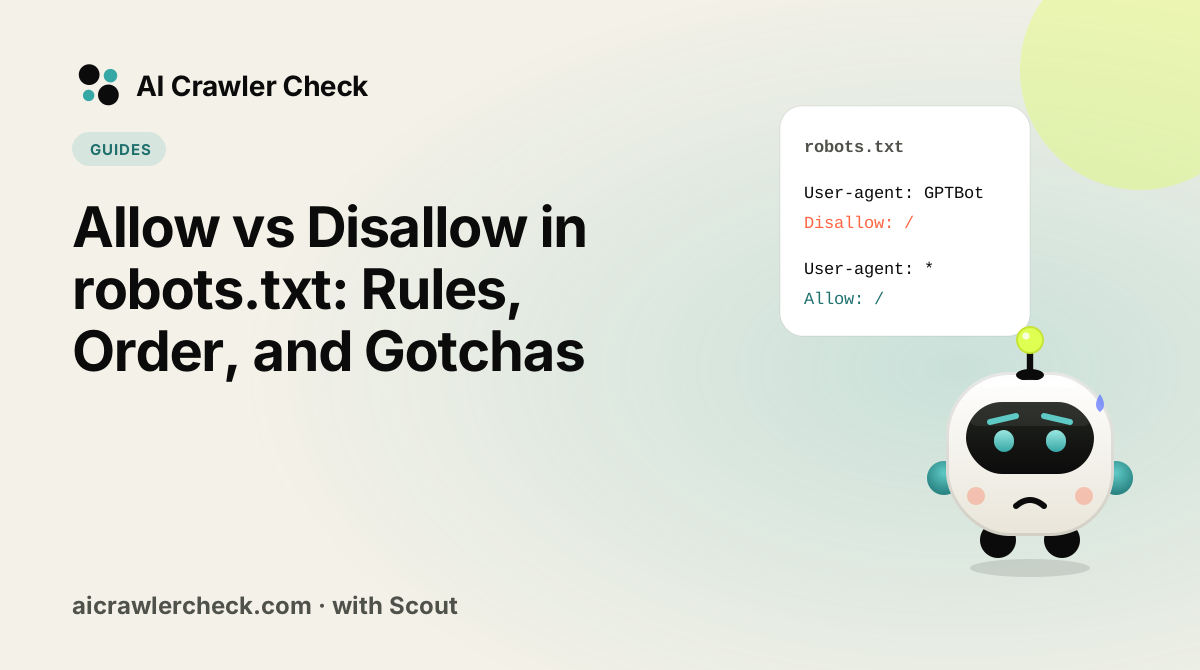
A robots disallow rule (people also type it as robot.txt disallow) tells a crawler not to fetch any URL that starts with the path you give it. Disallow: /private/ blocks that folder and everything under it; an empty Disallow: blocks nothing. Allow robots rules reopen a path inside a blocked one, and when both match, the longest path wins. Test any rule with the free robots.txt validator, or build a file with the robots.txt generator.
User-agent: *
Disallow: /private/
Allow: /private/press-kit/
Robots.txt disallow all: how to block all robots
The disallow all robots txt rule is a single slash after Disallow in the wildcard group. It is also called robots.txt deny all (or robots txt deny all) and robots.txt disallow everything, and it also blocks Googlebot, so it removes the site from search. Use it on staging hosts, never on production.
User-agent: *
Disallow: /
Robots.txt allow everything
To allow everything, leave Disallow empty, or use Allow: / (the robot.txt allow form works the same way). Robots allow rules like this mean every compliant crawler may fetch every URL. A missing robots.txt file (a 404) has the same effect.
User-agent: *
Disallow:
Robots txt allow and disallow together
Put the allow and disallow rules in the same user-agent group, because a crawler reads only the one group that best matches its name. This example blocks GPTBot from everything except the blog, while every other bot keeps full access. For patterns such as /*.pdf$ see robots.txt wildcards.
User-agent: GPTBot
Disallow: /
Allow: /blog/

User-agent: *
Allow: /
How to Change robots.txt Without Breaking Anything
robots.txt failures are rarely subtle in effect and almost always subtle in appearance, so the sequence is built around proving each change before the next one.
Read the file that is actually served
Request robots.txt from the live domain rather than opening the copy in your repository or your CMS settings screen. Those three frequently disagree, and only one of them is what crawlers see.
Identify which rule matches which agent
Group rules by user-agent block and work out which block a given crawler will obey, remembering that the most specific matching block wins and that a crawler obeys exactly one. This is where most misdiagnosis happens.
Change one thing, in one block
When you change allow and disallow lines, a broad rewrite makes it impossible to tell which edit broke something. Edit a single directive, note what you expect to change, and generate the replacement with a robots.txt creator rather than by hand.
Test the rule against real paths before publishing
Run the edited file through a robots.txt check with the specific URLs you care about, including at least one you intend to block and one you intend to allow. A rule that passes syntax checking can still match nothing.
Verify from outside, then record what you changed
Fetch the live file again and re-run an AI bot access checker. Then write down the change and the reason, because the next person to debug this file will otherwise be guessing at your intent.
Related: how AI engines choose their sources
What Is Really Going On With Allow and Disallow Directives
Allow and Disallow look like a symmetrical pair and are not. Disallow is in the original specification and universally supported; Allow was added later, is honoured by major crawlers but not all, and exists mainly to carve exceptions out of a broader Disallow. Treating them as equal opposites produces files that behave differently across crawlers.
The deeper problem is that neither grants anything. Absence of a Disallow is what permits crawling, so an Allow line on a path nothing forbids does nothing at all. Files full of defensive Allow directives are common and are pure noise, which makes the rules that matter harder to find.
What to Check About Allow and Disallow Directives, in Order
Allow only means anything inside a Disallowed subtree
The one legitimate use is an exception: disallow a directory, then allow a specific path within it. Outside that pattern an Allow is inert, because crawling is permitted by default. Adding Allow: / at the top of a file is a very common ritual that has no effect and gives false reassurance that access has been granted.
Longest match wins, which makes precedence countable
When both an Allow and a Disallow match the same URL, major crawlers compare the length of the matching patterns and the longer one wins. A tie resolves in favour of Allow on Google. This is a mechanical rule you can evaluate by counting characters, which is far more reliable than intuition about which line looks more specific.
An empty Disallow value permits everything
Disallow: with no path is the documented way to say nothing is disallowed, and it is easy to create accidentally by deleting a path and leaving the directive. It reads like a restriction and functions as full permission. Its opposite, Disallow: /, blocks the entire site, and the two differ by a single character.
Not every crawler supports Allow
Google, Bing and the major AI crawlers honour Allow, but the directive is not in the original specification and support is not universal. Any policy whose correctness depends on an Allow exception being respected is fragile. Where the stakes are high, structure paths so the outcome you want follows from Disallow rules alone.
The Allow and Disallow Directives Assumption Worth Checking
Writing Allow rules and believing access has been granted
Teams asked to open their site to AI crawlers frequently add a block of Allow directives naming each bot. The rules do nothing, because nothing was forbidden, and the actual block sits in a firewall or a CDN rule that robots.txt cannot influence. The file now documents an intention that the infrastructure contradicts, and everyone reading the file concludes access is fine.
The One Allow and Disallow Directives Check That Settles It
The check that matters here: Delete every Allow line that is not inside a Disallowed subtree, then confirm nothing changed. If behaviour does change you have found a real exception; if not, the file just got easier to reason about.
How crawlers resolve Allow and Disallow conflicts
RFC 9309 settles conflicts with one rule: the most specific match wins, measured by the length of the path in the rule, and when an Allow and a Disallow are equally long, Allow wins. The table shows how that plays out on real paths.
| Rules in the group | URL requested | Winning rule | Result |
|---|---|---|---|
| Disallow: /blog/ + Allow: /blog/guides/ | /blog/guides/robots | Allow: /blog/guides/ (longer) | Allowed |
| Disallow: /blog/ + Allow: /blog/guides/ | /blog/news/ | Disallow: /blog/ | Blocked |
| Allow: /page + Disallow: /page | /page | Tie, Allow wins | Allowed |
| Disallow: /*.pdf$ | /files/report.pdf | Disallow: /*.pdf$ | Blocked |
| Disallow: /*.pdf$ | /files/report.pdf?v=2 | No match ($ anchors the end) | Allowed |
| Disallow: (empty) | any URL | Empty rule matches nothing | Allowed |
Two limits matter for AI bots: crawlers only have to parse the first 500 KiB of the file, and they may cache it for up to 24 hours, so a fix can take a day to show. Test every example above in the robots.txt validator by pasting the rules.
Allow and Disallow patterns for AI crawlers
The most requested pattern in 2026 is "let AI search in, keep training out". Hostinger found OAI-SearchBot on 55.67% of sites while GPTBot fell to 12% (Hostinger, 20 January 2026), which is this pattern at web scale:
# AI search can read everything except account pages
User-agent: OAI-SearchBot
User-agent: Claude-SearchBot
User-agent: PerplexityBot
Allow: /
Disallow: /account/

# Training crawlers: blocked, but allowed to read the press kit
User-agent: GPTBot
User-agent: ClaudeBot
Disallow: /
Allow: /press/
Remember that each bot reads only the one group that best matches its name. A bot with its own group ignores User-agent: * completely, so repeat any shared Disallow lines inside the named groups.
Allow and Disallow mistakes that cost AI visibility
- Blocking retrieval by accident. BuzzStream via Search Engine Journal, January 2026 found 71% of top news sites block at least one retrieval bot, often through a copied list that mixed tiers.
- Case errors in paths. Paths are case-sensitive:
Disallow: /Admin/does not block/admin/. User-agent names are not. - Using Disallow to remove a page from AI answers. A disallowed URL can still be indexed from links; use noindex on a crawlable page instead (noindex vs disallow).
- Serving robots.txt with a 5xx. Semrush and Google treat that as "do not crawl anything" (Semrush bot documentation).
Scan the live file with a crawler check before and after each edit.
Build and test Allow and Disallow rules
- AI crawler checker: tests 265 bots against your robots.txt in one scan.
- AI crawler diagnostic: fetches a page as each AI bot and names the layer that blocks it.
- robots.txt validator: shows allowed, blocked and partial status per bot.
- robots.txt generator: builds a file with presets for search, agents and training.
- batch URL checker: compares up to 20 sites side by side, with CSV export.
- llms.txt generator: writes the file AI assistants read for a site summary.
- schema markup generator: produces JSON-LD for eight common types.
- GEO audit: scores a page for generative engine optimization.
Where to Go From Here
Allow and Disallow Directives is one piece of a larger picture. The AI crawler directory documents every crawler we track with its operator, purpose and safety rating, and the batch URL checker audits many sites in one pass if you manage a portfolio.
Syntax errors in robots.txt fail silently, so validate before you publish. Use the robots checker, then confirm the result with an AI bot access checker.
Your Allow and Disallow Directives Action Checklist
Applied to Allow vs Disallow in robots.txt, it looks like this:
- □Back up your current robots.txt before editing, so you can revert if a rule behaves unexpectedly.
- □Read the file that is actually served.
- □Run the robots checker to confirm the syntax resolves the way you intend.
- □Identify which rule matches which agent.
- □Re-crawl after the change, because engines cache robots.txt and the effect is not instant.