

When someone asks ChatGPT a question about current events, product reviews, or any topic that needs fresh information, ChatGPT does not rely only on its training data. It sends a web crawler called ChatGPT-User to fetch live web pages, reads the content, and then provides an answer with links back to the source websites. This is fundamentally different from how GPTBot works, and understanding this difference is crucial for your AI strategy.
2026 Behavior Note
ChatGPT-User is a user-triggered fetcher: it visits your page because a human asked ChatGPT about it. OpenAI states it may fetch on direct user action even where crawl directives would stop an automated crawler. Blocking it in robots.txt mostly removes your chance to be read and cited in live answers. Unlike blocking GPTBot (training), blocking ChatGPT-User rarely serves a content-protection goal.
In this guide, we will explain everything about ChatGPT-User: how it works, how it differs from GPTBot and OAI-SearchBot, why it matters for your traffic, and how to configure your site to benefit from ChatGPT search. We will also cover the growing OpenAI crawler family and how to manage each one independently.
Start by checking your current status. Use the AI bot checker to see whether ChatGPT-User can access your website right now.

The OpenAI Crawler Family
OpenAI now operates three separate web crawlers, each with a distinct purpose. Understanding all three is essential for managing your AI crawler access correctly:
| Crawler | User Agent | Purpose | Sends Traffic? | Recommendation |
|---|---|---|---|---|
| GPTBot | GPTBot/1.0 | AI model training | No | Block (most sites) |
| ChatGPT-User | ChatGPT-User/1.0 | Real-time search for ChatGPT | Yes | Allow |
| OAI-SearchBot | OAI-SearchBot/1.0 | SearchGPT search engine | Yes | Allow |
This three-crawler setup mirrors what we see from other companies. Google splits Googlebot from Google-Extended, and Apple splits Applebot from Applebot-Extended. The pattern is clear: AI companies are increasingly separating their training crawlers from their search crawlers, giving website owners more control.
The important distinction is that ChatGPT-User and OAI-SearchBot are search crawlers that benefit you by driving traffic, while GPTBot is a training crawler that uses your content without sending visitors back.
How ChatGPT-User Works
ChatGPT-User operates differently from traditional web crawlers. Instead of systematically crawling the entire web, it fetches specific pages on demand when users need current information. Here is the process:
User asks a question. A ChatGPT user types a question that requires current or specific information, like "what are the best AI SEO tools in 2026?" or "how do I block AI crawlers?"
ChatGPT determines a search is needed. The AI recognizes that it needs fresh information and triggers a web search using Bing's search API or OpenAI's own search index.
ChatGPT-User fetches pages. The crawler visits the top search results, downloading the full page content. It checks robots.txt before each request and respects Disallow rules for the ChatGPT-User agent.
Content is analyzed. ChatGPT reads the fetched pages, extracts relevant information, and synthesizes an answer to the user's question.
Citations are included. ChatGPT's response includes clickable links to the source pages, allowing users to visit your website directly. This is the key traffic benefit.
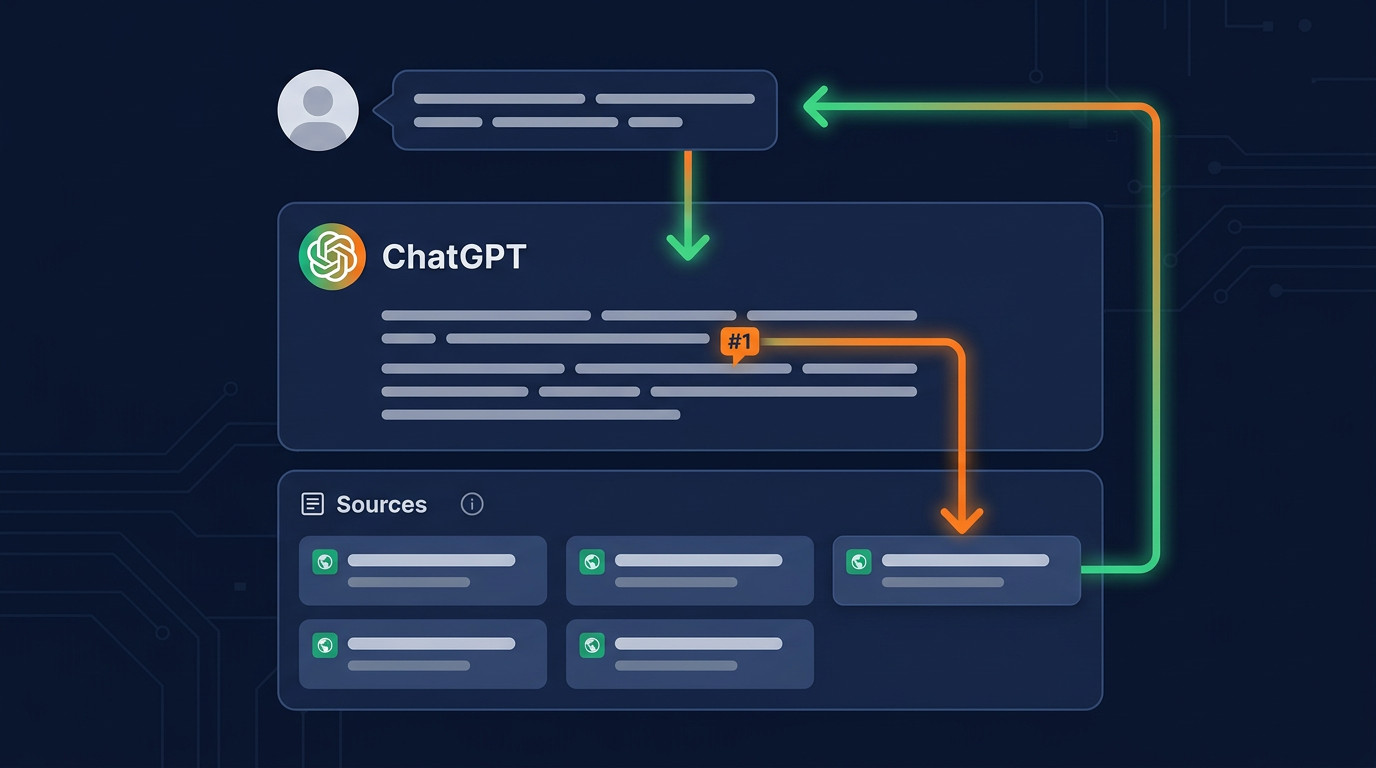
The key difference from GPTBot is timing and purpose. GPTBot crawls your site proactively to collect training data. ChatGPT-User only visits your site when a real user asks a question and your page is relevant to the answer. This reactive crawling pattern means the traffic is much lighter but much more valuable.
ChatGPT-User user agent string
You can identify ChatGPT-User in your server logs by its user agent:
# ChatGPT-User user agent string
Mozilla/5.0 AppleWebKit/537.36 (KHTML, like Gecko;
compatible; ChatGPT-User/1.0;
+https://openai.com/bot)
Look for ChatGPT-User in the user agent string. If you also see OAI-SearchBot, that is OpenAI's dedicated search engine crawler, which works similarly but is specifically for the SearchGPT product.
Traffic Impact: Why ChatGPT-User Matters
ChatGPT search is growing rapidly as a traffic source. Here is why website owners should pay attention to ChatGPT-User:
Growing user base: ChatGPT has over 300 million weekly active users as of early 2026. A significant and growing percentage of these users use the search feature for web queries.
High-quality traffic: Users who click through from ChatGPT search citations tend to be engaged and looking for specific information. Conversion rates from ChatGPT referral traffic are often higher than average.
Citation links: Unlike some AI search products that summarize content without linking, ChatGPT search includes direct links to source pages, making it a legitimate referral traffic source.
Complementary to Google: ChatGPT search does not replace Google traffic. It is an additional traffic channel. Websites that optimize for both traditional search and AI search see the best overall results.
Web analytics platforms are starting to track ChatGPT referral traffic separately. Look for chatgpt.com or chat.openai.com in your referral traffic data to see how much traffic ChatGPT is already sending you.
Configuring robots.txt for OpenAI Crawlers
The recommended approach is to manage each OpenAI crawler independently. Here is the robots.txt configuration most website owners should use:
Recommended setup: Allow search, block training
# Block GPTBot (AI training) - no traffic benefit
User-agent: GPTBot
Disallow: /
# Allow ChatGPT-User (search) - drives traffic
User-agent: ChatGPT-User
Allow: /
# Allow OAI-SearchBot (SearchGPT) - drives traffic
User-agent: OAI-SearchBot
Allow: /
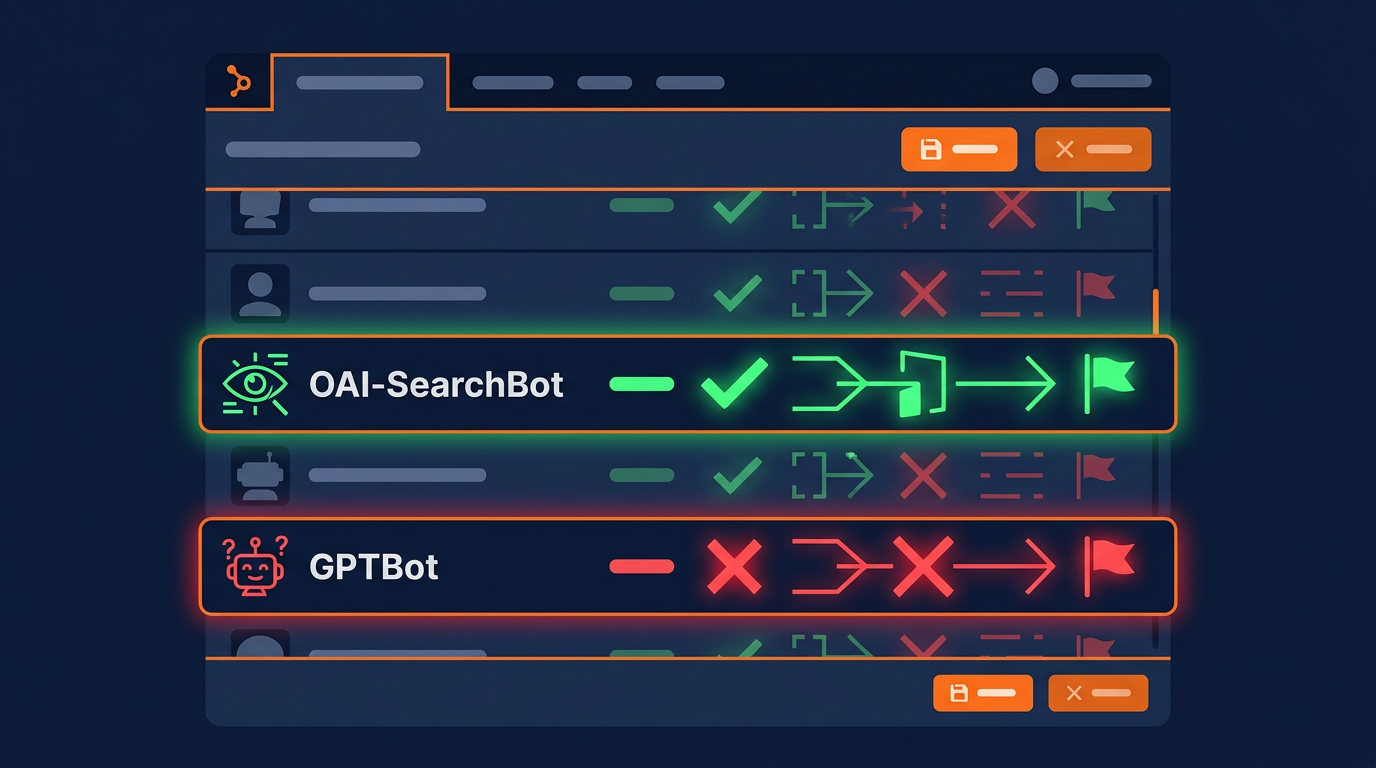
This configuration gives you the best of both worlds: your content will not be used for AI training, but it will appear in ChatGPT search results with links back to your site.
Alternative: Allow everything from OpenAI
# Allow all OpenAI crawlers
User-agent: GPTBot
Allow: /
User-agent: ChatGPT-User
Allow: /
User-agent: OAI-SearchBot
Allow: /
Choose this option if you are comfortable with your content being used for AI training and want maximum OpenAI visibility. Some websites find that allowing GPTBot improves their chances of being cited in ChatGPT responses, though this is not confirmed by OpenAI.
For a complete configuration covering all 196 bots we track, AI crawlers included, use the Robots.txt Generator tool. It handles all OpenAI crawlers plus every other known AI bot.
Optimizing Your Site for ChatGPT Search
Simply allowing ChatGPT-User is not enough to guarantee your site appears in ChatGPT search results. You need to optimize your content to be "citation-worthy." Here are the most effective strategies:
1. Write clear, direct answers
ChatGPT prioritizes content that directly answers the user's question. Structure your content with clear headings, concise paragraphs, and direct statements. Avoid burying the answer deep in the article. Put the most important information at the top of each section.
2. Use data and specific facts
ChatGPT loves citing pages that contain specific data points, statistics, and factual claims. Include numbers, dates, percentages, and other concrete data in your content. Pages with unique data are much more likely to be cited than pages with generic information.
3. Implement structured data
Schema markup helps ChatGPT-User understand your content structure. Implement JSON-LD markup for Article, FAQ, HowTo, and Product schemas. This makes it easier for the crawler to extract and understand your content.
4. Keep content current
ChatGPT search often prioritizes recent content, especially for queries about current events or rapidly changing topics. Update your key pages regularly with fresh information and current dates. A page last updated in 2024 is less likely to be cited than one updated in 2026.
5. Create an llms.txt file
An llms.txt file provides AI systems with structured information about your website. While it is not confirmed that ChatGPT-User reads llms.txt, having one improves your overall AI discoverability and can boost your AI Visibility Score.
6. Build topical authority
ChatGPT is more likely to cite websites that demonstrate deep expertise in a specific topic. Create comprehensive content clusters around your core topics. Link related pages together to show topical depth. This is similar to traditional SEO best practices but even more important for AI search.
ChatGPT-User vs. PerplexityBot
Both ChatGPT-User and PerplexityBot are AI search crawlers that drive traffic. Here is how they compare:
| Feature | ChatGPT-User | PerplexityBot |
|---|---|---|
| Company | OpenAI | Perplexity AI |
| Crawling approach | On-demand (per query) | Pre-indexing + on-demand |
| User base | 300M+ weekly users | 100M+ monthly users |
| Citation style | Inline links in responses | Numbered citations with sidebar |
| Server impact | Low (on-demand only) | Moderate (pre-indexing) |
| Recommendation | Allow | Allow |
Both crawlers are worth allowing for most websites. Together, they represent the two largest AI-powered search platforms. Allowing both maximizes your AI search visibility and potential referral traffic. Both respect robots.txt rules and can be managed independently in your configuration.
Tracking ChatGPT Referral Traffic
To measure how much traffic ChatGPT search sends to your site, look for these referral sources in your analytics:
Google Analytics: Check Acquisition > Referral traffic for domains like chatgpt.com, chat.openai.com, and search.chatgpt.com.
Server logs: Search for ChatGPT-User in your access logs to see which pages are being fetched and how often.
UTM tracking: OpenAI includes referrer headers in ChatGPT-User requests, making it possible to track the source in most analytics platforms.
Regularly use run a free AI crawler scan to ensure ChatGPT-User still has access to your site. Configuration changes, CMS updates, or plugin modifications can accidentally block crawlers you want to allow.
Common Issues and Troubleshooting
Here are the most common problems website owners encounter with ChatGPT-User:
Problem: Accidentally blocking ChatGPT-User
If your robots.txt has a wildcard block (User-agent: * / Disallow: /) without a specific Allow rule for ChatGPT-User, it will be blocked. Always add explicit Allow rules for crawlers you want before any wildcard blocks.
Problem: WAF blocking ChatGPT-User
Some Web Application Firewalls (WAFs) may flag ChatGPT-User as a bot and block it. Check your WAF settings to ensure it is whitelisted. Cloudflare, Sucuri, and similar services may need manual exceptions for AI search crawlers.
Problem: Rate limiting too aggressively
If you rate limit AI bots too aggressively (see our rate limiting guide), ChatGPT-User may get blocked when trying to fetch your pages for a user query. Keep rate limits reasonable for search crawlers.
Problem: Not appearing in ChatGPT search results
Even with ChatGPT-User allowed, your site may not appear in results if your content is not relevant, authoritative, or well-structured. Focus on content quality, structured data, and topical authority to improve your chances.
SearchGPT and OAI-SearchBot
In addition to ChatGPT-User, OpenAI operates OAI-SearchBot for its dedicated SearchGPT product. SearchGPT is OpenAI's standalone search engine designed to compete directly with Google. While ChatGPT-User fetches pages during chat conversations, OAI-SearchBot pre-indexes web content for the SearchGPT search experience.
Here is how SearchGPT differs from ChatGPT search:
Dedicated search interface: SearchGPT is a standalone search engine at search.chatgpt.com, designed for web search queries rather than conversational AI interactions.
Pre-indexed content: Unlike ChatGPT-User which fetches on demand, OAI-SearchBot pre-crawls and indexes content similar to how Googlebot works. This means it visits your site regularly even when no user is actively searching.
Rich search results: SearchGPT provides more traditional search result layouts with featured snippets, images, and structured data alongside AI-generated summaries.
Growing user base: SearchGPT is gaining market share, particularly among users who already use ChatGPT. It represents a significant new source of referral traffic for websites.
The recommended approach is to allow both ChatGPT-User and OAI-SearchBot in your robots.txt. Both are search-oriented crawlers that drive traffic back to your site, and blocking one while allowing the other means you miss out on a significant portion of OpenAI's search ecosystem.
The Future of ChatGPT Search
ChatGPT search is evolving rapidly. Here are the key trends website owners should watch:
Integration with more platforms: ChatGPT search is expanding beyond the web app and mobile apps. Integration with Apple Siri, Windows Copilot, and third-party apps means ChatGPT-User will fetch content for an even wider range of user queries.
Better attribution: OpenAI is improving how ChatGPT credits sources. Newer versions include more prominent source links, preview cards, and even thumbnail images from cited pages. This makes ChatGPT search citations more valuable for publishers.
Real-time information: ChatGPT-User is becoming faster at fetching and processing live content. Users increasingly trust ChatGPT for current information, which means more queries trigger real-time web crawling.
Publisher partnerships: OpenAI is establishing partnerships with major publishers. These partnerships may give partnered sites priority in ChatGPT search results, though the details are still evolving.
The bottom line is that ChatGPT search traffic is growing, and websites that prepare now will benefit most. Allowing ChatGPT-User, optimizing your content for AI citations, and monitoring your referral traffic are the essential steps to take advantage of this growing platform.
Start by running a scan with run a free AI crawler scan to make sure ChatGPT-User and OAI-SearchBot can access your site, then implement the optimization strategies described above to maximize your AI search visibility.
Key Takeaways
ChatGPT-User is OpenAI's real-time search crawler. It fetches pages when users ask questions.
It is completely separate from GPTBot (training). You can block one while allowing the other.
ChatGPT-User drives referral traffic via citation links. Most sites should allow it.
OAI-SearchBot is a related search crawler for SearchGPT. Allow this too.
Optimize for ChatGPT search with clear answers, structured data, and current content.
Track ChatGPT referral traffic in your analytics to measure the impact.
Use the Robots.txt Generator to configure all OpenAI crawlers correctly.
Check Your ChatGPT-User Status
See if ChatGPT can access and cite your website in search results.
Scan Your Website Now